

qblox_scheduler#
Import alias |
Target |
|---|---|
|
|
|
|
|
|
|
|
|
|
|
|
|
|
|
|
|
|
|
|
|
|
|
|
|
|
|
|
|
|
|
|
|
Submodules#
- qblox_scheduler._check_unsupported_expression
- qblox_scheduler._static_version
- qblox_scheduler._version
- qblox_scheduler.analysis
- qblox_scheduler.backends
- qblox_scheduler.compilation
- qblox_scheduler.device_under_test
- qblox_scheduler.enums
- qblox_scheduler.experiments
- qblox_scheduler.gettables
- qblox_scheduler.helpers
- qblox_scheduler.instrument_coordinator
- qblox_scheduler.json_utils
- qblox_scheduler.math
- qblox_scheduler.operations
- qblox_scheduler.pulse_compensation
- qblox_scheduler.qblox
- qblox_scheduler.resources
- qblox_scheduler.schedule
- qblox_scheduler.schedules
- qblox_scheduler.schemas
- qblox_scheduler.structure
- qblox_scheduler.waveforms
- qblox_scheduler.yaml_utils
Attributes#
Input attenuation setting for a port-clock combination. |
|
Output attenuation setting for a port-clock combination. |
|
Input gain settings for a real input connected to a port-clock combination. |
Classes#
A basic analysis that extracts the data from the latest file matching the label |
|
A basic analysis that extracts the data from the latest file matching the label |
|
Exemplary analysis subclass that fits a cosine to a dataset. |
|
Class which represents all data related to an experiment. This allows the user to |
|
Manages output directory paths for Qblox Scheduler data storage. |
|
An analysis class which generates a 2D interpolating plot for each yi variable in |
|
An analysis class which extracts the optimal quantities from an N-dimensional |
|
Normalizes the data from an AllXY experiment and plots against an ideal curve. |
|
Analysis class for a qubit spin-echo experiment, |
|
Fits a cosine curve to Rabi oscillation data and finds the qubit drive |
|
Fits a decaying cosine curve to Ramsey data (possibly with artificial detuning) |
|
Analysis class for a qubit T1 experiment, |
|
Analysis for a spectroscopy experiment of a hanger resonator. |
|
A compiler that executes compilation passes sequentially. |
|
Input gain settings for a complex input connected to a port-clock combination. |
|
The settings that determine when an analog voltage is counted as a pulse. |
|
A hardware distortion correction specific to the Qblox backend. |
|
Mixer correction settings with defaults set to None, and extra mixer correction |
|
An individual real time filter on Qblox hardware. |
|
A device element representing an electronic qubit in an NV center. |
|
A device element representing a Loss-DiVincenzo Spin qubit. |
|
A device element representing a single fixed-frequency transmon qubit. |
|
A device element representing a Charge Sensor connected to a tank circuit to perform |
|
An example Edge implementation which connects two BasicTransmonElements. |
|
The QuantumDevice directly represents the device under test (DUT). |
|
Spin edge implementation which connects two BasicSpinElements. |
|
Experiment step that loops other steps over some values. |
|
Experiment step that calls a generic, user-defined callback. |
|
Experiment step that sets a hardware description parameter for a given instrument. |
|
Experiment step that sets a hardware option for a given port/clock. |
|
Experiment step that sets a QCoDeS parameter, or device element parameter. |
|
Generic gettable for a quantify schedule using vector (I,Q) acquisition. |
|
A class representing a dummy Local Oscillator. |
|
The |
|
A Generic class which can be used for interaction with the InstrumentCoordinator. |
|
An operation representing data acquisition at the quantum-device abstraction layer. |
|
Thresholded trigger count protocol that uses two thresholds. |
|
Subclass of |
|
Subclass of |
|
Single sideband integration acquisition protocol with complex results. |
|
Acquisition protocol allowing to control rotation and threshold. |
|
Thresholded trigger counting acquisition protocol returning the comparison result with a |
|
Acquire a single timetag per acquisition index. |
|
The TimetagTrace acquisition protocol records timetags within an acquisition window. |
|
The Trace acquisition protocol measures a signal s(t). |
|
Trigger counting acquisition protocol returning an integer. |
|
Weighted integration acquisition protocol where two sets weights |
|
Subclass of |
|
Reset a qubit to the \(|0\rangle\) state. |
|
Conditional over another operation. |
|
Control flow operation that can be used as an |
|
Control flow specification to be used at |
|
Loop over another operation predefined times. |
|
Strategy to use for implementing loops. |
|
Data type of a variable or expression. |
|
Conditional-NOT gate, a common entangling gate. |
|
Conditional-phase gate, a common entangling gate. |
|
A single qubit rotation of 90 degrees around the X-axis. |
|
A single qubit rotation of 90 degrees around the Y-axis. |
|
A single qubit rotation of 90 degrees around the Z-axis. |
|
A single qubit Hadamard gate. |
|
A projective measurement in the Z-basis. |
|
Reset a qubit to the \(|0\rangle\) state. |
|
A single qubit rotation around an axis in the equator of the Bloch sphere. |
|
A single qubit rotation about the Z-axis of the Bloch sphere. |
|
A single qubit rotation of 90 degrees around the Z-axis. |
|
A single qubit rotation of -90 degrees around the Z-axis. |
|
A single qubit rotation of 45 degrees around the Z-axis. |
|
A single qubit rotation of -45 degrees around the Z-axis. |
|
A single qubit rotation of 180 degrees around the X-axis. |
|
A single qubit rotation of 180 degrees around the Y-axis. |
|
A single qubit rotation of 180 degrees around the Z-axis. |
|
Initialize an InlineQ1ASM operation. |
|
Operation that resets the feedback trigger addresses from the hardware. |
|
Wrapper on top of NumericalPulse to provide a simple interface for creating a pulse |
|
Prepare a NV to its negative charge state NV$^-$. |
|
Operate ionization and spin pump lasers for charge and resonance counting. |
|
A representation of quantum circuit operations. |
|
Apply pulse compensation to an operation or schedule. |
|
A linear chirp signal. A sinusoidal signal that ramps up in frequency. |
|
A Gaussian pulse with a derivative component added to the out-of-phase channel. |
|
The GaussPulse Operation is a real-valued pulse with the specified |
|
The IdlePulse Operation is a placeholder for a specified duration of time. |
|
Digital pulse that is HIGH for the specified duration. |
|
A pulse where the shape is determined by specifying an array of (complex) points. |
|
RampPulse Operation is a pulse that ramps from zero to a set amplitude over its duration. |
|
Dataclass defining a reference level for pulse amplitudes in units of 'V', 'dBm', or 'A'. |
|
An operation that resets the phase of the NCO clock. |
|
Operation that sets updates the frequency of a clock. |
|
Operation that shifts the phase of a clock by a specified amount. |
|
Hermite pulse intended for single qubit gates in diamond based systems. |
|
A real valued square pulse convolved with a Hann window for smoothing. |
|
A real-valued pulse with the specified amplitude during the pulse. |
|
A real valued staircase pulse, which reaches it's final amplitude in discrete steps. |
|
A pulse that can be used to implement a conditional phase gate in transmon device elements. |
|
Operation that marks a time reference for timetags. |
|
Operation that represents setting a constant offset to the output voltage. |
|
The WindowOperation is an operation for visualization purposes. |
|
Hardware definition of qblox backend. |
|
Global identity for a virtual baseband clock. |
|
The ClockResource corresponds to a physical clock used to modulate pulses. |
|
Global identity for a virtual digital clock. |
|
A resource corresponds to a physical resource such as a port or a clock. |
|
High-level hybrid schedule. |
|
A schedule that contains compiled instructions ready for execution using the |
|
A representation of an element on a schedule. |
Functions#
Reshapes the acquisitions dataset or dataarray |
|
|
Create a long chirp pulse using SetClockFrequency. |
|
Creates a long ramp pulse by stitching together shorter ramps. |
|
Create a long square pulse using DC voltage offsets. |
|
Create a staircase-shaped pulse using DC voltage offsets. |
|
Linear range of values to loop over, specified with a start value, an exclusive stop value and a |
|
Linear range of values to loop over, specified with a start value, an inclusive stop value and |
Generate a schedule for performing heterodyne spectroscopy. |
|
Generate a batched schedule for performing fast heterodyne spectroscopy |
|
|
Generates a schedule for a dark ESR experiment on an NV-center. |
|
Generate a schedule for performing two-tone spectroscopy. |
Generate a batched schedule for performing fast two-tone spectroscopy using |
|
|
Generate a schedule for performing an AllXY experiment. |
|
Generate a schedule for performing an Echo experiment to measure the qubit |
|
Generate a schedule for performing a Rabi experiment using a |
|
Generate a schedule for performing a Rabi using a Gaussian pulse. |
|
Generate a schedule for performing a Ramsey experiment to measure the |
A schedule for readout calibration. Prepares a state and immediately performs |
|
|
Generate a schedule for performing a \(T_1\) experiment to measure the qubit |
|
Generate a schedule to perform raw trace acquisition. |
Generate a simple schedule at circuit layer to perform raw trace acquisition. |
|
Generate a schedule for performing a two-tone raw trace acquisition. |
Package Contents#
- class Basic2DAnalysis(dataset: xarray.Dataset | None = None, tuid: quantify_core.data.types.TUID | str | None = None, label: str = '', settings_overwrite: dict | None = None, plot_figures: bool = True)[source]#
Bases:
BaseAnalysisA basic analysis that extracts the data from the latest file matching the label and plots and stores the data in the experiment container.
- class BasicAnalysis(dataset: xarray.Dataset | None = None, tuid: quantify_core.data.types.TUID | str | None = None, label: str = '', settings_overwrite: dict | None = None, plot_figures: bool = True)[source]#
Bases:
BaseAnalysisA basic analysis that extracts the data from the latest file matching the label and plots and stores the data in the experiment container.
- class CosineAnalysis(dataset: xarray.Dataset | None = None, tuid: quantify_core.data.types.TUID | str | None = None, label: str = '', settings_overwrite: dict | None = None, plot_figures: bool = True)[source]#
Bases:
qblox_scheduler.analysis.base_analysis.BaseAnalysisExemplary analysis subclass that fits a cosine to a dataset.
- process_data()[source]#
In some cases, you might need to process the data, e.g., reshape, filter etc., before starting the analysis. This is the method where it should be done.
See
process_data()for an implementation example.
- run_fitting()[source]#
Fits a
CosineModelto the data.
- class AnalysisDataContainer(tuid: str, name: str)[source]#
Class which represents all data related to an experiment. This allows the user to run experiments and store data. The class serves as an initial interface and uses the directory paths set by OutputDirectoryManager.
- tuid#
- day_folder#
- data_folder#
- classmethod load_dataset(tuid: quantify_core.data.types.TUID, name: str = DATASET_NAME) xarray.Dataset[source]#
Loads a dataset specified by a tuid.
- Parameters:
tuid – A
TUIDstring. It is also possible to specify only the first part of a tuid.name – Name of the dataset.
- Returns:
: The dataset.
- classmethod load_dataset_from_path(path: pathlib.Path | str) xarray.Dataset[source]#
Loads a
Datasetwith a specific engine preference.Before returning the dataset
AdapterH5NetCDF.recover()is applied.This function tries to load the dataset until success with the following engine preference:
"h5netcdf""netcdf4"No engine specified (
load_dataset()default)
- Parameters:
path – Path to the dataset.
- Returns:
: The loaded dataset.
- write_dataset(dataset: xarray.Dataset) None[source]#
Writes the quantify dataset to the directory specified by ~.data_folder.
- Parameters:
dataset – The dataset to be written to the directory
- save_snapshot(snapshot: dict[str, Any] | None = None, compression: Literal['bz2', 'gzip', 'lzma'] | None = None) None[source]#
Writes the snapshot to disk as specified by ~.data_folder.
- Parameters:
snapshot – The snapshot to be written to the directory
compression – The compression type to use. Can be one of ‘gzip’, ‘bz2’, ‘lzma’. Defaults to None, which means no compression.
- classmethod get_latest_tuid(contains: str = '') quantify_core.data.types.TUID[source]#
Returns the most recent tuid.
Tip
This function is similar to
get_tuids_containing()but is preferred if one is only interested in the most recentTUIDfor performance reasons.- Parameters:
contains – An optional string contained in the experiment name.
- Returns:
: The latest TUID.
- Raises:
FileNotFoundError – No data found.
- classmethod get_tuids_containing(contains: str = '', t_start: datetime.datetime | str | None = None, t_stop: datetime.datetime | str | None = None, max_results: int = sys.maxsize, reverse: bool = False) list[quantify_core.data.types.TUID][source]#
Returns a list of tuids containing a specific label.
Tip
If one is only interested in the most recent
TUID,get_latest_tuid()is preferred for performance reasons.- Parameters:
contains – A string contained in the experiment name.
t_start – datetime to search from, inclusive. If a string is specified, it will be converted to a datetime object using
parse. If no value is specified, will use the year 1 as a reference t_start.t_stop – datetime to search until, exclusive. If a string is specified, it will be converted to a datetime object using
parse. If no value is specified, will use the current time as a reference t_stop.max_results – Maximum number of results to return. Defaults to unlimited.
reverse – If False, sorts tuids chronologically, if True sorts by most recent.
- Returns:
list A list of
TUID: objects.- Raises:
FileNotFoundError – No data found.
- classmethod locate_experiment_container(tuid: str) pathlib.Path[source]#
Returns the experiment container for the given tuid.
- class OutputDirectoryManager[source]#
Manages output directory paths for Qblox Scheduler data storage.
The class maintains a single instance throughout the application lifecycle, ensuring consistent directory management.
- _datadir#
The current data directory path. Private attribute managed through setter and getter methods.
- Type:
str or Path
- DATADIR: ClassVar[pathlib.Path]#
- classmethod set_datadir(datadir: pathlib.Path | str | None = None) None[source]#
Sets the data directory.
- Parameters:
datadir (pathlib.Path or str or None) – Path of the data directory. If set to
None, resets the datadir to the default datadir (<top_level>/data).
- classmethod get_datadir() pathlib.Path[source]#
Returns the current data directory.
- Returns:
: The current data directory.
- acq_coords_to_dims(data: xarray.Dataset, coords: list[collections.abc.Hashable], acq_channels: collections.abc.Iterable[collections.abc.Hashable] | None = None) xarray.Dataset[source]#
- acq_coords_to_dims(data: xarray.DataArray, coords: list[collections.abc.Hashable], acq_channels: collections.abc.Iterable[collections.abc.Hashable] | None = None) xarray.DataArray
Reshapes the acquisitions dataset or dataarray so that the given coords become dimensions. It can also reshape from a 1 dimensional data to a multi-dimensional data along the given coords. If a dataset is given, all acquisition channels are reshaped, unless acq_channels are given.
- Parameters:
data – The data to be converted to multi-dimensions. Can be a Dataset or a DataArray.
coords – The coords keys that needs to be converted to dimensions.
acq_channels – In case of a Dataset, these acquisition channels need to be converted.
- Returns:
A DataArray or Dataset that has multi-dimensional dimensions along the specified coords.
- Raises:
ValueError – If there are no coords or if the data does not contain the acquisition index dimension name.
- class InterpolationAnalysis2D(dataset: xarray.Dataset | None = None, tuid: quantify_core.data.types.TUID | str | None = None, label: str = '', settings_overwrite: dict | None = None, plot_figures: bool = True)[source]#
Bases:
qblox_scheduler.analysis.base_analysis.BaseAnalysisAn analysis class which generates a 2D interpolating plot for each yi variable in the dataset.
- class OptimizationAnalysis(dataset: xarray.Dataset | None = None, tuid: quantify_core.data.types.TUID | str | None = None, label: str = '', settings_overwrite: dict | None = None, plot_figures: bool = True)[source]#
Bases:
qblox_scheduler.analysis.base_analysis.BaseAnalysisAn analysis class which extracts the optimal quantities from an N-dimensional interpolating experiment.
- run(minimize: bool = True)[source]#
- Parameters:
minimize – Boolean which determines whether to report the minimum or the maximum. True for minimize. False for maximize.
- Returns:
OptimizationAnalysis: The instance of this analysis.
- class AllXYAnalysis(dataset: xarray.Dataset | None = None, tuid: quantify_core.data.types.TUID | str | None = None, label: str = '', settings_overwrite: dict | None = None, plot_figures: bool = True)[source]#
Bases:
SingleQubitTimedomainAnalysisNormalizes the data from an AllXY experiment and plots against an ideal curve.
See section 2.3.2 of :cite:t:`reed_entanglement_2013` for an explanation of the AllXY experiment and it’s applications in diagnosing errors in single-qubit control pulses.
- run()[source]#
Executes the analysis using specific datapoints as calibration points.
- Returns:
AllXYAnalysis: The instance of this analysis.
- process_data()[source]#
Processes the data so that the analysis can make assumptions on the format.
Populates self.dataset_processed.S21 with the complex (I,Q) valued transmission, and if calibration points are present for the 0 and 1 state, populates self.dataset_processed.pop_exc with the excited state population.
- class EchoAnalysis(dataset: xarray.Dataset | None = None, tuid: quantify_core.data.types.TUID | str | None = None, label: str = '', settings_overwrite: dict | None = None, plot_figures: bool = True)[source]#
Bases:
SingleQubitTimedomainAnalysis,_DecayFigMixinAnalysis class for a qubit spin-echo experiment, which fits an exponential decay and extracts the T2_echo time.
- run_fitting()[source]#
Fit the data to
ExpDecayModel.
- class RabiAnalysis(dataset: xarray.Dataset | None = None, tuid: quantify_core.data.types.TUID | str | None = None, label: str = '', settings_overwrite: dict | None = None, plot_figures: bool = True)[source]#
Bases:
SingleQubitTimedomainAnalysisFits a cosine curve to Rabi oscillation data and finds the qubit drive amplitude required to implement a pi-pulse.
The analysis will automatically rotate the data so that the data lies along the axis with the best SNR.
- run(calibration_points: bool = True)[source]#
- Parameters:
calibration_points – Specifies if the data should be rotated so that it lies along the axis with the best SNR.
- Returns:
RabiAnalysis: The instance of this analysis.
- class RamseyAnalysis(dataset: xarray.Dataset | None = None, tuid: quantify_core.data.types.TUID | str | None = None, label: str = '', settings_overwrite: dict | None = None, plot_figures: bool = True)[source]#
Bases:
SingleQubitTimedomainAnalysis,_DecayFigMixinFits a decaying cosine curve to Ramsey data (possibly with artificial detuning) and finds the true detuning, qubit frequency and T2* time.
- run(artificial_detuning: float = 0, qubit_frequency: float = None, calibration_points: bool | Literal['auto'] = 'auto')[source]#
- Parameters:
artificial_detuning – The detuning in Hz that will be emulated by adding an extra phase in software.
qubit_frequency – The initial recorded value of the qubit frequency (before accurate fitting is done) in Hz.
calibration_points – Indicates if the data analyzed includes calibration points. If set to
True, will interpret the last two data points in the dataset as \(|0\rangle\) and \(|1\rangle\) respectively. If"auto", will usehas_calibration_points()to determine if the data contains calibration points.
- Returns:
RamseyAnalysis: The instance of this analysis.
- run_fitting()[source]#
Fits a
DecayOscillationModelto the data.
- class T1Analysis(dataset: xarray.Dataset | None = None, tuid: quantify_core.data.types.TUID | str | None = None, label: str = '', settings_overwrite: dict | None = None, plot_figures: bool = True)[source]#
Bases:
SingleQubitTimedomainAnalysis,_DecayFigMixinAnalysis class for a qubit T1 experiment, which fits an exponential decay and extracts the T1 time.
- run_fitting()[source]#
Fit the data to
ExpDecayModel.
- class ResonatorSpectroscopyAnalysis(dataset: xarray.Dataset | None = None, tuid: quantify_core.data.types.TUID | str | None = None, label: str = '', settings_overwrite: dict | None = None, plot_figures: bool = True)[source]#
Bases:
qblox_scheduler.analysis.base_analysis.BaseAnalysisAnalysis for a spectroscopy experiment of a hanger resonator.
- process_data()[source]#
Verifies that the data is measured as magnitude and phase and casts it to a dataset of complex valued transmission \(S_{21}\).
- run_fitting()[source]#
Fits a
ResonatorModelto the data.
- class SerialCompiler(name: str = 'compiler', quantum_device: qblox_scheduler.device_under_test.quantum_device.QuantumDevice | None = None)[source]#
Bases:
ScheduleCompilerA compiler that executes compilation passes sequentially.
- construct_graph(config: SerialCompilationConfig) None[source]#
Construct the compilation graph based on a provided config.
For a serial backend, it is just a list of compilation passes.
- _compilation_func(schedule: qblox_scheduler.schedules.schedule.TimeableSchedule, config: SerialCompilationConfig) qblox_scheduler.schedules.schedule.CompiledSchedule[source]#
Compile a schedule using the backend and the information provided in the config.
- Parameters:
schedule – The schedule to compile.
config – A dictionary containing the information needed to compile the schedule. Nodes in this compiler specify what key they need information from in this dictionary.
- class ComplexInputGain(/, **data: Any)[source]#
Bases:
qblox_scheduler.structure.model.DataStructureInput gain settings for a complex input connected to a port-clock combination.
This gain value will be set on the QRM input ports that are connected to this port-clock combination.
Example
hardware_compilation_config.hardware_options.input_gain = {
    "q0:res-q0.ro": ComplexInputGain(
        gain_I=2,
        gain_Q=3
    ),
}
- class DigitizationThresholds(/, **data: Any)[source]#
Bases:
qblox_scheduler.structure.model.DataStructureThe settings that determine when an analog voltage is counted as a pulse.
- InputAttenuation[source]#
Input attenuation setting for a port-clock combination.
This attenuation value will be set on each control-hardware output port that is connected to this port-clock combination.
Example
hardware_compilation_config.hardware_options.input_att = {
    "q0:res-q0.ro": InputAttenuation(10),
}
- OutputAttenuation[source]#
Output attenuation setting for a port-clock combination.
This attenuation value will be set on each control-hardware output port that is connected to this port-clock combination.
Example
hardware_compilation_config.hardware_options.output_att = {
    "q0:res-q0.ro": OutputAttenuation(10),
}
- class QbloxHardwareDistortionCorrection(/, **data: Any)[source]#
Bases:
qblox_scheduler.backends.types.common.HardwareDistortionCorrectionA hardware distortion correction specific to the Qblox backend.
- exp0_coeffs: list[float] | None = None#
Coefficients of the exponential overshoot/undershoot correction 1.
- exp1_coeffs: list[float] | None = None#
Coefficients of the exponential overshoot/undershoot correction 2.
- exp2_coeffs: list[float] | None = None#
Coefficients of the exponential overshoot/undershoot correction 3.
- class QbloxMixerCorrections(/, **data: Any)[source]#
Bases:
qblox_scheduler.backends.types.common.MixerCorrectionsMixer correction settings with defaults set to None, and extra mixer correction settings for _automated_ mixer correction.
These settings will be set on each control-hardware output port that is connected to this port-clock combination.
Example
hardware_compilation_config.hardware_options.mixer_corrections = {
    "q0:res-q0.ro": {
        auto_lo_cal="on_lo_interm_freq_change",
        auto_sideband_cal="on_interm_freq_change"
    },
}
- dc_offset_i: float | None = None#
The DC offset on the I channel used for this port-clock combination.
- dc_offset_q: float | None = None#
The DC offset on the Q channel used for this port-clock combination.
- auto_lo_cal: qblox_scheduler.backends.qblox.enums.LoCalEnum#
Setting that controls whether the mixer is calibrated upon changing the LO and/or intermodulation frequency.
- auto_sideband_cal: qblox_scheduler.backends.qblox.enums.SidebandCalEnum#
Setting that controls whether the mixer is calibrated upon changing the intermodulation frequency.
- RealInputGain[source]#
Input gain settings for a real input connected to a port-clock combination.
This gain value will be set on the QRM input ports that are connected to this port-clock combination.
Example
hardware_compilation_config.hardware_options.input_gain = {
    "q0:res-q0.ro": RealInputGain(2),
}
- class QbloxRealTimeFilter[source]#
Bases:
dataclasses_json.DataClassJsonMixinAn individual real time filter on Qblox hardware.
- coeffs: float | list[float] | None = None#
Coefficient(s) of the filter. Can be None if there is no filter or if it is inactive.
- config: qblox_scheduler.backends.qblox.enums.FilterConfig#
Configuration of the filter. One of ‘BYPASSED’, ‘ENABLED’, or ‘DELAY_COMP’.
- marker_delay: qblox_scheduler.backends.qblox.enums.FilterMarkerDelay#
State of the marker delay. One of ‘BYPASSED’ or ‘ENABLED’.
- class BasicElectronicNVElement(/, name, **data: Any)[source]#
Bases:
qblox_scheduler.device_under_test.device_element.DeviceElementA device element representing an electronic qubit in an NV center.
The submodules contain the necessary device element parameters to translate higher-level operations into pulses. Please see the documentation of these classes.
Examples
Qubit parameters can be set through submodule attributes
from qblox_scheduler import BasicElectronicNVElement

device_element = BasicElectronicNVElement("q2")

device_element.rxy.amp180 = 0.1
device_element.measure.pulse_amplitude = 0.25
device_element.measure.pulse_duration = 300e-9
device_element.measure.acq_delay = 430e-9
device_element.measure.acq_duration = 1e-6
...
Ellipsis
- element_type: Literal['BasicElectronicNVElement'] = 'BasicElectronicNVElement'#
- spectroscopy_operation: SpectroscopyOperationNV#
- clock_freqs: ClockFrequencies#
- reset: ResetSpinpump#
- charge_reset: ChargeReset#
- pulse_compensation: qblox_scheduler.device_under_test.transmon_element.PulseCompensationModule#
- _generate_config() dict[str, dict[str, qblox_scheduler.backends.graph_compilation.OperationCompilationConfig]][source]#
Generate part of the device configuration specific to a single qubit.
This method is intended to be used when this object is part of a device object containing multiple elements.
- generate_device_config() qblox_scheduler.backends.graph_compilation.DeviceCompilationConfig[source]#
Generate a valid device config for the qblox-scheduler.
This makes use of the
compile_circuit_to_device_with_config_validation()function.This enables the settings of this qubit to be used in isolation.
- class BasicSpinElement(/, name, **data: Any)[source]#
Bases:
qblox_scheduler.device_under_test.device_element.DeviceElementA device element representing a Loss-DiVincenzo Spin qubit. The element refers to the intrinsic spin-1/2 degree of freedom of individual electrons/holes trapped in quantum dots. The charge of the particle is coupled to a resonator.
Examples
Qubit parameters can be set through submodule attributes
from qblox_scheduler import BasicSpinElement

device_element = BasicSpinElement("q1")

device_element.rxy.amp180 = 0.1
device_element.measure.pulse_amp = 0.25
device_element.measure.pulse_duration = 300e-9
device_element.measure.acq_delay = 430e-9
device_element.measure.integration_time = 1e-6
...
Ellipsis
- Parameters:
name – The name of the spin element.
kwargs – Can be used to pass submodule initialization data by using submodule name as keyword and as argument a dictionary containing the submodule parameter names and their value.
- element_type: Literal['BasicSpinElement'] = 'BasicSpinElement'#
- rxy: RxyGaussian#
- measure: DispersiveMeasurementSpin#
- pulse_compensation: qblox_scheduler.device_under_test.transmon_element.PulseCompensationModule#
- clock_freqs: ClocksFrequenciesSpin#
- _generate_config() dict[str, dict[str, qblox_scheduler.backends.graph_compilation.OperationCompilationConfig]][source]#
Generate part of the device configuration specific to a single qubit trapped in a quantum dot. A resonator to perform dispersive readout is attached to the gate to perform charge sensing.
This method is intended to be used when this object is part of a device object containing multiple elements.
- generate_device_config() qblox_scheduler.backends.graph_compilation.DeviceCompilationConfig[source]#
Generate a valid device config.
The config will be used for the qblox-scheduler making use of the
compile_circuit_to_device_with_config_validation()function.This enables the settings of this qubit to be used in isolation.
- class BasicTransmonElement(/, name, **data: Any)[source]#
Bases:
qblox_scheduler.device_under_test.device_element.DeviceElementA device element representing a single fixed-frequency transmon qubit.
The qubit is coupled to a readout resonator.
Examples
Qubit parameters can be set through submodule attributes
from qblox_scheduler import BasicTransmonElement

device_element = BasicTransmonElement("q3")

device_element.rxy.amp180 = 0.1
device_element.measure.pulse_amp = 0.25
device_element.measure.pulse_duration = 300e-9
device_element.measure.acq_delay = 430e-9
device_element.measure.integration_time = 1e-6
...
Ellipsis
- Parameters:
name – The name of the transmon element.
kwargs – Can be used to pass submodule initialization data by using submodule name as keyword and as argument a dictionary containing the submodule parameter names and their value.
- element_type: Literal['BasicTransmonElement'] = 'BasicTransmonElement'#
- reset: IdlingReset#
- measure: DispersiveMeasurement#
- pulse_compensation: PulseCompensationModule#
- clock_freqs: ClocksFrequencies#
- _generate_config() dict[str, dict[str, qblox_scheduler.backends.graph_compilation.OperationCompilationConfig]][source]#
Generate part of the device configuration specific to a single qubit.
This method is intended to be used when this object is part of a device object containing multiple elements.
- generate_device_config() qblox_scheduler.backends.graph_compilation.DeviceCompilationConfig[source]#
Generate a valid device config.
The config will be used for the qblox-scheduler making use of the
compile_circuit_to_device_with_config_validation()function.This enables the settings of this device element to be used in isolation.
- class ChargeSensor(/, name, **data: Any)[source]#
Bases:
qblox_scheduler.device_under_test.device_element.DeviceElementA device element representing a Charge Sensor connected to a tank circuit to perform dispersive readout.
Examples
Sensor parameters can be set through submodule attributes
from qblox_scheduler import ChargeSensor

sensor = ChargeSensor("s1")

sensor.measure.pulse_amp = 0.25
sensor.measure.pulse_duration = 300e-9
sensor.measure.acq_delay = 430e-9
sensor.measure.integration_time = 1e-6
...
Ellipsis
- Parameters:
name – The name of the spin element.
kwargs – Can be used to pass submodule initialization data by using submodule name as keyword and as argument a dictionary containing the submodule parameter names and their value.
- element_type: Literal['ChargeSensor'] = 'ChargeSensor'#
- measure: DispersiveMeasurementSpin#
- pulse_compensation: qblox_scheduler.device_under_test.transmon_element.PulseCompensationModule#
- ports: PortsChargeSensor#
- clock_freqs: ClocksFrequenciesSensor#
- _generate_config() dict[str, dict[str, qblox_scheduler.backends.graph_compilation.OperationCompilationConfig]][source]#
Generate part of the device configuration specific to a single qubit.
This method is intended to be used when this object is part of a device object containing multiple elements.
- generate_device_config() qblox_scheduler.backends.graph_compilation.DeviceCompilationConfig[source]#
Generate a valid device config.
The config will be used for the qblox-scheduler making use of the
compile_circuit_to_device_with_config_validation()function.This enables the settings of this qubit to be used in isolation.
- class CompositeSquareEdge(parent_element: qblox_scheduler.device_under_test.device_element.DeviceElement | str | None = None, child_element: qblox_scheduler.device_under_test.device_element.DeviceElement | str | None = None, **data: Any)[source]#
Bases:
qblox_scheduler.device_under_test.edge.EdgeAn example Edge implementation which connects two BasicTransmonElements.
This edge implements a square flux pulse and two virtual z phase corrections for the CZ operation between the two BasicTransmonElements.
- edge_type: Literal['CompositeSquareEdge'] = 'CompositeSquareEdge'#
- _parent_device_element: qblox_scheduler.device_under_test.transmon_element.BasicTransmonElement | None = None#
- _child_device_element: qblox_scheduler.device_under_test.transmon_element.BasicTransmonElement | None = None#
- generate_edge_config() dict[str, dict[str, qblox_scheduler.backends.graph_compilation.OperationCompilationConfig]][source]#
Generate valid device config.
Fills in the edges information to produce a valid device config for the qblox-scheduler making use of the
compile_circuit_to_device_with_config_validation()function.
- class QuantumDevice(/, name, **data: Any)[source]#
Bases:
qblox_scheduler.structure.model.SchedulerBaseModelThe QuantumDevice directly represents the device under test (DUT).
This contains a description of the connectivity to the control hardware as well as parameters specifying quantities like cross talk, attenuation and calibrated cable-delays. The QuantumDevice also contains references to individual DeviceElements, representations of elements on a device (e.g, a transmon qubit) containing the (calibrated) control-pulse parameters.
This object can be used to generate configuration files for the compilation step from the gate-level to the pulse level description. These configuration files should be compatible with the
compile()function.- model_config#
Configuration for the model, should be a dictionary conforming to [ConfigDict][pydantic.config.ConfigDict].
- elements: dict[str, ConcreteDeviceElement] = None#
- edges: dict[str, ConcreteEdge] = None#
- instr_instrument_coordinator: qblox_scheduler.instrument_coordinator.InstrumentCoordinator | None = None#
- cfg_sched_repetitions: pydantic.PositiveInt = None#
- hardware_config: qblox_scheduler.backends.types.common.HardwareCompilationConfig | dict | None = None#
- scheduling_strategy: qblox_scheduler.enums.SchedulingStrategy = None#
- classmethod validate_instrument_coordinator(value: str | qblox_scheduler.instrument_coordinator.InstrumentCoordinator | None) qcodes.instrument.Instrument | None[source]#
Load InstrumentCoordinator instance from its name.
Pydantic doesn’t know how to handle a QCoDeS instrument; thus, we have to allow arbitrary types and manually fetch them with find_or_create_instrument.
- classmethod validate_scheduling_strategy(value: str | qblox_scheduler.enums.SchedulingStrategy) qblox_scheduler.enums.SchedulingStrategy[source]#
Force scheduling_strategy into its proper enum value.
- classmethod validate_elements_and_edges(data: Any, handler: pydantic.ModelWrapValidatorHandler[Self]) Self[source]#
Add elements and edges to the model by calling add_element and add_edge respectively to force our consistency checks.
- generate_compilation_config() qblox_scheduler.backends.graph_compilation.SerialCompilationConfig[source]#
Generate a config for use with a
ScheduleCompiler.
- generate_hardware_config() dict[str, Any][source]#
Generate a valid hardware configuration describing the quantum device.
- Returns:
The hardware configuration file used for compiling from the quantum-device layer to a hardware backend.
- generate_device_config() qblox_scheduler.backends.graph_compilation.DeviceCompilationConfig[source]#
Generate a device config.
This config is used to compile from the quantum-circuit to the quantum-device layer.
- generate_hardware_compilation_config() qblox_scheduler.backends.types.common.HardwareCompilationConfig | None[source]#
Generate a hardware compilation config.
The compilation config is used to compile from the quantum-device to the control-hardware layer.
- get_element(name: str) qblox_scheduler.device_under_test.device_element.DeviceElement[source]#
Return a
DeviceElementby name.- Parameters:
name – The element name.
- Returns:
: The element.
- Raises:
KeyError – If key
nameis not present in self.elements.
- add_element(element: qblox_scheduler.device_under_test.device_element.DeviceElement) None[source]#
Add an element to the elements collection.
- Parameters:
element – The element to add.
- Raises:
ValueError – If an element with a duplicated name is added to the collection.
TypeError – If
elementis not an instance of the base element.
- remove_element(name: str) None[source]#
Removes an element by name.
- Parameters:
name – The element name. Has to follow the convention
"{element_0}_{element_1}".
- get_edge(name: str) qblox_scheduler.device_under_test.edge.Edge[source]#
Returns an edge by name.
- Parameters:
name – The edge name. Has to follow the convention
"{element_0}_{element_1}".- Returns:
: The edge.
- Raises:
KeyError – If key
nameis not present inself.edges.
- add_edge(edge: qblox_scheduler.device_under_test.edge.Edge) None[source]#
Add the edges.
- Parameters:
edge – The edge to add.
- remove_edge(name: str) None[source]#
Remove an edge by name.
- Parameters:
name – The edge name connecting the elements. Has to follow the convention
"{element_0}_{element_1}".
- classmethod from_json_file(filename: str | pathlib.Path) Self[source]#
Read JSON data from a file and convert it to an instance of the attached class.
- class SpinEdge(parent_element: qblox_scheduler.device_under_test.device_element.DeviceElement | str | None = None, child_element: qblox_scheduler.device_under_test.device_element.DeviceElement | str | None = None, **data: Any)[source]#
Bases:
qblox_scheduler.device_under_test.edge.EdgeSpin edge implementation which connects two BasicSpinElements.
This edge implements some operations between the two BasicSpinElements.
- edge_type: Literal['SpinEdge'] = 'SpinEdge'#
- _parent_device_element: qblox_scheduler.device_under_test.spin_element.BasicSpinElement | None = None#
- _child_device_element: qblox_scheduler.device_under_test.spin_element.BasicSpinElement | None = None#
- ports: PortSpinEdge#
- generate_edge_config() dict[str, dict[str, qblox_scheduler.backends.graph_compilation.OperationCompilationConfig]][source]#
Generate valid device config.
Fills in the edges information to produce a valid device config for the qblox-scheduler making use of the
compile_circuit_to_device_with_config_validation()function.
- class Loop(domains: dict[qblox_scheduler.operations.variables.Variable, qblox_scheduler.operations.loop_domains.LinearDomain], steps: list[qblox_scheduler.experiments.experiment.Step])[source]#
Bases:
qblox_scheduler.experiments.experiment.StepExperiment step that loops other steps over some values.
- property domains: dict[qblox_scheduler.operations.variables.Variable, qblox_scheduler.operations.loop_domains.LinearDomain]#
Domains to loop over.
- property steps: list[qblox_scheduler.experiments.experiment.Step]#
Steps to execute.
- run(device: qblox_scheduler.device_under_test.QuantumDevice, timeout: int = 10) xarray.Dataset | None[source]#
Execute step on quantum device.
- class Callback(callback: collections.abc.Callable[Ellipsis, None], *args, **kwargs)[source]#
Bases:
qblox_scheduler.experiments.experiment.StepExperiment step that calls a generic, user-defined callback.
Example
def foo(bar, baz, qux):
    print(bar, baz, qux)

schedule = Schedule("test")
schedule.add(
    Callback(foo, 1, "a", qux=True)
)
schedule.add(Measure("q0"))
- Parameters:
callback – The callback function to be called in the run method.
args – The arguments for the callback function.
kwargs – The keyword arguments for the callback function.
- property callback: collections.abc.Callable[Ellipsis, None]#
The callback function to be called in the run method.
- run(device: qblox_scheduler.device_under_test.QuantumDevice, timeout: int) None[source]#
Execute step on quantum device.
- class SetHardwareDescriptionField(name: str | int | tuple[str | int, Ellipsis], value: Any, instrument: str, create_new: bool = False)[source]#
Bases:
qblox_scheduler.experiments.experiment.StepExperiment step that sets a hardware description parameter for a given instrument.
Example
schedule = Schedule("test")
# corresponds to:
#   hardware_config = device.generate_hardware_compilation_config()
#   cluster0_description = hardware_config.hardware_description["cluster0"]
#   cluster0_description.modules[2].rf_output_on = False
schedule.add(
    SetHardwareDescriptionField(("modules", 2, "rf_output_on"), False, instrument="cluster0")
)
schedule.add(Measure("q0"))
- Parameters:
name –
one of:
a str, corresponding to a hardware option on the port/clock.
a tuple of str, corresponding to a nested hardware option on the port/clock
value – Value to set the parameter to.
instrument – Instrument to set the parameter for.
create_new – If True, create a new entry in the hardware configuration if no entry exists for this port-clock and hardware option. Otherwise, raise an error if the entry does not exist. Optional, by default False.
- property value: Any#
Field value to set.
- property create_new: bool#
Whether to create a new configuration field if it did not previously exist.
- run(device: qblox_scheduler.device_under_test.QuantumDevice, timeout: int = 10) None[source]#
Execute step on quantum device.
- class SetHardwareOption(name: str | int | tuple[str | int, Ellipsis], value: Any, port: str, create_new: bool = False)[source]#
Bases:
qblox_scheduler.experiments.experiment.StepExperiment step that sets a hardware option for a given port/clock.
Example
schedule = Schedule("resonator flux spectroscopy")
with schedule.loop(linspace(36e6, 38e6, 300, DType.FREQUENCY)) as lo_freq:
    # corresponds to:
    #   hardware_config = device.generate_hardware_compilation_config()
    #   hardware_options = hardware_config.hardware_options
    #   hardware_options.modulation_frequencies["q0:mw-q0.f_larmor"].lo_freq = lo_freq
    schedule.add(
        SetHardwareOption(("modulation_frequencies", "lo_freq"), lo_freq, port="q0:mw-q0.f_larmor")
    )
    schedule.add(Measure("q0"))
- Parameters:
name –
One of:
a str, corresponding to a hardware option on the port/clock.
a tuple of str, corresponding to a nested hardware option on the port/clock
value – Value to set the option to.
port – Port/clock combination to set the option for.
create_new – If True, create a new entry in the hardware configuration if no entry exists for this port-clock and hardware option. Otherwise, raise an error if the entry does not exist. Optional, by default False.
- property value: Any#
Option value to set.
- property create_new: bool#
Whether to create a new configuration field if it did not previously exist.
- run(device: qblox_scheduler.device_under_test.QuantumDevice, timeout: int = 10) None[source]#
Execute step on quantum device.
- class SetParameter(name: qcodes.parameters.Parameter | str | int | tuple[str | int, Ellipsis], value: Any, element: str | None = None, create_new: bool = False)[source]#
Bases:
qblox_scheduler.experiments.experiment.StepExperiment step that sets a QCoDeS parameter, or device element parameter.
Examples
Set a QCoDeS parameter:
dc_offset = agent.get_clusters()["cluster0"].module4.out0_offset

schedule = Schedule("resonator flux spectroscopy")
with schedule.loop(linspace(0, 0.5, 30, DType.NUMBER)) as offset:
    schedule.add(SetParameter(dc_offset, offset))
    with schedule.loop(linspace(360e6, 380e6, 300, DType.FREQUENCY)) as freq:
        schedule.add(Reset("q0"))
        schedule.add(
            Measure("q0", freq=freq, coords={"frequency": freq, "dc_offset": offset})
        )
        schedule.add(IdlePulse(4e-9))
Set a device element parameter:
schedule = Schedule("hello")
with schedule.loop(linspace(0, 0.5, 3, DType.AMPLITUDE)) as amp:
    # corresponds to q0.measure.pulse_amp = amp
    schedule.add(SetParameter(("measure", "pulse_amp"), amp, element="q0"))
    schedule.add(Reset("q0"))
    schedule.add(
        Measure("q0", coords={"frequency": freq, "pulse_amp": amp})
    )
- Parameters:
name –
One of:
QCoDeS parameter
a str, corresponding to a parameter on the quantum device.
a tuple of str, corresponding to a nested parameter on the quantum device or device element or edge.
value – Value to set the parameter to.
element – Optional. If provided, the parameter is set on the device element with the given name.
create_new – If True, create a new entry in the device configuration if no entry exists for this port-clock and hardware option. Otherwise, raise an error if the entry does not exist. Optional, by default False.
- property parameter: list[str | int] | qcodes.parameters.Parameter#
QCoDeS parameter name to set.
- property value: Any#
QCoDeS parameter value to set.
- run(device: qblox_scheduler.device_under_test.QuantumDevice, timeout: int = 10) None[source]#
Execute step on quantum device.
- class ScheduleGettable(quantum_device: qblox_scheduler.device_under_test.quantum_device.QuantumDevice, schedule_function: collections.abc.Callable[Ellipsis, qblox_scheduler.schedule.Schedule | qblox_scheduler.schedule.TimeableSchedule], schedule_kwargs: dict[str, Any], num_channels: int = 1, data_labels: list[str] | None = None, real_imag: bool = True, batched: bool = False, max_batch_size: int = 1024, always_initialize: bool = True, return_xarray: bool = False)[source]#
Generic gettable for a quantify schedule using vector (I,Q) acquisition.
The gettable evaluates the parameters passed as
schedule_kwargs, then generates theqblox_scheduler.schedules.schedule.TimeableScheduleusing theschedule_function, this is then compiled and finally executed by theInstrumentCoordinator.ScheduleGettablecan be set to return either static (demodulated) I and Q values or magnitude and phase.- Parameters:
quantum_device – The qcodes instrument representing the quantum device under test (DUT) containing quantum device properties and setup configuration information.
schedule_function – A function which returns a
qblox_scheduler.schedule.Scheduleorqblox_scheduler.schedules.schedule.TimeableSchedule. The function is required to have therepetitionskeyword argument.schedule_kwargs – The schedule function keyword arguments, when a value in this dictionary is a
Parameter, this parameter will be evaluated every time.get()is called before being passed to theschedule_function.num_channels – The number of channels to expect in the acquisition data.
data_labels – Allows to specify custom labels. Needs to be precisely 2*num_channels if specified. The order is [Voltage I 0, Voltage Q 0, Voltage I 1, Voltage Q 1, …], in case real_imag==True, otherwise [Magnitude 0, Phase 0, Magnitude 1, Phase 1, …].
real_imag – If true, the gettable returns I, Q values. Otherwise, magnitude and phase (degrees) are returned.
batched – Used to indicate if the experiment is performed in batches or in an iterative fashion.
max_batch_size – Determines the maximum number of points to acquire when acquiring in batched mode. Can be used to split up a program in parts if required due to hardware constraints.
always_initialize – If True, then reinitialize the schedule on each invocation of
get. If False, then only initialize the first invocation ofget.
- _data_labels_specified#
- always_initialize = True#
- is_initialized = False#
- _compiled_schedule: qblox_scheduler.schedules.schedule.CompiledSchedule | None = None#
- real_imag = True#
- batched = False#
- batch_size = 1024#
- _return_xarray = False#
- schedule_function#
- schedule_kwargs#
- _evaluated_sched_kwargs#
- quantum_device#
- _backend = None#
- compile() qblox_scheduler.schedules.schedule.CompiledSchedule[source]#
Compile the schedule without preparing and running it. The returned compiled schedule can be used to plot the circuit or pulse diagrams for example.
- Returns:
: The compiled schedule.
- initialize() None[source]#
Generates the schedule and uploads the compiled instructions to the hardware using the instrument coordinator.
- property compiled_schedule: qblox_scheduler.schedules.schedule.CompiledSchedule | None#
Get the latest compiled schedule, or None if nothing has been compiled yet.
- get() tuple[numpy.ndarray, Ellipsis][source]#
Start the experimental sequence and retrieve acquisition data.
The data format returned is dependent on the type of acquisitions used in the schedule. These data formats can be found in the user guide.
- Returns:
: A tuple of acquisition data per acquisition channel as specified above.
- initialize_and_get_with_report() str[source]#
Create a report that saves all information from this experiment in a zipfile.
Run
initialize()andget()and capture all information from the experiment in a zipfile in the quantify datadir. The basic information in the report includes the schedule, device config and hardware config. The method attempts to compile the schedule, and if it succeeds, it runs the experiment and adds the compiled schedule, a snapshot of the instruments, and logs from the actual hardware (only Qblox instruments supported currently) to the zipfile. A full error trace is also included if any of these steps fail.- Returns:
: A path to the generated report. Directory name includes a flag indicating at which state the experiment and report retrieval stopped.
Flags (defined in :func: ~._generate_diagnostics_report):
failed_initialization: The experiment failed duringinitialize().failed_exp: The experiment initialized failed duringget().failed_connection_to_hw: The experiment initialized but bothget()andretrieve_hardware_logs()failed. Connection to hardware was likely interrupted during runtime.failed_hw_log_retrieval: The experiment succeeded butretrieve_hardware_logs()failed.completed_exp: The experiment succeeded.
- class MockLocalOscillator(name: str)[source]#
Bases:
qcodes.instrument.instrument.InstrumentA class representing a dummy Local Oscillator.
- Parameters:
name – QCoDeS name of the instrument.
- class InstrumentCoordinator(name: str, add_default_generic_icc: bool = True)[source]#
Bases:
qcodes.instrument.instrument.InstrumentThe
InstrumentCoordinatorserves as the central interface of the hardware abstraction layer.It provides a standardized interface to execute Schedules on control hardware.
The
InstrumentCoordinatorhas two main functionalities exposed to the user, the ability to configure itscomponentsrepresenting physical instruments, and the ability to execute experiments.Executing a schedule using the instrument coordinator
To execute a
TimeableSchedule, one needs to first compile a schedule and then configure all the instrument coordinator components usingprepare(). After starting the experiment, the results can be retrieved usingretrieve_acquisition().from qblox_scheduler.backends.graph_compilation import SerialCompiler my_sched: TimeableSchedule = ... # a schedule describing the experiment to perform quantum_device: QuantumDevice = ... # the device under test hardware_config: dict = ... # a config file describing the connection to the hardware quantum_device.hardware_config = hardware_config compiler = SerialCompiler(name="compiler") compiled_sched = compiler.compile( schedule=sched, config=quantum_device.generate_compilation_config() ) instrument_coordinator.prepare(compiled_sched) instrument_coordinator.start() dataset = instrument_coordinator.retrieve_acquisition()
Adding components to the instrument coordinator
In order to distribute compiled instructions and execute an experiment, the instrument coordinator needs to have references to the individual instrument coordinator components. They can be added using
add_component().instrument_coordinator.add_component(qcm_component)
- Parameters:
name – The name for the instrument coordinator instance.
add_default_generic_icc – If True, automatically adds a GenericInstrumentCoordinatorComponent to this instrument coordinator with the default name.
- components#
- timeout#
- _last_schedule = None#
- _compiled_schedule = None#
- property last_schedule: qblox_scheduler.schedules.schedule.CompiledSchedule#
Returns the last schedule used to prepare the instrument coordinator.
This feature is intended to aid users in debugging.
- property is_running: bool#
Returns if any of the
InstrumentCoordinatorcomponents is running.- Returns:
: The
InstrumentCoordinator’s running state.
- get_component(full_name: str) qblox_scheduler.instrument_coordinator.components.base.InstrumentCoordinatorComponentBase[source]#
Returns the InstrumentCoordinator component by name.
- Parameters:
full_name – The component name.
- Returns:
: The component.
- Raises:
KeyError – If key
nameis not present inself.components.
- add_component(component: qblox_scheduler.instrument_coordinator.components.base.InstrumentCoordinatorComponentBase) None[source]#
Adds a component to the components collection.
- Parameters:
component – The component to add.
- Raises:
ValueError – If a component with a duplicated name is added to the collection.
TypeError – If
componentis not an instance of the base component.
- remove_component(name: str) None[source]#
Removes a component by name.
- Parameters:
name – The component name.
- prepare(compiled_schedule: qblox_scheduler.schedules.schedule.CompiledSchedule) None[source]#
Prepares each component for execution of a schedule.
It attempts to configure all instrument coordinator components for which compiled instructions, typically consisting of a combination of sequence programs, waveforms and other instrument settings, are available in the compiled schedule.
- Parameters:
compiled_schedule – A schedule containing the information required to execute the program.
- Raises:
KeyError – If the compiled schedule contains instructions for a component absent in the instrument coordinator.
TypeError – If the schedule provided is not a valid
CompiledSchedule.
- start() None[source]#
Start all of the components that appear in the compiled instructions.
The instruments will be started in the order in which they were added to the instrument coordinator.
- stop(allow_failure: bool = False) None[source]#
Stops all components.
The components are stopped in the order in which they were added.
- Parameters:
allow_failure – By default it is set to False. When set to True, the AttributeErrors raised by a component are demoted to warnings to allow other components to stop.
- retrieve_acquisition() xarray.Dataset[source]#
Retrieves the latest acquisition results of the components with acquisition capabilities.
- Returns:
: The acquisition data in an
xarray.Dataset. For each acquisition channel it contains anxarray.DataArray.
- class GenericInstrumentCoordinatorComponent(instrument_reference: str | qcodes.instrument.instrument_base.InstrumentBase = DEFAULT_NAME)[source]#
Bases:
qblox_scheduler.instrument_coordinator.components.base.InstrumentCoordinatorComponentBaseA Generic class which can be used for interaction with the InstrumentCoordinator.
The GenericInstrumentCoordinatorComponent should be able to accept any type of qcodes instrument. The component is meant to serve as an interface for simple access to instruments such as the local oscillator, or current source which needs to only set parameters. For now this component is not being used in any of the hardware backends’ compilation step. This will be fixed in the next official release.
- _no_gc_instances: ClassVar[dict[str, qcodes.instrument.instrument_base.InstrumentBase]]#
- property is_running: bool#
A state whether an instrument is capable of running in a program.
Not to be confused with the on/off state of an instrument.
- prepare(params_config: dict[str, Any]) None[source]#
Prepare the instrument.
params_config has keys which should correspond to parameter names of the instrument and the corresponding values to be set. Always ensure that the key to the params_config is in the format ‘instrument_name.parameter_name’ See example below.
params_config = {
                 "lo_mw_q0.frequency": 6e9,
                 "lo_mw_q0.power": 13, "lo_mw_q0.status": True,
                 "lo_ro_q0.frequency": 8.3e9, "lo_ro_q0.power": 16,
                 "lo_ro_q0.status": True,
                 "lo_spec_q0.status": False,
                }
- _set_params_to_devices(params_config: dict) None[source]#
Set the parameters in the params_config dict to the generic devices set in the hardware_config.
The bool force_set_parameters is used to change the lazy_set behavior.
- retrieve_acquisition() xarray.Dataset | None[source]#
Retrieve acquisition.
- get_hardware_log(compiled_schedule: qblox_scheduler.schedules.schedule.CompiledSchedule) dict | None[source]#
Get the hardware log.
- class Acquisition(name: str)[source]#
Bases:
qblox_scheduler.operations.operation.OperationAn operation representing data acquisition at the quantum-device abstraction layer.
An Acquisition must consist of (at least) an AcquisitionProtocol specifying how the acquired signal is to be processed, and an AcquisitionChannel and AcquisitionIndex specifying where the acquired data is to be stored in the RawDataset.
N.B. This class helps differentiate an acquisition operation from the regular operations. This enables us to use
plot_acquisition_operations()to highlight acquisition pulses in the pulse diagrams.
- class DualThresholdedTriggerCount(port: str, clock: str, duration: float, threshold_low: int, threshold_high: int, *, label_low: str | None = None, label_mid: str | None = None, label_high: str | None = None, label_invalid: str | None = None, acq_channel: collections.abc.Hashable = 0, coords: dict | None = None, acq_index: int | None = None, bin_mode: Literal[qblox_scheduler.enums.BinMode.AVERAGE_APPEND, qblox_scheduler.enums.BinMode.APPEND, 'average_append', 'append'] = BinMode.APPEND, t0: float = 0)[source]#
Bases:
AcquisitionThresholded trigger count protocol that uses two thresholds.
Four outcomes are possible for this measurement, and each of those four can be assigned a label to use in a
ConditionalOperation:“low” if
counts < threshold_low,“mid” if
threshold_low <= counts < threshold_high,“high” if
counts >= threshold_high,“invalid” if the counts are invalid (can occur in very rare cases, e.g. when the counter overflows).
The returned acquisition data is the raw number of counts.
Important
The exact duration of this operation, and the possible bin modes may depend on the control hardware. Please consult your hardware vendor’s Reference guide for more information.
- Parameters:
port – The acquisition port.
clock – The clock used to demodulate the acquisition.
duration – The duration of the operation in seconds.
threshold_low – The lower counts threshold of the ThresholdedTriggerCount acquisition.
threshold_high – The upper counts threshold of the ThresholdedTriggerCount acquisition.
label_low – The label that can be used to link a result of counts < threshold_low to a ConditionalOperation, by default None.
label_mid – The label that can be used to link a result of threshold_low <= counts < threshold_high to a ConditionalOperation, by default None.
label_high – The label that can be used to link a result of counts >= threshold_high to a ConditionalOperation, by default None.
label_invalid – The label that can be used to link an invalid counts result (e.g. a counter overflow) to a ConditionalOperation, by default None.
feedback_trigger_condition – The comparison condition (greater-equal, less-than) for the ThresholdedTriggerCount acquisition.
acq_channel – The data channel in which the acquisition is stored, by default 0. Describes the “where” information of the measurement, which typically corresponds to a qubit idx.
coords – Coords for the acquisition. These coordinates for the measured value for this operation appear in the retrieved acquisition data. For example
coords={"amp": 0.1}has the effect, that the measured value for this acquisition will be associated withamp==0.1. By defaultNone, no coords are added.acq_index – Deprecated. The data register in which the acquisition is stored, by default
None. Describes the “when” information of the measurement, used to label or tag individual measurements in a large circuit. Typically corresponds to the setpoints of a schedule (e.g., tau in a T1 experiment).bin_mode – Describes what is done when data is written to a register that already contains a value. Options are “append” which appends the result to the list or “average” which stores the count value of the new result and the old register value, by default BinMode.APPEND.
t0 – The acquisition start time in seconds, by default 0.
- class NumericalSeparatedWeightedIntegration(port: str, clock: str, weights_a: list[complex] | numpy.ndarray, weights_b: list[complex] | numpy.ndarray, weights_sampling_rate: float = 1000000000.0, interpolation: str = 'linear', acq_channel: collections.abc.Hashable = 0, coords: dict | None = None, acq_index: int | None = None, bin_mode: Literal[qblox_scheduler.enums.BinMode.AVERAGE_APPEND, qblox_scheduler.enums.BinMode.APPEND, qblox_scheduler.enums.BinMode.AVERAGE, 'average_append', 'append', 'average'] = BinMode.AVERAGE_APPEND, phase: float = 0, t0: float = 0)[source]#
Bases:
WeightedIntegratedSeparatedSubclass of
WeightedIntegratedSeparatedwith parameterized waveforms as weights.A WeightedIntegratedSeparated class using parameterized waveforms and interpolation as the integration weights.
Weights are applied as:
\[\widetilde{A} = \int \mathrm{Re}(S(t)\cdot W_A(t) \mathrm{d}t\]\[\widetilde{B} = \int \mathrm{Im}(S(t))\cdot W_B(t) \mathrm{d}t\]- Parameters:
port – The acquisition port.
clock – The clock used to demodulate the acquisition.
weights_a – The list of complex values used as weights \(A(t)\) on the incoming complex signal.
weights_b – The list of complex values used as weights \(B(t)\) on the incoming complex signal.
weights_sampling_rate – The rate with which the weights have been sampled, in Hz. By default equal to 1 GHz. Note that during hardware compilation, the weights will be resampled with the sampling rate supported by the target hardware.
interpolation – The type of interpolation to use, by default “linear”. This argument is passed to
interp1d.acq_channel – The data channel in which the acquisition is stored, by default 0. Describes the “where” information of the measurement, which typically corresponds to a device element idx.
coords – Coords for the acquisition. These coordinates for the measured value for this operation appear in the retrieved acquisition data. For example
coords={"amp": 0.1}has the effect, that the measured value for this acquisition will be associated withamp==0.1. By defaultNone, no coords are added.acq_index – Deprecated. The data register in which the acquisition is stored, by default
None. Describes the “when” information of the measurement, used to label or tag individual measurements in a large circuit. Typically corresponds to the setpoints of a schedule (e.g., tau in a T1 experiment).bin_mode – Describes what is done when data is written to a register that already contains a value. Options are “append” which appends the result to the list or “average” which stores the weighted average value of the new result and the old register value, by default BinMode.APPEND.
phase – The phase of the pulse and acquisition in degrees, by default 0.
t0 – The acquisition start time in seconds, by default 0.
- class NumericalWeightedIntegration(port: str, clock: str, weights_a: list[complex] | numpy.ndarray, weights_b: list[complex] | numpy.ndarray, weights_sampling_rate: float = 1000000000.0, interpolation: str = 'linear', acq_channel: collections.abc.Hashable = 0, coords: dict | None = None, acq_index: int | None = None, bin_mode: Literal[qblox_scheduler.enums.BinMode.AVERAGE_APPEND, qblox_scheduler.enums.BinMode.APPEND, qblox_scheduler.enums.BinMode.AVERAGE, 'average_append', 'append', 'average'] = BinMode.AVERAGE_APPEND, phase: float = 0, t0: float = 0)[source]#
Bases:
NumericalSeparatedWeightedIntegrationSubclass of
NumericalSeparatedWeightedIntegrationreturning a complex number.- Parameters:
port – The acquisition port.
clock – The clock used to demodulate the acquisition.
weights_a – The list of complex values used as weights \(A(t)\) on the incoming complex signal.
weights_b – The list of complex values used as weights \(B(t)\) on the incoming complex signal.
weights_sampling_rate – The rate with which the weights have been sampled, in Hz. By default equal to 1 GHz. Note that during hardware compilation, the weights will be resampled with the sampling rate supported by the target hardware.
interpolation – The type of interpolation to use, by default “linear”. This argument is passed to
interp1d.acq_channel – The data channel in which the acquisition is stored, by default 0. Describes the “where” information of the measurement, which typically corresponds to a device element idx.
coords – Coords for the acquisition. These coordinates for the measured value for this operation appear in the retrieved acquisition data. For example
coords={"amp": 0.1}has the effect, that the measured value for this acquisition will be associated withamp==0.1. By defaultNone, no coords are added.acq_index – Deprecated. The data register in which the acquisition is stored, by default
None. Describes the “when” information of the measurement, used to label or tag individual measurements in a large circuit. Typically corresponds to the setpoints of a schedule (e.g., tau in a T1 experiment).bin_mode – Describes what is done when data is written to a register that already contains a value. Options are “append” which appends the result to the list or “average” which stores the weighted average value of the new result and the old register value, by default BinMode.APPEND.
phase – The phase of the pulse and acquisition in degrees, by default 0.
t0 – The acquisition start time in seconds, by default 0.
- class SSBIntegrationComplex(port: str, clock: str, duration: float, acq_channel: collections.abc.Hashable = 0, coords: dict | None = None, acq_index: int | None = None, bin_mode: Literal[qblox_scheduler.enums.BinMode.AVERAGE_APPEND, qblox_scheduler.enums.BinMode.APPEND, qblox_scheduler.enums.BinMode.AVERAGE, 'average_append', 'append', 'average'] = BinMode.AVERAGE_APPEND, phase: float = 0, t0: float = 0)[source]#
Bases:
AcquisitionSingle sideband integration acquisition protocol with complex results.
A weighted integrated acquisition on a complex signal using a square window for the acquisition weights.
The signal is demodulated using the specified clock, and the square window then effectively specifies an integration window.
- Parameters:
port – The acquisition port.
clock – The clock used to demodulate the acquisition.
duration – The acquisition duration in seconds.
acq_channel – The data channel in which the acquisition is stored, by default 0. Describes the “where” information of the measurement, which typically corresponds to a device element idx.
coords – Coords for the acquisition. These coordinates for the measured value for this operation appear in the retrieved acquisition data. For example
coords={"amp": 0.1}has the effect, that the measured value for this acquisition will be associated withamp==0.1. By defaultNone, no coords are added.acq_index – Deprecated. The data register in which the acquisition is stored, by default
None. Describes the “when” information of the measurement, used to label or tag individual measurements in a large circuit. Typically corresponds to the setpoints of a schedule (e.g., tau in a T1 experiment).bin_mode – Describes what is done when data is written to a register that already contains a value. Options are “append” which appends the result to the list or “average” which stores the weighted average value of the new result and the old register value, by default BinMode.AVERAGE.
phase – The phase of the pulse and acquisition in degrees, by default 0.
t0 – The acquisition start time in seconds, by default 0.
- class ThresholdedAcquisition(port: str, clock: str, duration: float, acq_channel: collections.abc.Hashable = 0, coords: dict | None = None, acq_index: int | None = None, bin_mode: Literal[qblox_scheduler.enums.BinMode.AVERAGE_APPEND, qblox_scheduler.enums.BinMode.APPEND, qblox_scheduler.enums.BinMode.AVERAGE, 'average_append', 'append', 'average'] = BinMode.AVERAGE_APPEND, feedback_trigger_label: str | None = None, phase: float = 0, t0: float = 0, acq_rotation: float = 0, acq_threshold: float = 0)[source]#
Bases:
AcquisitionAcquisition protocol allowing to control rotation and threshold.
This acquisition protocol is similar to the
SSBIntegrationComplexacquisition protocol, but the complex result is now rotated and thresholded to produce a “0” or a “1”, as controlled by the parameters for rotation angle <device_element>.measure.acq_rotation and threshold value <device_element>.measure.acq_threshold in the device configuration (see example below).The rotation angle and threshold value for each qubit can be set through the device configuration.
Note
Thresholded acquisition is currently only supported by the Qblox backend.
Examples
from qblox_scheduler.schedules.schedule import TimeableSchedule
from qblox_scheduler.device_under_test.transmon_element import BasicTransmonElement
from qblox_scheduler.operations.acquisition_library import ThresholdedAcquisition

# set up qubit
device_element = BasicTransmonElement("q0")
device_element.clock_freqs.readout = 8.0e9

# set rotation and threshold value
rotation, threshold = 20, -0.1
device_element.measure.acq_rotation = rotation
device_element.measure.acq_threshold = threshold

# basic schedule
schedule = TimeableSchedule("thresholded acquisition")
schedule.add(ThresholdedAcquisition(port="q0:res", clock="q0.ro", duration=1e-6))
{'name': '611eea52-c74b-461e-b88e-19a68ba3fcf3', 'operation_id': '-6376895570647888674', 'timing_constraints': [TimingConstraint(ref_schedulable=None, ref_pt=None, ref_pt_new=None, rel_time=0)], 'label': '611eea52-c74b-461e-b88e-19a68ba3fcf3'}- Parameters:
port (str) – The acquisition port.
clock (str) – The clock used to demodulate the acquisition.
duration (float) – The acquisition duration in seconds.
acq_channel – The data channel in which the acquisition is stored, by default 0. Describes the “where” information of the measurement, which typically corresponds to a device element idx.
coords – Coords for the acquisition. These coordinates for the measured value for this operation appear in the retrieved acquisition data. For example
coords={"amp": 0.1}has the effect, that the measured value for this acquisition will be associated withamp==0.1. By defaultNone, no coords are added.acq_index – Deprecated. The data register in which the acquisition is stored, by default
None. Describes the “when” information of the measurement, used to label or tag individual measurements in a large circuit. Typically corresponds to the setpoints of a schedule (e.g., tau in a T1 experiment).bin_mode (BinMode or str) – Describes what is done when data is written to a register that already contains a value. Options are “append” which appends the result to the list or “average” which stores the weighted average value of the new result and the old register value, by default BinMode.AVERAGE.
feedback_trigger_label (str) – The label corresponding to the feedback trigger, which is mapped by the compiler to a feedback trigger address on hardware, by default None.
phase (float) – The phase of the pulse and acquisition in degrees, by default 0.
t0 (float) – The acquisition start time in seconds, by default 0.
- class ThresholdedTriggerCount(port: str, clock: str, duration: float, threshold: int, *, feedback_trigger_label: str | None = None, feedback_trigger_condition: str | qblox_scheduler.enums.TriggerCondition = TriggerCondition.GREATER_THAN_EQUAL_TO, acq_channel: collections.abc.Hashable = 0, coords: dict | None = None, acq_index: int | None = None, bin_mode: Literal[qblox_scheduler.enums.BinMode.AVERAGE_APPEND, qblox_scheduler.enums.BinMode.APPEND, 'average_append', 'append'] = BinMode.APPEND, t0: float = 0)[source]#
Bases:
AcquisitionThresholded trigger counting acquisition protocol returning the comparison result with a threshold.
If the number of triggers counted is less than the threshold, a 0 is returned, otherwise a 1.
The analog threshold for registering a single count is set in the hardware configuration.
Important
The exact duration of this operation, and the possible bin modes may depend on the control hardware. Please consult your hardware vendor’s Reference guide for more information.
- Parameters:
port – The acquisition port.
clock – The clock used to demodulate the acquisition.
duration – The duration of the operation in seconds.
threshold – The threshold of the ThresholdedTriggerCount acquisition.
feedback_trigger_label – The label corresponding to the feedback trigger, which is mapped by the compiler to a feedback trigger address on hardware, by default None. Note: this label is merely used to link this acquisition together with a ConditionalOperation. It does not affect the acquisition result.
feedback_trigger_condition – The comparison condition (greater-equal, less-than) for the ThresholdedTriggerCount acquisition.
acq_channel – The data channel in which the acquisition is stored, by default 0. Describes the “where” information of the measurement, which typically corresponds to a qubit idx.
coords – Coords for the acquisition. These coordinates for the measured value for this operation appear in the retrieved acquisition data. For example
coords={"amp": 0.1}has the effect, that the measured value for this acquisition will be associated withamp==0.1. By defaultNone, no coords are added.acq_index – Deprecated. The data register in which the acquisition is stored, by default
None. Describes the “when” information of the measurement, used to label or tag individual measurements in a large circuit. Typically corresponds to the setpoints of a schedule (e.g., tau in a T1 experiment).bin_mode – Describes what is done when data is written to a register that already contains a value. Options are “append” which appends the result to the list or “average” which stores the count value of the new result and the old register value, by default BinMode.APPEND.
t0 – The acquisition start time in seconds, by default 0.
- class Timetag(duration: float, port: str, clock: str = DigitalClockResource.IDENTITY, acq_channel: collections.abc.Hashable = 0, coords: dict | None = None, acq_index: int | None = None, bin_mode: Literal[qblox_scheduler.enums.BinMode.AVERAGE_APPEND, qblox_scheduler.enums.BinMode.APPEND, qblox_scheduler.enums.BinMode.AVERAGE, 'average_append', 'append', 'average'] = BinMode.APPEND, time_source: qblox_scheduler.enums.TimeSource | str = TimeSource.FIRST, time_ref: qblox_scheduler.enums.TimeRef | str = TimeRef.START, time_ref_port: str | None = None, t0: float = 0, fine_start_delay: float = 0, fine_end_delay: float = 0)[source]#
Bases:
AcquisitionAcquire a single timetag per acquisition index.
Important
The exact duration of this operation, and the possible bin modes may depend on the control hardware. Please consult your hardware vendor’s Reference guide for more information.
- Parameters:
port – The acquisition port.
clock – The clock used to demodulate the acquisition.
duration – The acquisition duration in seconds.
acq_channel – The data channel in which the acquisition is stored, by default 0. Describes the “where” information of the measurement, which typically corresponds to a device element idx.
coords – Coords for the acquisition. These coordinates for the measured value for this operation appear in the retrieved acquisition data. For example
coords={"amp": 0.1}has the effect, that the measured value for this acquisition will be associated withamp==0.1. By defaultNone, no coords are added.acq_index – Deprecated. The data register in which the acquisition is stored, by default
None. Describes the “when” information of the measurement, used to label or tag individual measurements in a large circuit. Typically corresponds to the setpoints of a schedule (e.g., tau in a T1 experiment).bin_mode – Describes what is done when data is written to a register that already contains a value. Options are “append” which appends the result to the list or “average” which stores the weighted average value of the new result and the old register value, by default BinMode.APPEND.
time_source –
Selects the timetag data source for this acquisition type. String enumeration, one of:
first(default): record the first timetag in the window.second: record the second timetag in the window. Can be used to measure pulse distance when combined with first as reference.last: record the last timetag in the window.
time_ref –
Selects the time reference that the timetag is recorded in relation to. String enumeration, one of:
start(default): record relative to the start of the window.end: record relative to the end of the window. Note that this always yields a negative timetag.first: record relative to the first timetag in the window.timestamp: record relative to the timestamp marked using theTimestampoperation.port: record relative to the timetag measured on another port. If this option is used, thetime_ref_portargument must be specified as well. The acquisition operation that is measuring the timetag on the other port must end before or at the same time as this acquisition operation.
time_ref_port – If the
porttime reference is used,time_ref_portspecifies the port on which the other acquisition is executed.t0 – The acquisition start time in seconds, by default 0.
fine_start_delay – Delays the start of the acquisition by the given amount in seconds. Does not delay the start time of the operation in the schedule. If the hardware supports it, this parameter can be used to shift the acquisition window by a small amount of time, independent of the hardware instruction timing grid. Currently only implemented for Qblox QTM modules, which allow only positive values for this parameter. By default 0.
fine_end_delay – Delays the end of the pulse by the given amount. Does not delay the end time of the operation in the schedule. If the hardware supports it, this parameter can be used to shift the acquisition window by a small amount of time, independent of the hardware instruction timing grid. Currently only implemented for Qblox QTM modules, which allow only positive values for this parameter. By default 0.
- class TimetagTrace(duration: float, port: str, clock: str = DigitalClockResource.IDENTITY, acq_channel: collections.abc.Hashable = 0, coords: dict | None = None, acq_index: int | None = None, bin_mode: Literal[qblox_scheduler.enums.BinMode.APPEND, 'append'] = BinMode.APPEND, time_ref: qblox_scheduler.enums.TimeRef | str = TimeRef.START, time_ref_port: str | None = None, t0: float = 0, fine_start_delay: float = 0, fine_end_delay: float = 0)[source]#
Bases:
AcquisitionThe TimetagTrace acquisition protocol records timetags within an acquisition window.
Important
The exact duration of this operation, and the possible bin modes may depend on the control hardware. Please consult your hardware vendor’s Reference guide for more information.
- Parameters:
port – The acquisition port.
clock – The clock used to demodulate the acquisition.
duration – The acquisition duration in seconds.
acq_channel – The data channel in which the acquisition is stored, is by default 0. Describes the “where” information of the measurement, which typically corresponds to a device element idx.
coords – Coords for the acquisition. These coordinates for the measured value for this operation appear in the retrieved acquisition data. For example
coords={"amp": 0.1}has the effect, that the measured value for this acquisition will be associated withamp==0.1. By defaultNone, no coords are added.acq_index – Deprecated. The data register in which the acquisition is stored, by default
None. Describes the “when” information of the measurement, used to label or tag individual measurements in a large circuit. Typically corresponds to the setpoints of a schedule (e.g., tau in a T1 experiment).bin_mode – Describes what is done when data is written to a register that already contains a value. Only “BinMode.APPEND” is available at the moment; this option concatenates timetag results with the same acquisition channel and index.
time_ref –
Selects the time reference that the timetag is recorded in relation to. String enumeration, one of:
start (default): record relative to the start of the window.
end: record relative to the end of the window. Note that this always yields a negative timetag.
first: syntactic sugar for first#, where # is the current channel.
timestamp: record relative to the timestamp marked using the
Timestampoperation.port: record relative to the timetag measured on another port. If this option is used, thetime_ref_portargument must be specified as well. The acquisition operation that is measuring the timetag on the other port must end before or at the same time as this acquisition operation.
time_ref_port – If the
porttime reference is used,time_ref_portspecifies the port on which the other acquisition is executed.t0 – The acquisition start time in seconds, by default 0.
fine_start_delay – Delays the start of the acquisition by the given amount in seconds. Does not delay the start time of the operation in the schedule. If the hardware supports it, this parameter can be used to shift the acquisition window by a small amount of time, independent of the hardware instruction timing grid. Currently only implemented for Qblox QTM modules, which allow only positive values for this parameter. By default 0.
fine_end_delay – Delays the end of the pulse by the given amount in seconds. Does not delay the end time of the operation in the schedule. If the hardware supports it, this parameter can be used to shift the acquisition window by a small amount of time, independent of the hardware instruction timing grid. Currently only implemented for Qblox QTM modules, which allow only positive values for this parameter. By default 0.
- class Trace(duration: float, port: str, clock: str, acq_channel: collections.abc.Hashable = 0, coords: dict | None = None, acq_index: int | None = None, bin_mode: Literal[qblox_scheduler.enums.BinMode.AVERAGE, qblox_scheduler.enums.BinMode.FIRST, 'average', 'first'] = BinMode.AVERAGE, t0: float = 0)[source]#
Bases:
AcquisitionThe Trace acquisition protocol measures a signal s(t).
Only processing performed is rescaling and adding units based on a calibrated scale. Values are returned as a raw trace (numpy array of float datatype). Length of this array depends on the sampling rate of the acquisition device.
Important
The exact duration of this operation, and the possible bin modes may depend on the control hardware. Please consult your hardware vendor’s Reference guide for more information.
- Parameters:
port – The acquisition port.
clock – The clock used to demodulate the acquisition.
duration – The acquisition duration in seconds.
acq_channel – The data channel in which the acquisition is stored, is by default 0. Describes the “where” information of the measurement, which typically corresponds to a device element idx.
coords – Coords for the acquisition. These coordinates for the measured value for this operation appear in the retrieved acquisition data. For example
coords={"amp": 0.1}has the effect, that the measured value for this acquisition will be associated withamp==0.1. By defaultNone, no coords are added.acq_index – Deprecated. The data register in which the acquisition is stored, by default
None. Describes the “when” information of the measurement, used to label or tag individual measurements in a large circuit. Typically corresponds to the setpoints of a schedule (e.g., tau in a T1 experiment).bin_mode – Describes what is done when data is written to a memory location that already contains values. Which bin mode can be used for Trace acquisitions may depend on the hardware.
BinMode.AVERAGE, the default, works on most hardware. This bin mode stores the weighted average value of the new result and the old values.BinMode.FIRSTis used for hardware where only the result of the first acquisition in a TimeableSchedule is stored, e.g. for a Trace acquisition with Qblox QTM modules.t0 – The acquisition start time in seconds, by default 0.
- class TriggerCount(port: str, clock: str, duration: float, acq_channel: collections.abc.Hashable = 0, coords: dict | None = None, acq_index: int | None = None, bin_mode: Literal[qblox_scheduler.enums.BinMode.AVERAGE_APPEND, qblox_scheduler.enums.BinMode.DISTRIBUTION, qblox_scheduler.enums.BinMode.APPEND, qblox_scheduler.enums.BinMode.SUM, 'average_append', 'distribution', 'append', 'sum'] = BinMode.APPEND, t0: float = 0, fine_start_delay: float = 0, fine_end_delay: float = 0)[source]#
Bases:
AcquisitionTrigger counting acquisition protocol returning an integer.
The trigger acquisition mode is used to measure how many times the trigger level is surpassed. The level is set in the hardware configuration.
Important
The exact duration of this operation, and the possible bin modes may depend on the control hardware. Please consult your hardware vendor’s Reference guide for more information.
- Parameters:
port – The acquisition port.
clock – The clock used to demodulate the acquisition.
duration – The duration of the operation in seconds.
acq_channel – The data channel in which the acquisition is stored, by default 0. Describes the “where” information of the measurement, which typically corresponds to a device element idx.
coords – Coords for the acquisition. These coordinates for the measured value for this operation appear in the retrieved acquisition data. For example
coords={"amp": 0.1}has the effect, that the measured value for this acquisition will be associated withamp==0.1. By defaultNone, no coords are added.acq_index – Deprecated. The data register in which the acquisition is stored, by default
None. Describes the “when” information of the measurement, used to label or tag individual measurements in a large circuit. Typically corresponds to the setpoints of a schedule (e.g., tau in a T1 experiment).bin_mode – Describes what is done when data is written to a register that already contains a value. Options are “append” which appends the result to the list or “distribution” which stores the count value of the new result and the old register value, by default BinMode.APPEND.
t0 – The acquisition start time in seconds, by default 0.
fine_start_delay – Delays the start of the acquisition by the given amount in seconds. Does not delay the start time of the operation in the schedule. If the hardware supports it, this parameter can be used to shift the acquisition window by a small amount of time, independent of the hardware instruction timing grid. Currently only implemented for Qblox QTM modules, which allow only positive values for this parameter. By default 0.
fine_end_delay – Delays the end of the pulse by the given amount in seconds. Does not delay the end time of the operation in the schedule. If the hardware supports it, this parameter can be used to shift the acquisition window by a small amount of time, independent of the hardware instruction timing grid. Currently only implemented for Qblox QTM modules, which allow only positive values for this parameter. By default 0.
- class WeightedIntegratedSeparated(waveform_a: dict[str, Any], waveform_b: dict[str, Any], port: str, clock: str, duration: float, acq_channel: collections.abc.Hashable = 0, coords: dict | None = None, acq_index: int | None = None, bin_mode: Literal[qblox_scheduler.enums.BinMode.AVERAGE_APPEND, qblox_scheduler.enums.BinMode.APPEND, qblox_scheduler.enums.BinMode.AVERAGE, 'average_append', 'append', 'average'] = BinMode.AVERAGE_APPEND, phase: float = 0, t0: float = 0)[source]#
Bases:
AcquisitionWeighted integration acquisition protocol where two sets weights are applied separately to the real and imaginary parts of the signal.
Weights are applied as:
\[\widetilde{A} = \int \mathrm{Re}(S(t))\cdot W_A(t) \mathrm{d}t\]\[\widetilde{B} = \int \mathrm{Im}(S(t))\cdot W_B(t) \mathrm{d}t\]- Parameters:
waveform_a – The complex waveform used as integration weights \(W_A(t)\).
waveform_b – The complex waveform used as integration weights \(W_B(t)\).
port – The acquisition port.
clock – The clock used to demodulate the acquisition.
duration – The acquisition duration in seconds.
acq_channel – The data channel in which the acquisition is stored, by default 0. Describes the “where” information of the measurement, which typically corresponds to a device element idx.
coords – Coords for the acquisition. These coordinates for the measured value for this operation appear in the retrieved acquisition data. For example
coords={"amp": 0.1}has the effect, that the measured value for this acquisition will be associated withamp==0.1. By defaultNone, no coords are added.acq_index – Deprecated. The data register in which the acquisition is stored, by default
None. Describes the “when” information of the measurement, used to label or tag individual measurements in a large circuit. Typically corresponds to the setpoints of a schedule (e.g., tau in a T1 experiment).bin_mode – Describes what is done when data is written to a register that already contains a value. Options are “append” which appends the result to the list or “average” which stores the weighted average value of the new result and the old register value, by default BinMode.APPEND.
phase – The phase of the pulse and acquisition in degrees, by default 0.
t0 – The acquisition start time in seconds, by default 0.
- Raises:
- class WeightedThresholdedAcquisition(port: str, clock: str, weights_a: list[complex] | numpy.ndarray, weights_b: list[complex] | numpy.ndarray, weights_sampling_rate: float = 1000000000.0, interpolation: str = 'linear', acq_channel: collections.abc.Hashable = 0, coords: dict | None = None, acq_index: int | None = None, bin_mode: Literal[qblox_scheduler.enums.BinMode.AVERAGE_APPEND, qblox_scheduler.enums.BinMode.APPEND, qblox_scheduler.enums.BinMode.AVERAGE, 'average_append', 'append', 'average'] = BinMode.AVERAGE_APPEND, phase: float = 0, t0: float = 0, feedback_trigger_label: str | None = None, acq_rotation: float | None = None, acq_threshold: float = 0)[source]#
Bases:
NumericalWeightedIntegrationSubclass of
NumericalWeightedIntegrationbut Thresholded.Acquisition protocol allowing to control rotation and threshold.
This acquisition protocol is similar to the
SSBIntegrationComplexacquisition protocol, but the complex result is now rotated and thresholded to produce a “0” or a “1”, as controlled by the parameters for rotation angle <qubit>.measure.acq_rotation and threshold value <qubit>.measure.acq_threshold in the device configuration (see example below).The rotation angle and threshold value for each qubit can be set through the device configuration.
Note
Thresholded acquisition is currently only supported by the Qblox backend.
- Parameters:
port – The acquisition port.
clock – The clock used to demodulate the acquisition.
weights_a – The list of complex values used as weights \(A(t)\) on the incoming complex signal.
weights_b – The list of complex values used as weights \(B(t)\) on the incoming complex signal.
weights_sampling_rate – The rate with which the weights have been sampled, in Hz. By default equal to 1 GHz. Note that during hardware compilation, the weights will be resampled with the sampling rate supported by the target hardware.
interpolation – The type of interpolation to use, by default “linear”. This argument is passed to
interp1d.acq_channel – The data channel in which the acquisition is stored, by default 0. Describes the “where” information of the measurement, which typically corresponds to a qubit idx.
coords – Coords for the acquisition. These coordinates for the measured value for this operation appear in the retrieved acquisition data. For example
coords={"amp": 0.1}has the effect, that the measured value for this acquisition will be associated withamp==0.1. By defaultNone, no coords are added.acq_index – Deprecated. The data register in which the acquisition is stored, by default
None. Describes the “when” information of the measurement, used to label or tag individual measurements in a large circuit. Typically corresponds to the setpoints of a schedule (e.g., tau in a T1 experiment).bin_mode – Describes what is done when data is written to a register that already contains a value. Options are “append” which appends the result to the list or “average” which stores the weighted average value of the new result and the old register value, by default BinMode.APPEND.
phase – The phase of the pulse and acquisition in degrees, by default 0.
t0 – The acquisition start time in seconds, by default 0.
feedback_trigger_label (str) – The label corresponding to the feedback trigger, which is mapped by the compiler to a feedback trigger address on hardware, by default None.
- class ConditionalReset(qubit_name: str, name: str = 'conditional_reset', **kwargs)[source]#
Bases:
qblox_scheduler.schedules.schedule.TimeableScheduleReset a qubit to the \(|0\rangle\) state.
The
ConditionalResetgate is a conditional gate that first measures the state of the device element using anThresholdedAcquisitionoperation and then performs a \(\pi\) rotation on the condition that the measured state is \(|1\rangle\). If the measured state is in \(|0\rangle\), the hardware will wait the same amount of time the \(\pi\) rotation would’ve taken to ensure that total execution time ofConditionalResetis the same regardless of the measured state.Note
The total time of the ConditionalReset is the sum of
integration time (<device_element>.measure.integration_time)
acquisition delay (<device_element>.measure.acq_delay)
trigger delay (364ns)
pi-pulse duration (<device_element>.rxy.duration)
idle time (4ns)
Note
Due to current hardware limitations, overlapping conditional resets might not work correctly if multiple triggers are sent within a 364ns window. See sec-qblox-conditional-playback for more information.
Note
ConditionalResetis currently implemented as a subschedule, but can be added to an existing schedule as if it were a gate. See examples below.- Parameters:
Examples
from qblox_scheduler import Schedule
from qblox_scheduler.operations import ConditionalReset

schedule = Schedule("example schedule")
schedule.add(ConditionalReset("q0"))
- class ConditionalOperation(body: qblox_scheduler.operations.operation.Operation | qblox_scheduler.schedules.schedule.TimeableSchedule | qblox_scheduler.schedule.Schedule, qubit_name: str, t0: float = 0.0, hardware_buffer_time: float = constants.MIN_TIME_BETWEEN_OPERATIONS * 1e-09)[source]#
Bases:
ControlFlowOperationConditional over another operation.
If a preceding thresholded acquisition on
qubit_nameresults in a “1”, the body will be executed, otherwise it will generate a wait time that is equal to the time of the subschedule, to ensure the absolute timing of later operations remains consistent.- Parameters:
body – Operation to be conditionally played
qubit_name – Name of the device element on which the body will be conditioned
t0 – Time offset, by default 0
hardware_buffer_time – Time buffer, by default the minimum time between operations on the hardware
Example
A conditional reset can be implemented as follows:
# relevant imports
from qblox_scheduler import Schedule
from qblox_scheduler.operations import ConditionalOperation, Measure, X

# define conditional reset as a Schedule
conditional_reset = Schedule("conditional reset")
conditional_reset.add(Measure("q0", feedback_trigger_label="q0"))
conditional_reset.add(
    ConditionalOperation(body=X("q0"), qubit_name="q0"),
    rel_time=364e-9,
)
{'name': '4fc54616-5f49-4af5-abc8-a64430609619', 'operation_id': '-6667147003981737318', 'timing_constraints': [TimingConstraint(ref_schedulable=None, ref_pt=None, ref_pt_new=None, rel_time=3.64e-07)], 'label': '4fc54616-5f49-4af5-abc8-a64430609619'}Added in version 0.22.0: For some hardware specific implementations, a
hardware_buffer_timemight be required to ensure the correct timing of the operations. This will be added to the duration of thebodyto prevent overlap with other operations.- property body: qblox_scheduler.operations.operation.Operation | qblox_scheduler.schedules.schedule.TimeableSchedule#
Body of a control flow.
- class ControlFlowOperation(name: str)[source]#
Bases:
qblox_scheduler.operations.operation.OperationControl flow operation that can be used as an
Operationin.TimeableSchedule.This is an abstract class. Each concrete implementation of the control flow operation decides how and when their
bodyoperation is executed.- property body: qblox_scheduler.operations.operation.Operation | qblox_scheduler.schedules.schedule.TimeableSchedule#
- Abstractmethod:
Body of a control flow.
- class ControlFlowSpec[source]#
Control flow specification to be used at
Schedule.add.The users can specify any concrete control flow with the
control_flowargument toSchedule.add. TheControlFlowSpecis only a type which by itself cannot be used for thecontrol_flowargument, use any concrete control flow derived from it.- abstractmethod create_operation(body: qblox_scheduler.operations.operation.Operation | qblox_scheduler.schedules.schedule.TimeableSchedule) qblox_scheduler.operations.operation.Operation | qblox_scheduler.schedules.schedule.TimeableSchedule[source]#
Transform the control flow specification to an operation or schedule.
- class LoopOperation(body: qblox_scheduler.operations.operation.Operation | qblox_scheduler.schedules.schedule.TimeableSchedule | qblox_scheduler.schedule.Schedule, *, repetitions: int | None = None, domain: dict[qblox_scheduler.operations.variables.Variable, qblox_scheduler.operations.loop_domains.LinearDomain] | None = None, t0: float = 0.0, strategy: LoopStrategy | None = None)[source]#
Bases:
ControlFlowOperationLoop over another operation predefined times.
Repeats the operation defined in
bodyrepetitionstimes. The actual implementation depends on the backend.One of
domainorrepetitionsmust be specified.- Parameters:
body – Operation to be repeated
repetitions – Number of repetitions, by default None
domain – Linear domain to loop over, by default None
t0 – Time offset, by default 0
strategy – Strategy to use for implementing this loop, by default None to make own decision
- property body: qblox_scheduler.operations.operation.Operation | qblox_scheduler.schedules.schedule.TimeableSchedule#
Body of a control flow.
- property domain: dict[qblox_scheduler.operations.variables.Variable, qblox_scheduler.operations.loop_domains.LinearDomain]#
Linear domain to loop over.
- property strategy: LoopStrategy | None#
What strategy to use for implementing this loop.
- class LoopStrategy[source]#
Bases:
qblox_scheduler.enums.StrEnumStrategy to use for implementing loops.
REALTIME: Use native loops. UNROLLED: Unroll loop at compilation time into separate instructions.
- REALTIME = 'realtime'#
- UNROLLED = 'unrolled'#
- class DType[source]#
Bases:
qblox_scheduler.enums.StrEnumData type of a variable or expression.
- NUMBER = 'number'#
A number, corresponding to 1, 2, 3, etc.
- AMPLITUDE = 'amplitude'#
An amplitude, corresponding to 0.1, 0.2, 0.3, etc. in dimensionless units ranging from -1 to 1.
- TIME = 'time'#
A time, corresponding to 20e-9, 40e-9, 60e-9, etc. in seconds.
- FREQUENCY = 'frequency'#
A frequency, corresponding to 1e9, 2e9, 3e9, etc. in Hz.
- PHASE = 'phase'#
A phase, corresponding to e.g. 0, 30, 60, 90, etc. in degrees ranging from 0 to 360.
- class CNOT(qC: str, qT: str, **device_overrides)[source]#
Bases:
qblox_scheduler.operations.operation.OperationConditional-NOT gate, a common entangling gate.
Performs an X gate on the target qubit qT conditional on the state of the control qubit qC.
This operation can be represented by the following unitary:
\[\begin{split}\mathrm{CNOT} = \begin{bmatrix} 1 & 0 & 0 & 0 \\ 0 & 1 & 0 & 0 \\ 0 & 0 & 0 & 1 \\ 0 & 0 & 1 & 0 \\ \end{bmatrix}\end{split}\]- Parameters:
qC – The control device element.
qT – The target device element
device_overrides – Device level parameters that override device configuration values when compiling from circuit to device level.
- class CZ(qC: str, qT: str, **device_overrides)[source]#
Bases:
qblox_scheduler.operations.operation.OperationConditional-phase gate, a common entangling gate.
Performs a Z gate on the target device element qT conditional on the state of the control device element qC.
This operation can be represented by the following unitary:
\[\begin{split}\mathrm{CZ} = \begin{bmatrix} 1 & 0 & 0 & 0 \\ 0 & 1 & 0 & 0 \\ 0 & 0 & 1 & 0 \\ 0 & 0 & 0 & -1 \\ \end{bmatrix}\end{split}\]- Parameters:
qC – The control device element.
qT – The target device element
device_overrides – Device level parameters that override device configuration values when compiling from circuit to device level.
- class X90(qubit: str, **device_overrides)[source]#
Bases:
RxyA single qubit rotation of 90 degrees around the X-axis.
It is identical to the Rxy gate with theta=90 and phi=0
Defined by the unitary:
\[\begin{split}X90 = R_{X90} = \frac{1}{\sqrt{2}}\begin{bmatrix} 1 & -i \\ -i & 1 \\ \end{bmatrix}\end{split}\]- Parameters:
qubit – The target device element.
device_overrides – Device level parameters that override device configuration values when compiling from circuit to device level.
- class Y90(qubit: str, **device_overrides)[source]#
Bases:
RxyA single qubit rotation of 90 degrees around the Y-axis.
It is identical to the Rxy gate with theta=90 and phi=90
Defined by the unitary:
\[\begin{split}Y90 = R_{Y90} = \frac{1}{\sqrt{2}}\begin{bmatrix} 1 & -1 \\ 1 & 1 \\ \end{bmatrix}\end{split}\]- Parameters:
qubit – The target device element.
device_overrides – Device level parameters that override device configuration values when compiling from circuit to device level.
- class Z90(qubit: str, **device_overrides)[source]#
Bases:
RzA single qubit rotation of 90 degrees around the Z-axis.
This operation can be represented by the following unitary:
\[\begin{split}Z90 = R_{Z90} = e^{-\frac{\pi/2}{2}}S = e^{-\frac{\pi/2}{2}}\sqrt{Z} = \frac{1}{\sqrt{2}}\begin{bmatrix} 1-i & 0 \\ 0 & 1+i \\ \end{bmatrix}\end{split}\]- Parameters:
qubit – The target device element.
device_overrides – Device level parameters that override device configuration values when compiling from circuit to device level.
- class H(*qubits: str, **device_overrides)[source]#
Bases:
qblox_scheduler.operations.operation.OperationA single qubit Hadamard gate.
Note that the gate uses \(R_z(\pi) = -iZ\), adding a global phase of \(-\pi/2\). This operation can be represented by the following unitary:
\[\begin{split}H = Y90 \cdot Z = \frac{-i}{\sqrt{2}}\begin{bmatrix} 1 & 1 \\ 1 & -1 \\ \end{bmatrix}\end{split}\]- Parameters:
qubit – The target device element.
device_overrides – Device level parameters that override device configuration values when compiling from circuit to device level.
- class Measure(*qubits: str, acq_channel: collections.abc.Hashable | None = None, coords: dict | None = None, acq_index: tuple[int, Ellipsis] | tuple[None, Ellipsis] | int | None = None, acq_protocol: Literal['SSBIntegrationComplex', 'Timetag', 'TimetagTrace', 'Trace', 'TriggerCount', 'ThresholdedTriggerCount', 'NumericalSeparatedWeightedIntegration', 'NumericalWeightedIntegration', 'ThresholdedAcquisition'] | None = None, bin_mode: qblox_scheduler.enums.BinMode | str | None = None, feedback_trigger_label: str | None = None, **device_overrides)[source]#
Bases:
qblox_scheduler.operations.operation.OperationA projective measurement in the Z-basis.
The measurement is compiled according to the type of acquisition specified in the device configuration.
Note
Strictly speaking this is not a gate as it can not be described by a unitary.
- Parameters:
qubits – The device elements you want to measure.
acq_channel – Only for special use cases. By default (if None): the acquisition channel specified in the device element is used. If set, this acquisition channel is used for this measurement.
coords – Coords for the acquisition. These coordinates for the measured value for this operation appear in the retrieved acquisition data. For example
coords={"amp": 0.1}has the effect, that the measured value for this acquisition will be associated withamp==0.1. By defaultNone, no coords are added.acq_index – Index of the register where the measurement is stored. If None specified, this defaults to writing the result of all device elements to acq_index 0. By default None.
acq_protocol ("SSBIntegrationComplex" | "Trace" | "TriggerCount" | "NumericalSeparatedWeightedIntegration" | "NumericalWeightedIntegration" | None, Optional) – Acquisition protocols that are supported. If
Noneis specified, the default protocol is chosen based on the device and backend configuration. By default None.bin_mode – The binning mode that is to be used. If not None, it will overwrite the binning mode used for Measurements in the circuit-to-device compilation step. By default None.
feedback_trigger_label (str) – The label corresponding to the feedback trigger, which is mapped by the compiler to a feedback trigger address on hardware, by default None.
device_overrides – Device level parameters that override device configuration values when compiling from circuit to device level.
- class Reset(*qubits: str, **device_overrides)[source]#
Bases:
qblox_scheduler.operations.operation.OperationReset a qubit to the \(|0\rangle\) state.
The Reset gate is an idle operation that is used to initialize one or more qubits.
Note
Strictly speaking this is not a gate as it can not be described by a unitary.
Examples
The operation can be used in several ways:
from qblox_scheduler.operations.gate_library import Reset

reset_1 = Reset("q0")
reset_2 = Reset("q1", "q2")
reset_3 = Reset(*[f"q{i}" for i in range(3, 6)])
- Parameters:
qubits – The device element(s) to reset. NB one or more device element can be specified, e.g.,
Reset("q0"),Reset("q0", "q1", "q2"), etc..device_overrides – Device level parameters that override device configuration values when compiling from circuit to device level.
- class Rxy(theta: float, phi: float, qubit: str, **device_overrides)[source]#
Bases:
qblox_scheduler.operations.operation.OperationA single qubit rotation around an axis in the equator of the Bloch sphere.
This operation can be represented by the following unitary as defined in https://doi.org/10.1109/TQE.2020.2965810:
\[\begin{split}\mathsf {R}_{xy} \left(\theta, \varphi\right) = \begin{bmatrix} \textrm {cos}(\theta /2) & -ie^{-i\varphi }\textrm {sin}(\theta /2) \\ -ie^{i\varphi }\textrm {sin}(\theta /2) & \textrm {cos}(\theta /2) \end{bmatrix}\end{split}\]- Parameters:
theta – Rotation angle in degrees, will be casted to the [-180, 180) domain.
phi – Phase of the rotation axis, will be casted to the [0, 360) domain.
qubit – The target device element.
device_overrides – Device level parameters that override device configuration values when compiling from circuit to device level.
- class Rz(theta: float, qubit: str, **device_overrides)[source]#
Bases:
qblox_scheduler.operations.operation.OperationA single qubit rotation about the Z-axis of the Bloch sphere.
This operation can be represented by the following unitary as defined in https://www.quantum-inspire.com/kbase/rz-gate/:
\[\begin{split}\mathsf {R}_{z} \left(\theta\right) = \begin{bmatrix} e^{-i\theta/2} & 0 \\ 0 & e^{i\theta/2} \end{bmatrix}\end{split}\]- Parameters:
theta – Rotation angle in degrees, will be cast to the [-180, 180) domain.
qubit – The target device element.
device_overrides – Device level parameters that override device configuration values when compiling from circuit to device level.
- class S(qubit: str, **device_overrides)[source]#
Bases:
Z90A single qubit rotation of 90 degrees around the Z-axis.
This implements an \(S\) gate up to a global phase. Therefore, this operation is a direct alias of the Z90 operations
This operation can be represented by the following unitary:
\[\begin{split}R_{Z90} = e^{-i\frac{\pi}{4}}S = e^{-i\frac{\pi}{4}}\sqrt{Z} = \frac{1}{\sqrt{2}}\begin{bmatrix} 1-i & 0 \\ 0 & 1+i \\ \end{bmatrix}\end{split}\]- Parameters:
qubit – The target device element.
device_overrides – Device level parameters that override device configuration values when compiling from circuit to device level.
- class SDagger(qubit: str, **device_overrides)[source]#
Bases:
RzA single qubit rotation of -90 degrees around the Z-axis.
Implements \(S^\dagger\) up to a global phase.
This operation can be represented by the following unitary:
\[\begin{split}R_{Z270} = e^{\frac{\pi}{4}}S^\dagger = e^{\frac{\pi}{4}}\sqrt{Z}^\dagger = \frac{1}{\sqrt{2}}\begin{bmatrix} 1+i & 0 \\ 0 & 1-i \\ \end{bmatrix}\end{split}\]- Parameters:
qubit – The target device element.
device_overrides – Device level parameters that override device configuration values when compiling from circuit to device level.
- class T(qubit: str, **device_overrides)[source]#
Bases:
RzA single qubit rotation of 45 degrees around the Z-axis.
Implements \(T\) up to a global phase.
This operation can be represented by the following unitary:
\[\begin{split}R_{Z45} = e^{-\frac{\pi}{8}}T = e^{-\frac{\pi}{8}}\begin{bmatrix} 1 & 0 \\ 0 & \frac{1+i}{\sqrt{2}} \\ \end{bmatrix}\end{split}\]- Parameters:
qubit – The target device element.
device_overrides – Device level parameters that override device configuration values when compiling from circuit to device level.
- class TDagger(qubit: str, **device_overrides)[source]#
Bases:
RzA single qubit rotation of -45 degrees around the Z-axis.
Implements \(T^\dagger\) up to a global phase.
This operation can be represented by the following unitary:
\[\begin{split}R_{Z315} = e^{\frac{\pi}{8}}T^\dagger = e^{\frac{\pi}{8}}\begin{bmatrix} 1 & 0 \\ 0 & \frac{1-i}{\sqrt{2}} \\ \end{bmatrix}\end{split}\]- Parameters:
qubit – The target device element.
device_overrides – Device level parameters that override device configuration values when compiling from circuit to device level.
- class X(qubit: str, **device_overrides)[source]#
Bases:
RxyA single qubit rotation of 180 degrees around the X-axis.
This operation can be represented by the following unitary:
\[\begin{split}X180 = R_{X180} = \begin{bmatrix} 0 & -i \\ -i & 0 \\ \end{bmatrix}\end{split}\]- Parameters:
qubit – The target device element.
device_overrides – Device level parameters that override device configuration values when compiling from circuit to device level.
- class Y(qubit: str, **device_overrides)[source]#
Bases:
RxyA single qubit rotation of 180 degrees around the Y-axis.
It is identical to the Rxy gate with theta=180 and phi=90
Defined by the unitary:
\[\begin{split}Y180 = R_{Y180} = \begin{bmatrix} 0 & -1 \\ 1 & 0 \\ \end{bmatrix}\end{split}\]- Parameters:
qubit – The target device element.
device_overrides – Device level parameters that override device configuration values when compiling from circuit to device level.
- class Z(qubit: str, **device_overrides)[source]#
Bases:
RzA single qubit rotation of 180 degrees around the Z-axis.
Note that the gate implements \(R_z(\pi) = -iZ\), adding a global phase of \(-\pi/2\). This operation can be represented by the following unitary:
\[\begin{split}Z180 = R_{Z180} = -iZ = e^{-\frac{\pi}{2}}Z = \begin{bmatrix} -i & 0 \\ 0 & i \\ \end{bmatrix}\end{split}\]- Parameters:
qubit – The target device element.
device_overrides – Device level parameters that override device configuration values when compiling from circuit to device level.
- class InlineQ1ASM(program: str, duration: float, port: str, clock: str, *, waveforms: dict | None = None, safe_labels: bool = True)[source]#
Bases:
qblox_scheduler.operations.operation.OperationInitialize an InlineQ1ASM operation.
- This method sets up an operation that contains inline Q1ASM code
to be injected directly into a Schedule.
All comments in the program will be prefixed with an ‘[inline]’ prefix to help identify the inline assembly within the sequencer program.
When using safe labels, then all labels included in the input program will get a prefix of ‘inj<digits>_’. By default, safe labels are always used. Labels in comments will not be modified.
- Parameters:
program – The Q1ASM program to be injected.
duration – The duration of the operation in seconds.
port – The port on which the operation is to be executed.
clock – The clock associated with the operation.
waveforms – Dictionary containing waveform information, by default None.
safe_labels – Flag to indicate if safe labels should be used, by default True.
- Returns:
None
Notes
Warning
When using safe_labels=False then all labels in the sequencer program are accessible from inside the inline Q1ASM injection, and so can be jumped to or overwritten. Disabling this feature is available for debugging and advanced compilation strategies only.
- _name = 'InlineQ1ASM'#
- program#
- _duration#
- port#
- clock#
- waveforms#
- safe_labels = True#
- long_chirp_pulse(amplitude: float, duration: float, port: str, start_freq: float, end_freq: float, clock: str = BasebandClockResource.IDENTITY, t0: float = 0, part_duration_ns: int = constants.STITCHED_PULSE_PART_DURATION_NS, reference_magnitude: qblox_scheduler.operations.pulse_library.ReferenceMagnitude | None = None) qblox_scheduler.schedules.schedule.TimeableSchedule[source]#
Create a long chirp pulse using SetClockFrequency.
- Parameters:
amplitude (float) – Amplitude of the envelope.
duration (float) – The pulse duration in seconds.
port (str) – Port of the pulse, must be capable of playing a complex waveform.
start_freq (float) – Start frequency of the Chirp. Note that this is the frequency at which the waveform is calculated, this may differ from the clock frequency.
end_freq (float) – End frequency of the Chirp.
clock (str, Optional) – Clock used to modulate the pulse. By default the baseband clock.
t0 (float, Optional) – Time in seconds when to start the pulses relative to the start time of the Operation in the TimeableSchedule. By default 0.
part_duration_ns (int, Optional) – Chunk size in nanoseconds.
reference_magnitude (Optional) – Scaling value and unit for the unitless amplitude. Uses settings in hardware config if not provided.
- Returns:
TimeableSchedule A TimeableSchedule object describing a chirp pulse.
- Raises:
ValueError – When the duration of the pulse is not a multiple of
grid_time_ns.
- long_ramp_pulse(amplitude: float, duration: float, port: str, offset: float = 0, clock: str = BasebandClockResource.IDENTITY, t0: float = 0, part_duration_ns: int = constants.STITCHED_PULSE_PART_DURATION_NS, reference_magnitude: qblox_scheduler.operations.pulse_library.ReferenceMagnitude | None = None) qblox_scheduler.schedules.schedule.TimeableSchedule[source]#
Creates a long ramp pulse by stitching together shorter ramps.
This function creates a long ramp pulse by stitching together ramp pulses of the specified duration
part_duration_ns, with DC voltage offset instructions placed in between.Warning
This function creates a
TimeableScheduleobject, containing a combination of voltage offsets and waveforms. Overlapping Schedules with VoltageOffsets in time on the same port and clock may lead to unexpected results.- Parameters:
amplitude (float) – Amplitude of the ramp envelope function.
duration (float) – The pulse duration in seconds.
port (str) – Port of the pulse.
offset (float, Optional) – Starting point of the ramp pulse. By default 0.
clock (str, Optional) – Clock used to modulate the pulse, by default the baseband clock.
t0 (float, Optional) – Time in seconds when to start the pulses relative to the start time of the Operation in the TimeableSchedule. By default 0.
part_duration_ns (int, Optional) – Duration of each partial ramp in nanoseconds, by default
STITCHED_PULSE_PART_DURATION_NS.reference_magnitude (Optional) – Scaling value and unit for the unitless amplitude. Uses settings in hardware config if not provided.
- Returns:
TimeableSchedule A
TimeableSchedulecomposed of shorter ramp pulses with varying DC offsets, forming one long ramp pulse.
- long_square_pulse(amplitude: complex | qblox_scheduler.operations.variables.Variable | collections.abc.Sequence[float | qblox_scheduler.operations.variables.Variable], duration: float, port: str, clock: str = BasebandClockResource.IDENTITY, t0: float = 0, reference_magnitude: qblox_scheduler.operations.pulse_library.ReferenceMagnitude | None = None) qblox_scheduler.schedules.schedule.TimeableSchedule[source]#
Create a long square pulse using DC voltage offsets.
Warning
This function creates a
TimeableScheduleobject, containing a combination of voltage offsets and waveforms. Overlapping Schedules with VoltageOffsets in time on the same port and clock may lead to unexpected results.- Parameters:
amplitude (float) – Amplitude of the envelope.
duration (float) – The pulse duration in seconds.
port (str) – Port of the pulse, must be capable of playing a complex waveform.
clock (str, Optional) – Clock used to modulate the pulse. By default the baseband clock.
t0 (float, Optional) – Time in seconds when to start the pulses relative to the start time of the Operation in the TimeableSchedule. By default 0.
reference_magnitude (Optional) – Scaling value and unit for the unitless amplitude. Uses settings in hardware config if not provided.
- Returns:
TimeableSchedule A Schedule object containing an offset instruction with the specified amplitude.
- Raises:
ValueError – When the duration of the pulse is not a multiple of
grid_time_ns.
- staircase_pulse(start_amp: float, final_amp: float, num_steps: int, duration: float, port: str, clock: str = BasebandClockResource.IDENTITY, t0: float = 0, min_operation_time_ns: int = constants.MIN_TIME_BETWEEN_OPERATIONS, reference_magnitude: qblox_scheduler.operations.pulse_library.ReferenceMagnitude | None = None) qblox_scheduler.schedules.schedule.TimeableSchedule[source]#
Create a staircase-shaped pulse using DC voltage offsets.
This function generates a real valued staircase pulse, which reaches its final amplitude in discrete steps. In between it will maintain a plateau.
Warning
This function creates a
TimeableScheduleobject, containing a combination of voltage offsets and waveforms. Overlapping Schedules with VoltageOffsets in time on the same port and clock may lead to unexpected results.- Parameters:
start_amp (float) – Starting amplitude of the staircase envelope function.
final_amp (float) – Final amplitude of the staircase envelope function.
num_steps (int) – The number of plateaus.
duration (float) – Duration of the pulse in seconds.
port (str) – Port of the pulse.
clock (str, Optional) – Clock used to modulate the pulse. By default the baseband clock.
t0 (float, Optional) – Time in seconds when to start the pulses relative to the start time of the Operation in the TimeableSchedule. By default 0.
min_operation_time_ns (int, Optional) – Min operation time in ns. The duration of the long_square_pulse must be a multiple of this. By default equal to the min operation time time of Qblox modules.
reference_magnitude (Optional) – Scaling value and unit for the unitless amplitude. Uses settings in hardware config if not provided.
- Returns:
TimeableSchedule A Schedule object containing incrementing or decrementing offset instructions.
- Raises:
ValueError – When the duration of a step is not a multiple of
grid_time_ns.
- class LatchReset(portclock: tuple[str, str], t0: float = 0.0, duration: float = 4e-09)[source]#
Bases:
qblox_scheduler.operations.pulse_library._PulseOperationBaseOperation that resets the feedback trigger addresses from the hardware.
Currently only implemented for Qblox backend, refer to
ResetFeedbackTriggersStrategyfor more details.- Parameters:
portclock – Tuple containing the port that the pulse should be played on, and the clock used to (de)modulate the pulse (by default the baseband clock).
t0 – Time in seconds when to start the pulses relative to the start time of the Operation in the TimeableSchedule.
duration – The pulse duration in seconds.
- class SimpleNumericalPulse(samples: numpy.ndarray | list, port: str, clock: str = BasebandClockResource.IDENTITY, amplitude: complex | float | qblox_scheduler.operations.expressions.Expression | collections.abc.Sequence[complex | float | qblox_scheduler.operations.expressions.Expression] = 1.0, reference_magnitude: qblox_scheduler.operations.pulse_library.ReferenceMagnitude | None = None, t0: float = 0.0, **signal_args: Unpack[qblox_scheduler.operations.pulse_library.PulseSignalArgs])[source]#
Bases:
qblox_scheduler.operations.pulse_library.NumericalPulseWrapper on top of NumericalPulse to provide a simple interface for creating a pulse where the samples correspond 1:1 to the produced waveform, without needing to specify the time samples.
- Parameters:
samples – An array of (possibly complex) values specifying the shape of the pulse.
port – The port that the pulse should be played on.
clock – Clock used to (de)modulate the pulse. By default the baseband clock.
gain – Gain factor between -1 and 1 that multiplies with the samples, by default 1.
reference_magnitude – Scaling value and unit for the unitless samples. Uses settings in hardware config if not provided.
t0 – Time in seconds when to start the pulses relative to the start time of the Operation in the TimeableSchedule.
**signal_args – Additional signal parameters defined in
PulseSignalArgs.
Example
from qblox_scheduler.operations.hardware_operations.pulse_library import (
    SimpleNumericalPulse
)
from qblox_scheduler.schedules.schedule import TimeableSchedule

waveform = [0.1,0.2,0.2,0.3,0.5,0.4]

schedule = TimeableSchedule("")
schedule.add(SimpleNumericalPulse(waveform, port="q0:out"))
{'name': '763d22c4-e4ba-435e-889c-5bc350a048cf', 'operation_id': '693111077009121614', 'timing_constraints': [TimingConstraint(ref_schedulable=None, ref_pt=None, ref_pt_new=None, rel_time=0)], 'label': '763d22c4-e4ba-435e-889c-5bc350a048cf'}
- arange(stop: float, dtype: qblox_scheduler.operations.expressions.DType) LinearDomain[source]#
- arange(start: float, stop: float, dtype: qblox_scheduler.operations.expressions.DType) LinearDomain
- arange(start: float, stop: float, step: float, dtype: qblox_scheduler.operations.expressions.DType) LinearDomain
Linear range of values to loop over, specified with a start value, an exclusive stop value and a step size.
- Parameters:
start – Start of interval. The interval includes this value.
stop – End of interval. The interval does not include this value, except in some cases where step is not an integer and floating point round-off affects the length of out.
step – Spacing between values. For any output out, this is the distance between two adjacent values, out[i+1] - out[i].
dtype – Data type of the linear domain.
- linspace(start: complex | float, stop: complex | float, num: int, dtype: qblox_scheduler.operations.expressions.DType) LinearDomain[source]#
Linear range of values to loop over, specified with a start value, an inclusive stop value and the number of linearly spaced points to generate.
- Parameters:
start – The starting value of the sequence.
stop – The end value of the sequence.
num – Number of samples to generate. Must be non-negative.
dtype – Data type of the linear domain.
- class ChargeReset(*qubits: str)[source]#
Bases:
qblox_scheduler.operations.operation.OperationPrepare a NV to its negative charge state NV$^-$.
Create a new instance of ChargeReset operation that is used to initialize the charge state of an NV center.
- Parameters:
qubit – The qubit to charge-reset. NB one or more qubits can be specified, e.g.,
ChargeReset("qe0"),ChargeReset("qe0", "qe1", "qe2"), etc..
- class CRCount(*qubits: str, acq_channel: collections.abc.Hashable | None = None, coords: dict | None = None, acq_index: tuple[int, Ellipsis] | tuple[None, Ellipsis] | int | None = None, acq_protocol: Literal['Trace', 'TriggerCount', None] = None, bin_mode: qblox_scheduler.enums.BinMode | None = None)[source]#
Bases:
qblox_scheduler.operations.operation.OperationOperate ionization and spin pump lasers for charge and resonance counting.
Gate level description for an optical CR count measurement.
The measurement is compiled according to the type of acquisition specified in the device configuration.
- Parameters:
qubits – The qubits you want to measure
acq_channel – Only for special use cases. By default (if None): the acquisition channel specified in the device element is used. If set, this acquisition channel is used for this measurement.
coords – Coords for the acquisition. These coordinates for the measured value for this operation appear in the retrieved acquisition data. For example
coords={"amp": 0.1}has the effect, that the measured value for this acquisition will be associated withamp==0.1. By defaultNone, no coords are added.acq_index – Index of the register where the measurement is stored. If None specified, it will default to a list of zeros of len(qubits)
acq_protocol – Acquisition protocol (currently
"TriggerCount"and"Trace") are supported. IfNoneis specified, the default protocol is chosen based on the device and backend configuration.bin_mode – The binning mode that is to be used. If not None, it will overwrite the binning mode used for Measurements in the quantum-circuit to quantum-device compilation step.
- class Operation(name: str)[source]#
Bases:
qblox_scheduler.json_utils.JSONSchemaValMixin,collections.UserDictA representation of quantum circuit operations.
The
Operationclass is a JSON-compatible data structure that contains information on how to represent the operation on the quantum-circuit and/or the quantum-device layer. It also contains information on where the operation should be applied: theResources used.An operation always has the following attributes:
duration (float): duration of the operation in seconds (can be 0).
hash (str): an auto generated unique identifier.
name (str): a readable identifier, does not have to be unique.
An Operation can contain information on several levels of abstraction. This information is used when different representations are required. Note that when initializing an operation not all of this information needs to be available as operations are typically modified during the compilation steps.
Tip
qblox_schedulercomes with agate_libraryand apulse_library, both containing common operations.JSON schema of a valid Operation
qblox://operation
JSON schema for a qblox sequencer operation.
type
object
properties
name
type
string
gate_info
type
object
properties
unitary
A unitary matrix describing the operation.
operation_type
Defines what class of operations this gate refers to (e.g. Rxy, CZ etc.).
type
string
qubits
Deprecated. A list of strings indicating the qubits the gate acts on. Valid qubits are strings that appear in the device_config.json file.
type
array
device_elements
A list of strings indicating the device_elements the gate acts on. Valid device_elements are strings that appear in the device_config.json file.
type
array
symmetric
A boolean to indicate whether a two device elements is symmetric. This is used in the device config compilation stage. By default, it is set as False
type
boolean
tex
latex snippet for plotting
type
string
plot_func
reference to a function for plotting this operation. If not specified, defaults to using
gate_box().type
string / null
additionalProperties
True
pulse_info
Info to generate an individual pulse.
type
object
properties
port
A string specifying the port used by the pulse.
type
string / null
clock
A string specifying the clock used to modulate the pulse.
type
string
wf_func
reference to a function to generate the pulse of this operation.
type
string / null
t0
Starting time of the pulse with respect to the start of the operation in seconds.
type
number
duration
The duration of the pulse in seconds.
type
number
acquisition_info
Info to generate an individual acquisition.
type
object
properties
port
A string specifying the port used by the acquisition.
type
string
clock
A string specifying the clock used to demodulate the acquisition.
type
string
t0
Starting time of the pulse with respect to the start of the operation in seconds.
type
number
duration
The duration of the acquisition in seconds.
type
number
acq_channel
The acquisition channel to use.
type
number
acq_index
The acquisition index where to store the result of the acquisition protocol.
type
number / null
acq_return_type
Describes the return type of an acquisition performed using this protocol.
additionalProperties
True
logic_info
Not Implemented.
statement_info
type
object
properties
variable
type
object
assigned_value
type
object / number
drop_variable
type
boolean
port-clocks
type
array
additionalProperties
True
additionalProperties
False
Note
Two different Operations containing the same information generate the same hash and are considered identical.
- schema_filename = 'operation.json'#
- _class_signature = None#
- substitute(substitutions: dict[qblox_scheduler.operations.expressions.Expression, qblox_scheduler.operations.expressions.Expression | int | float | complex]) Operation[source]#
Substitute matching expressions in operand, possibly evaluating a result.
- property duration: float#
Determine operation duration from pulse_info.
If the operation contains no pulse info, it is assumed to be ideal and have zero duration.
- property hash: str#
A hash based on the contents of the Operation.
Needs to be a str for easy compatibility with json.
- classmethod _get_signature(parameters: dict) str[source]#
Returns the constructor call signature of this instance for serialization.
The string constructor representation can be used to recreate the object using eval(signature).
- Parameters:
parameters (dict) – The current data dictionary.
- Returns:
:
- add_gate_info(gate_operation: Operation) None[source]#
Updates self.data[‘gate_info’] with contents of gate_operation.
- Parameters:
gate_operation – an operation containing gate_info.
- add_device_representation(device_operation: Operation) None[source]#
Adds device-level representation details to the current operation.
- Parameters:
device_operation – an operation containing the pulse_info and/or acquisition info describing how to represent the current operation at the quantum-device layer.
- get_used_port_clocks() set[tuple[str, str]][source]#
Extracts which port-clock combinations are used in this operation.
- Returns:
: All (port, clock) combinations this operation uses.
- classmethod is_valid(object_to_be_validated: Operation) bool[source]#
Validates the object’s contents against the schema.
Additionally, checks if the hash property of the object evaluates correctly.
- property valid_gate: bool#
An operation is a valid gate if it has gate-level representation details.
- property valid_pulse: bool#
An operation is a valid pulse if it has pulse-level representation details.
- property valid_acquisition: bool#
An operation is a valid acquisition if it has pulse-level acquisition representation details.
- property is_conditional_acquisition: bool#
An operation is conditional if one of the following holds,
selfis an an acquisition with afeedback_trigger_labelassigned to it.
- class PulseCompensation(body: qblox_scheduler.operations.operation.Operation | qblox_scheduler.schedules.schedule.TimeableSchedule | qblox_scheduler.schedule.Schedule, qubits: str | collections.abc.Iterable[str] | None = None, max_compensation_amp: dict[Port, float] | None = None, time_grid: float | None = None, sampling_rate: float | None = None)[source]#
Bases:
qblox_scheduler.operations.operation.OperationApply pulse compensation to an operation or schedule.
Inserts a pulse at the end of the operation or schedule set in
bodyfor each port. The compensation pulses are calculated so that the integral of all pulses (including the compensation pulses) are zero for each port. Moreover, the compensating pulses are square pulses, and start just after the last pulse on each port individually, and their maximum amplitude is the one specified in themax_compensation_amp. Their duration is divisible byduration_grid. The clock is assumed to be the baseband clock; any other clock is not allowed.- Parameters:
body – Operation to be pulse-compensated
qubits – For circuit-level operations, this is a list of device element names.
max_compensation_amp – Dictionary for each port the maximum allowed amplitude for the compensation pulse.
time_grid – Grid time of the duration of the compensation pulse.
sampling_rate – Sampling rate for pulse integration calculation.
- property body: qblox_scheduler.operations.operation.Operation | qblox_scheduler.schedules.schedule.TimeableSchedule#
Body of a pulse compensation.
- class ChirpPulse(amplitude: float | qblox_scheduler.operations.expressions.Expression | collections.abc.Sequence[float | qblox_scheduler.operations.expressions.Expression], duration: float | qblox_scheduler.operations.expressions.Expression, port: str, clock: str, start_freq: float | qblox_scheduler.operations.expressions.Expression, end_freq: float | qblox_scheduler.operations.expressions.Expression, reference_magnitude: ReferenceMagnitude | None = None, t0: float | qblox_scheduler.operations.expressions.Expression = 0.0, **signal_args: Unpack[PulseSignalArgs])[source]#
Bases:
_PulseOperationBaseA linear chirp signal. A sinusoidal signal that ramps up in frequency.
- Parameters:
amplitude – Unitless amplitude of the envelope.
duration – Duration of the pulse.
port – The port of the pulse.
clock – Clock used to modulate the pulse.
start_freq – Start frequency of the Chirp. Note that this is the frequency at which the waveform is calculated, this may differ from the clock frequency.
end_freq – End frequency of the Chirp.
reference_magnitude – Scaling value and unit for the unitless amplitude. Uses settings in hardware config if not provided.
t0 – Shift of the start time with respect to the start of the operation.
**signal_args – Additional signal parameters defined in
PulseSignalArgs.
- wf_func = 'qblox_scheduler.waveforms.chirp'#
- class DRAGPulse(amplitude: float | qblox_scheduler.operations.expressions.Expression, beta: float, phase: float | qblox_scheduler.operations.expressions.Expression, duration: float | qblox_scheduler.operations.expressions.Expression, port: str, clock: str, reference_magnitude: ReferenceMagnitude | None = None, sigma: float | qblox_scheduler.operations.expressions.Expression | None = None, t0: float | qblox_scheduler.operations.expressions.Expression = 0.0, **signal_args: Unpack[PulseSignalArgs])[source]#
Bases:
_PulseOperationBaseA Gaussian pulse with a derivative component added to the out-of-phase channel. It uses the specified amplitude and sigma. If sigma is not specified it is set to 1/4 of the duration.
The DRAG pulse is intended for single qubit gates in transmon based systems. It can be calibrated to reduce unwanted excitations of the \(|1\rangle - |2\rangle\) transition (:cite:t:`motzoi_simple_2009` and :cite:t:`gambetta_analytic_2011`).
The waveform is generated using
waveforms.drag().- Parameters:
amplitude – Unitless amplitude of the Gaussian envelope.
beta – Unitless amplitude of the derivative component, the DRAG-pulse parameter.
duration – The pulse duration in seconds.
phase – Phase of the pulse in degrees.
clock – Clock used to modulate the pulse.
port – Port of the pulse, must be capable of carrying a complex waveform.
reference_magnitude – Scaling value and unit for the unitless amplitude. Uses settings in hardware config if not provided.
sigma – Width of the Gaussian envelope in seconds. If not provided, the sigma is set to 1/4 of the duration.
t0 – Time in seconds when to start the pulses relative to the start time of the Operation in the TimeableSchedule.
**signal_args – Additional signal parameters defined in
PulseSignalArgs.
- wf_func = 'qblox_scheduler.waveforms.drag'#
- class GaussPulse(amplitude: float | qblox_scheduler.operations.expressions.Expression, phase: float | qblox_scheduler.operations.expressions.Expression, duration: float | qblox_scheduler.operations.expressions.Expression, port: str, clock: str = BasebandClockResource.IDENTITY, reference_magnitude: ReferenceMagnitude | None = None, sigma: float | qblox_scheduler.operations.expressions.Expression | None = None, t0: float | qblox_scheduler.operations.expressions.Expression = 0.0, **signal_args: Unpack[PulseSignalArgs])[source]#
Bases:
_PulseOperationBaseThe GaussPulse Operation is a real-valued pulse with the specified amplitude and sigma. If sigma is not specified it is set to 1/4 of the duration.
The waveform is generated using
waveforms.drag()with a beta set to zero, corresponding to a Gaussian pulse.- Parameters:
amplitude – Unitless amplitude of the Gaussian envelope.
duration – The pulse duration in seconds.
phase – Phase of the pulse in degrees.
clock – Clock used to modulate the pulse. By default the baseband clock.
port – Port of the pulse, must be capable of carrying a complex waveform.
reference_magnitude – Scaling value and unit for the unitless amplitude. Uses settings in hardware config if not provided.
sigma – Width of the Gaussian envelope in seconds. If not provided, the sigma is set to 1/4 of the duration.
t0 – Time in seconds when to start the pulses relative to the start time of the Operation in the TimeableSchedule.
**signal_args – Additional signal parameters defined in
PulseSignalArgs.
- wf_func = 'qblox_scheduler.waveforms.drag'#
- class IdlePulse(duration: float | qblox_scheduler.operations.expressions.Expression)[source]#
Bases:
_PulseOperationBaseThe IdlePulse Operation is a placeholder for a specified duration of time.
- Parameters:
duration – The duration of idle time in seconds.
- class MarkerPulse(duration: float | qblox_scheduler.operations.expressions.Expression, port: str, t0: float | qblox_scheduler.operations.expressions.Expression = 0.0, clock: str = DigitalClockResource.IDENTITY, fine_start_delay: float | qblox_scheduler.operations.expressions.Expression = 0.0, fine_end_delay: float | qblox_scheduler.operations.expressions.Expression = 0.0)[source]#
Bases:
_PulseOperationBaseDigital pulse that is HIGH for the specified duration.
Marker pulse is played on marker output. Currently only implemented for Qblox backend.
- Parameters:
duration – Duration of the HIGH signal.
port – Name of the associated port.
t0 – Time in seconds when to start the pulses relative to the start time of the Operation in the TimeableSchedule.
clock – Name of the associated clock. By default
DigitalClockResource. This only needs to be specified if a custom clock name is used for a digital channel (for example, when a port-clock combination of a device element is used with a digital channel).fine_start_delay – Delays the start of the pulse by the given amount in seconds. Does not delay the start time of the operation in the schedule. If the hardware supports it, this parameter can be used to shift the pulse by a small amount of time, independent of the hardware instruction timing grid. Currently only implemented for Qblox QTM modules, which allow only positive values for this parameter. By default 0.
fine_end_delay – Delays the end of the pulse by the given amount in seconds. Does not delay the end time of the operation in the schedule. If the hardware supports it, this parameter can be used to shift the pulse by a small amount of time, independent of the hardware instruction timing grid. Currently only implemented for Qblox QTM modules, which allow only positive values for this parameter. By default 0.
- class NumericalPulse(samples: numpy.ndarray | list, t_samples: numpy.ndarray | list, port: str, clock: str = BasebandClockResource.IDENTITY, amplitude: complex | float | qblox_scheduler.operations.expressions.Expression | collections.abc.Sequence[complex | float | qblox_scheduler.operations.expressions.Expression] = 1.0, reference_magnitude: ReferenceMagnitude | None = None, t0: float | qblox_scheduler.operations.expressions.Expression = 0.0, interpolation: str = 'linear', **signal_args: Unpack[PulseSignalArgs])[source]#
Bases:
_PulseOperationBaseA pulse where the shape is determined by specifying an array of (complex) points.
If points are required between the specified samples (such as could be required by the sampling rate of the hardware), meaning \(t[n] < t' < t[n+1]\), scipy.interpolate.interp1d will be used to interpolate between the two points and determine the value.
- Parameters:
samples – An array of (possibly complex) values specifying the shape of the pulse.
t_samples – An array of values specifying the corresponding times at which the
samplesare evaluated.port – The port that the pulse should be played on.
clock – Clock used to (de)modulate the pulse. By default the baseband clock.
amplitude – Gain factor between -1 and 1 that multiplies with the samples, by default 1.
reference_magnitude – Scaling value and unit for the unitless samples. Uses settings in hardware config if not provided.
t0 – Time in seconds when to start the pulses relative to the start time of the Operation in the TimeableSchedule.
interpolation – Specifies the type of interpolation used. This is passed as the “kind” argument to scipy.interpolate.interp1d.
**signal_args – Additional signal parameters defined in
PulseSignalArgs.
- wf_func = 'qblox_scheduler.waveforms.interpolated_complex_waveform'#
- class RampPulse(amplitude: float | qblox_scheduler.operations.expressions.Expression, duration: float | qblox_scheduler.operations.expressions.Expression, port: str, clock: str = BasebandClockResource.IDENTITY, reference_magnitude: ReferenceMagnitude | None = None, voltage_offset: float | qblox_scheduler.operations.expressions.Expression = 0.0, t0: float | qblox_scheduler.operations.expressions.Expression = 0.0)[source]#
Bases:
_PulseOperationBaseRampPulse Operation is a pulse that ramps from zero to a set amplitude over its duration.
The pulse is given as a function of time \(t\) and the parameters offset and amplitude by
\[P(t) = \mathrm{offset} + t \times \frac{\mathrm{amplitude}}{\mathrm{duration}}\]- Parameters:
amplitude – Unitless amplitude of the ramp envelope function.
duration – The pulse duration in seconds.
offset – Starting point of the ramp pulse
port – Port of the pulse.
clock – Clock used to modulate the pulse. By default the baseband clock.
reference_magnitude – Scaling value and unit for the unitless amplitude. Uses settings in hardware config if not provided.
t0 – Time in seconds when to start the pulses relative to the start time of the Operation in the TimeableSchedule.
- wf_func = 'qblox_scheduler.waveforms.ramp'#
- class ReferenceMagnitude[source]#
Dataclass defining a reference level for pulse amplitudes in units of ‘V’, ‘dBm’, or ‘A’.
- unit: Literal['V', 'dBm', 'A']#
- classmethod from_parameter(parameter: qblox_scheduler.device_under_test.transmon_element.ReferenceMagnitude | None) ReferenceMagnitude | None[source]#
Initialize from ReferenceMagnitude QCoDeS InstrumentChannel values.
- class ResetClockPhase(clock: str, t0: float | qblox_scheduler.operations.expressions.Expression = 0.0)[source]#
Bases:
_PulseOperationBaseAn operation that resets the phase of the NCO clock. Bear in mind, that this might not reset the full phase, but only just the phase of one component of the frequency.
- Parameters:
clock – The clock of which to reset the phase.
t0 – Time in seconds when to start the pulses relative to the start time of the Operation in the TimeableSchedule.
- class SetClockFrequency(clock: str, frequency: float | qblox_scheduler.operations.expressions.Expression | None, t0: float | qblox_scheduler.operations.expressions.Expression = 0.0)[source]#
Bases:
_PulseOperationBaseOperation that sets updates the frequency of a clock.
This is a low-level operation and therefore depends on the backend.
Currently only implemented for Qblox backend, refer to
NcoSetClockFrequencyStrategyfor more details.- Parameters:
clock – The clock for which a new frequency is to be set.
frequency – The new frequency in Hz. If None, it will reset to the clock frequency set by the configuration or resource.
t0 – Time in seconds when to execute the command relative to the start time of the Operation in the TimeableSchedule.
- class ShiftClockPhase(phase_shift: float | qblox_scheduler.operations.expressions.Expression, clock: str, t0: float | qblox_scheduler.operations.expressions.Expression = 0.0)[source]#
Bases:
_PulseOperationBaseOperation that shifts the phase of a clock by a specified amount.
This is a low-level operation and therefore depends on the backend.
Currently only implemented for Qblox backend, refer to
NcoPhaseShiftStrategyfor more details.- Parameters:
phase_shift – The phase shift in degrees.
clock – The clock of which to shift the phase.
t0 – Time in seconds when to execute the command relative to the start time of the Operation in the TimeableSchedule.
- class SkewedHermitePulse(duration: float | qblox_scheduler.operations.expressions.Expression, amplitude: float | qblox_scheduler.operations.expressions.Expression, skewness: float | qblox_scheduler.operations.expressions.Expression, phase: float | qblox_scheduler.operations.expressions.Expression, port: str, clock: str, reference_magnitude: ReferenceMagnitude | None = None, t0: float | qblox_scheduler.operations.expressions.Expression = 0.0, **signal_args: Unpack[PulseSignalArgs])[source]#
Bases:
_PulseOperationBaseHermite pulse intended for single qubit gates in diamond based systems.
The waveform is generated using
skewed_hermite().- Parameters:
duration – The pulse duration in seconds.
amplitude – Unitless amplitude of the hermite pulse.
skewness – Skewness in the frequency space.
phase – Phase of the pulse in degrees.
clock – Clock used to modulate the pulse.
port – Port of the pulse, must be capable of carrying a complex waveform.
reference_magnitude – Scaling value and unit for the unitless amplitude. Uses settings in hardware config if not provided.
t0 – Time in seconds when to start the pulses relative to the start time of the Operation in the TimeableSchedule. By default 0.
**signal_args – Additional signal parameters defined in
PulseSignalArgs.
- wf_func = 'qblox_scheduler.waveforms.skewed_hermite'#
- class SoftSquarePulse(amplitude: float | qblox_scheduler.operations.expressions.Expression | collections.abc.Sequence[float | qblox_scheduler.operations.expressions.Expression], duration: float | qblox_scheduler.operations.expressions.Expression, port: str, clock: str = BasebandClockResource.IDENTITY, reference_magnitude: ReferenceMagnitude | None = None, t0: float | qblox_scheduler.operations.expressions.Expression = 0.0, **signal_args: Unpack[PulseSignalArgs])[source]#
Bases:
_PulseOperationBaseA real valued square pulse convolved with a Hann window for smoothing.
- Parameters:
amplitude – Unitless amplitude of the envelope.
duration – The pulse duration in seconds.
port – Port of the pulse, must be capable of playing a complex waveform.
clock – Clock used to modulate the pulse. By default the baseband clock.
reference_magnitude – Scaling value and unit for the unitless amplitude. Uses settings in hardware config if not provided.
t0 – Time in seconds when to start the pulses relative to the start time of the Operation in the TimeableSchedule.
**signal_args – Additional signal parameters defined in
PulseSignalArgs.
- wf_func = 'qblox_scheduler.waveforms.soft_square'#
- class SquarePulse(amplitude: complex | float | qblox_scheduler.operations.expressions.Expression | collections.abc.Sequence[complex | float | qblox_scheduler.operations.expressions.Expression], duration: complex | float | qblox_scheduler.operations.expressions.Expression, port: str, clock: str = BasebandClockResource.IDENTITY, reference_magnitude: ReferenceMagnitude | None = None, t0: float | qblox_scheduler.operations.expressions.Expression = 0.0, **signal_args: Unpack[PulseSignalArgs])[source]#
Bases:
_PulseOperationBaseA real-valued pulse with the specified amplitude during the pulse.
- Parameters:
amplitude – Unitless complex valued amplitude of the envelope.
duration – The pulse duration in seconds.
port – Port of the pulse, must be capable of playing a complex waveform.
clock – Clock used to modulate the pulse. By default the baseband clock.
reference_magnitude – Scaling value and unit for the unitless amplitude. Uses settings in hardware config if not provided.
t0 – Time in seconds when to start the pulses relative to the start time of the Operation in the TimeableSchedule.
**signal_args – Additional signal parameters defined in
PulseSignalArgs.
- wf_func = 'qblox_scheduler.waveforms.square'#
- class StaircasePulse(start_amp: float | qblox_scheduler.operations.expressions.Expression, final_amp: float | qblox_scheduler.operations.expressions.Expression, num_steps: int, duration: float | qblox_scheduler.operations.expressions.Expression, port: str, clock: str = BasebandClockResource.IDENTITY, reference_magnitude: ReferenceMagnitude | None = None, t0: float | qblox_scheduler.operations.expressions.Expression = 0.0)[source]#
Bases:
_PulseOperationBaseA real valued staircase pulse, which reaches it’s final amplitude in discrete steps.
In between it will maintain a plateau.
- Parameters:
start_amp – Starting unitless amplitude of the staircase envelope function.
final_amp – Final unitless amplitude of the staircase envelope function.
num_steps – The number of plateaus.
duration – Duration of the pulse in seconds.
port – Port of the pulse.
clock – Clock used to modulate the pulse. By default the baseband clock.
reference_magnitude – Scaling value and unit for the unitless amplitude. Uses settings in hardware config if not provided.
t0 – Time in seconds when to start the pulses relative to the start time of the Operation in the TimeableSchedule.
- wf_func = 'qblox_scheduler.waveforms.staircase'#
- class SuddenNetZeroPulse(amp_A: float | qblox_scheduler.operations.expressions.Expression, amp_B: float | qblox_scheduler.operations.expressions.Expression, net_zero_A_scale: float | qblox_scheduler.operations.expressions.Expression, t_pulse: float | qblox_scheduler.operations.expressions.Expression, t_phi: float | qblox_scheduler.operations.expressions.Expression, t_integral_correction: float | qblox_scheduler.operations.expressions.Expression, port: str, clock: str = BasebandClockResource.IDENTITY, reference_magnitude: ReferenceMagnitude | None = None, t0: float | qblox_scheduler.operations.expressions.Expression = 0.0, **signal_args: Unpack[PulseSignalArgs])[source]#
Bases:
_PulseOperationBaseA pulse that can be used to implement a conditional phase gate in transmon device elements.
The sudden net-zero (SNZ) pulse is defined in :cite:t:`negirneac_high_fidelity_2021`.
- Parameters:
amp_A – Unitless amplitude of the main square pulse.
amp_B – Unitless scaling correction for the final sample of the first square and first sample of the second square pulse.
net_zero_A_scale – Amplitude scaling correction factor of the negative arm of the net-zero pulse.
t_pulse – The total duration of the two half square pulses
t_phi – The idling duration between the two half pulses
t_integral_correction – The duration in which any non-zero pulse amplitude needs to be corrected.
port – Port of the pulse, must be capable of playing a complex waveform.
clock – Clock used to modulate the pulse. By default the baseband clock.
reference_magnitude – Scaling value and unit for the unitless amplitude. Uses settings in hardware config if not provided.
t0 – Time in seconds when to start the pulses relative to the start time of the Operation in the TimeableSchedule.
**signal_args – Additional signal parameters defined in
PulseSignalArgs.
- wf_func = 'qblox_scheduler.waveforms.sudden_net_zero'#
- class Timestamp(port: str, t0: float | qblox_scheduler.operations.expressions.Expression = 0.0, clock: str = DigitalClockResource.IDENTITY)[source]#
Bases:
_PulseOperationBaseOperation that marks a time reference for timetags.
Specifically, all timetags in
TimetagandTimetagTraceare measured relative to the timing of this operation, if they have a matching port and clock, and iftime_ref=TimeRef.TIMESTAMPis given as an argument.- Parameters:
port – The same port that the timetag acquisition is defined on.
clock – The same clock that the timetag acquisition is defined on.
t0 – Time offset (in seconds) of this Operation, relative to the start time in the TimeableSchedule. By default 0.
- class VoltageOffset(offset_path_I: float | qblox_scheduler.operations.expressions.Expression, offset_path_Q: float | qblox_scheduler.operations.expressions.Expression, port: str, clock: str = BasebandClockResource.IDENTITY, t0: float | qblox_scheduler.operations.expressions.Expression = 0.0, reference_magnitude: ReferenceMagnitude | None = None)[source]#
Bases:
_PulseOperationBaseOperation that represents setting a constant offset to the output voltage.
Please refer to sec-qblox-offsets-long-voltage-offsets in the reference guide for more details.
- Parameters:
offset_path_I (float) – Offset of path I.
offset_path_Q (float) – Offset of path Q.
port (str) – Port of the voltage offset.
clock (str, Optional) – Clock used to modulate the voltage offset. By default the baseband clock.
t0 (float, Optional) – Time in seconds when to start the pulses relative to the start time of the Operation in the TimeableSchedule.
reference_magnitude – Scaling value and unit for the unitless amplitude. Uses settings in hardware config if not provided.
- class WindowOperation(window_name: str, duration: float | qblox_scheduler.operations.expressions.Expression, t0: float | qblox_scheduler.operations.expressions.Expression = 0.0)[source]#
Bases:
_PulseOperationBaseThe WindowOperation is an operation for visualization purposes.
The
WindowOperationhas a starting time and duration.- Parameters:
window_name – Name of the window operation
- class HardwareAgent(hardware_configuration: qblox_scheduler.backends.qblox_backend.QbloxHardwareCompilationConfig | dict | str | pathlib.Path, quantum_device_configuration: dict | str | pathlib.Path | qblox_scheduler.device_under_test.quantum_device.QuantumDevice | None = None, *, debug: qblox_instruments.types.DebugLevel = DebugLevel.MINIMAL_CHECK, output_dir: pathlib.Path | str | None = None, create_dummy_connections: bool = False)[source]#
Hardware definition of qblox backend. Contains definitions for the cluster, the hardware configuration, and related classes to manage the instruments.
- Parameters:
hardware_configuration –
The hardware configuration. Either - a QbloxHardwareCompilationConfig instance - a dictionary as pydantic model of the QbloxHardwareCompilationConfig - a json file that stores the above dictionary
The cluster fields in “hardware_description” will have its modules field autogenerated, based on its ip field when they are not defined. This ip field is mandatory.
quantum_device_configuration – The quantum device configuration. Either - a json dictionary of the QuantumDevice - a path to the file that stores the json dictionary
debug – Debug level of the cluster. By default, it is set to DebugLevel.MINIMAL_CHECK. Available debug levels are: - DebugLevel.MINIMAL_CHECK: Check compatibility between the hardware firmware version and qblox-instruments version, and check for errors when starting and stopping sequencers. - DebugLevel.ERROR_CHECK: Check for errors after every low-level cluster command. - DebugLevel.NO_CHECK: Do not check for errors. - DebugLevel.VERSION_AND_ERROR_CHECK: Combination of DebugLEVEL.MINIMAL_CHECK and DebugLevel.ERROR_CHECK.
default_output_dir – Default output directory where the data will be stored.
create_dummy_connections – Create clusters with dummy configurations, mocking the connection to a physical instrument.
- _ElementType#
- _num_instances_initiated = 0#
- _hardware_configuration#
- _noncluster_instruments: dict[str, qcodes.instrument.instrument.Instrument]#
- _instrument_coordinator#
- _measurement_control#
- _debug#
- _create_dummy_connections = False#
- _latest_compiled_schedule: qblox_scheduler.schedules.schedule.CompiledSchedule | None = None#
- property hardware_configuration: qblox_scheduler.backends.qblox_backend.QbloxHardwareCompilationConfig#
The (validated) hardware configuration of this hardware. Only available after the connections with the clusters have been established using connect_clusters if initially given as a file/dictionary. Note that this is not in json/dictionary format.
- add_device_elements(device_elements: collections.abc.Sequence[qblox_scheduler.device_under_test.device_element.DeviceElement]) None[source]#
Add multiple device elements to the quantum device.
- Parameters:
device_elements – list of device elements to be added
- add_edges(edges: list[qblox_scheduler.device_under_test.edge.Edge]) None[source]#
Add multiple edges to the quantum device.
- Parameters:
edges – list of edges to be added
- connect_clusters() None[source]#
Connect the defined clusters to the hardware given their identifiers.
Will also supplement the modules to the given hardware description and/or verify them.
- property quantum_device: qblox_scheduler.device_under_test.quantum_device.QuantumDevice#
The quantum device active in this hardware.
The quantum device contains the device elements and how the connectivity between them is defined.
- property instrument_coordinator: qblox_scheduler.instrument_coordinator.instrument_coordinator.InstrumentCoordinator#
The instrument coordinator active in this hardware.
The instrument coordinator is responsible for executing the (compiled) schedule on the instruments in this backend.
- property measurement_control: quantify_core.measurement.control.MeasurementControl#
The instrument coordinator active in this hardware.
The instrument coordinator is responsible for executing the (compiled) schedule on the instruments in this backend.
- get_clusters() dict[str, qblox_instruments.Cluster][source]#
Get all the instantiated clusters.
- Returns:
A dictionary mapping cluster names to Cluster objects.
- property latest_compiled_schedule: qblox_scheduler.schedules.schedule.CompiledSchedule | None#
Get the latest compiled schedule, if one exists.
- run(schedule: qblox_scheduler.schedule.Schedule | qblox_scheduler.schedules.schedule.TimeableSchedule | qblox_scheduler.schedules.schedule.CompiledSchedule, *, timeout: int = 10, save_to_experiment: bool = True, save_snapshot: bool = True) xarray.Dataset[source]#
Run a schedule on the hardware.
- Parameters:
schedule – The schedule to run.
timeout – The timeout for retrieving the results, in seconds
save_to_experiment – Whether to save the dataset to an experiment directory. The dataset and (optionally) snapshot will be saved in <datadir>/<tuid>/dataset.hdf5 and <datadir>/<tuid>/snapshot.json, where datadir is specified by
set_datadir()andget_datadir()save_snapshot – Whether to save a snapshot of the experiment
- Returns:
Acquisition result dataset if any acquisitions are used in the schedule. Empty dataset otherwise.
- Raises:
TimeoutError – When hardware doesn’t return results in the given timeout.
- compile(schedule: qblox_scheduler.schedule.Schedule | qblox_scheduler.schedules.schedule.TimeableSchedule) qblox_scheduler.schedules.schedule.CompiledSchedule[source]#
Compile the schedule to the hardware. Compilation is already done in the run method, so run this method only if the compiled schedule requires to be investigated.
- Parameters:
schedule – The TimeableSchedule to compile for this hardware
- Returns:
The compiled schedule
- static set_output_data_dir(datadir: pathlib.Path | str | None = None) None[source]#
Sets the output data directory.
- Parameters:
datadir – Path of the data directory. If set to
None, resets the datadir to the default datadir (<top_level>/data).
- _verify_hardware_configuration() None[source]#
Verifies if the given hardware configuration can be run on the cluster.
- Raises:
TypeError – When the hardware_configuration has not been correctly initialized yet.
ValueError – When the hardware configuration does not match the modules installed on the cluster.
- _create_cluster(cluster_name: str, cluster_description: dict | qblox_scheduler.backends.types.qblox.ClusterDescription) qblox_instruments.Cluster[source]#
- _create_dummy_cluster(cluster_name: str, cluster_description: dict | qblox_scheduler.backends.types.qblox.ClusterDescription) qblox_instruments.Cluster[source]#
- class BasebandClockResource(name: str)[source]#
Bases:
ResourceGlobal identity for a virtual baseband clock.
Baseband signals are assumed to be real-valued and will not be modulated.
- Parameters:
name – the name of this clock
- IDENTITY = 'cl0.baseband'#
- data#
- class ClockResource(name: str, freq: float, phase: float = 0)[source]#
Bases:
ResourceThe ClockResource corresponds to a physical clock used to modulate pulses.
- Parameters:
name – the name of this clock
freq – the frequency of the clock in Hz
phase – the starting phase of the clock in deg
- data#
- class DigitalClockResource(name: str)[source]#
Bases:
ResourceGlobal identity for a virtual digital clock.
Digital clocks can only be associated with digital channels.
- Parameters:
name – the name of this clock
- IDENTITY = 'digital'#
- data#
- class Resource(name: str)[source]#
Bases:
collections.UserDictA resource corresponds to a physical resource such as a port or a clock.
- Parameters:
name – The resource name.
- class Schedule(name: str, repetitions: int = 1)[source]#
High-level hybrid schedule.
- _experiments#
- _resources = []#
- _schedule_count = None#
- _repetitions = 1#
- _uses_timeable_repetitions = False#
- _duration = None#
- substitute(substitutions: dict[qblox_scheduler.operations.expressions.Expression, qblox_scheduler.operations.expressions.Expression | int | float | complex]) Schedule[source]#
Substitute matching expressions of operations in this schedule.
- property _experiment: qblox_scheduler.experiments.experiment.Experiment#
Returns the current experiment.
- property _timeable_schedules: list[qblox_scheduler.schedules.schedule.TimeableSchedule]#
Returns a list of timeable schedules in this schedule.
- property _last_timeable_schedule: qblox_scheduler.schedules.schedule.TimeableSchedule | None#
Returns the last timeable schedule in this schedule.
- property _last_compiled_timeable_schedule: qblox_scheduler.schedules.schedule.CompiledSchedule | None#
Returns the last compiled timeable schedule in this schedule.
- property _timeable_schedule: qblox_scheduler.schedules.schedule.TimeableScheduleBase | None#
Returns the single timeable schedule in this schedule, or None.
- get_schedule_duration() float[source]#
Return total duration of all timeable schedules.
- Returns:
schedule_duration : float Duration of current schedule
- property duration: float | None#
Determine the cached duration of the schedule.
Will return None if get_schedule_duration() has not been called before.
- property operations: dict[str, qblox_scheduler.operations.operation.Operation | qblox_scheduler.schedules.schedule.TimeableSchedule]#
A dictionary of all unique operations used in the schedule.
This specifies information on what operation to apply where.
The keys correspond to the
hashand values are instances ofqblox_scheduler.operations.operation.Operation.
- property schedulables: dict[str, qblox_scheduler.schedules.schedule.Schedulable]#
Ordered dictionary of schedulables describing timing and order of operations.
A schedulable uses timing constraints to constrain the operation in time by specifying the time (
"rel_time") between a reference operation and the added operation. The time can be specified with respect to a reference point ("ref_pt"') on the reference operation (:code:”ref_op”) and a reference point on the next added operation (:code:”ref_pt_new”’). A reference point can be either the “start”, “center”, or “end” of an operation. The reference operation ("ref_op") is specified using its label property.Each item in the list represents a timing constraint and is a dictionary with the following keys:
['label', 'rel_time', 'ref_op', 'ref_pt_new', 'ref_pt', 'operation_id']
The label is used as a unique identifier that can be used as a reference for other operations, the operation_id refers to the hash of an operation in
operations.Note
timing constraints are not intended to be modified directly. Instead use the
add()
- plot_circuit_diagram(figsize: tuple[int, int] | None = None, ax: matplotlib.axes.Axes | None = None, plot_backend: Literal['mpl'] = 'mpl', timeable_schedule_index: int | None = None) tuple[matplotlib.figure.Figure | None, matplotlib.axes.Axes | list[matplotlib.axes.Axes]][source]#
Create a circuit diagram visualization of the schedule using the specified plotting backend.
The circuit diagram visualization depicts the schedule at the quantum circuit layer. Because qblox-scheduler uses a hybrid gate-pulse paradigm, operations for which no information is specified at the gate level are visualized using an icon (e.g., a stylized wavy pulse) depending on the information specified at the quantum device layer.
Alias of
qblox_scheduler.schedules._visualization.circuit_diagram.circuit_diagram_matplotlib().- Parameters:
figsize – matplotlib figsize.
ax – Axis handle to use for plotting.
plot_backend – Plotting backend to use, currently only ‘mpl’ is supported
timeable_schedule_index – Index of timeable schedule in schedule to plot. If None (the default), will only plot if the schedule contains a single timeable schedule.
- Returns:
- fig
matplotlib figure object.
- ax
matplotlib axis object.
Each gate, pulse, measurement, and any other operation are plotted in the order of execution, but no timing information is provided.
Example
from qblox_scheduler import Schedule
from qblox_scheduler.operations.gate_library import Reset, X90, CZ, Rxy, Measure

sched = Schedule(f"Bell experiment on q0-q1")

sched.add(Reset("q0", "q1"))
sched.add(X90("q0"))
sched.add(X90("q1"), ref_pt="start", rel_time=0)
sched.add(CZ(qC="q0", qT="q1"))
sched.add(Rxy(theta=45, phi=0, qubit="q0") )
sched.add(Measure("q0", acq_index=0))
sched.add(Measure("q1", acq_index=0), ref_pt="start")

sched.plot_circuit_diagram()
(<Figure size 1000x200 with 1 Axes>,
 <Axes: title={'center': 'Bell experiment on q0-q1 schedule 1'}>)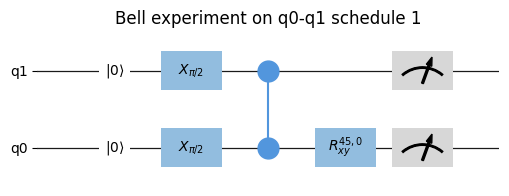
Note
Gates that are started simultaneously on the same qubit will overlap.
from qblox_scheduler import Schedule
from qblox_scheduler.operations.gate_library import X90, Measure

sched = Schedule(f"overlapping gates")

sched.add(X90("q0"))
sched.add(Measure("q0"), ref_pt="start", rel_time=0)
sched.plot_circuit_diagram();
Note
If the pulse’s port address was not found then the pulse will be plotted on the ‘other’ timeline.
- plot_pulse_diagram(port_list: list[str] | None = None, sampling_rate: float = 1000000000.0, modulation: Literal['off', 'if', 'clock'] = 'off', modulation_if: float = 0.0, plot_backend: Literal['mpl', 'plotly'] = 'mpl', x_range: tuple[float, float] = (-np.inf, np.inf), combine_waveforms_on_same_port: bool = True, timeable_schedule_index: int | None = None, **backend_kwargs) tuple[matplotlib.figure.Figure, matplotlib.axes.Axes] | plotly.graph_objects.Figure[source]#
Create a visualization of all the pulses in a schedule using the specified plotting backend.
The pulse diagram visualizes the schedule at the quantum device layer. For this visualization to work, all operations need to have the information present (e.g., pulse info) to represent these on the quantum-circuit level and requires the absolute timing to have been determined. This information is typically added when the quantum-device level compilation is performed.
Alias of
qblox_scheduler.schedules._visualization.pulse_diagram.pulse_diagram_matplotlib()andqblox_scheduler.schedules._visualization.pulse_diagram.pulse_diagram_plotly().- Parameters:
port_list – A list of ports to show. If
None(default) the first 8 ports encountered in the sequence are used.modulation – Determines if modulation is included in the visualization.
modulation_if – Modulation frequency used when modulation is set to “if”.
sampling_rate – The time resolution used to sample the schedule in Hz.
plot_backend – Plotting library to use, can either be ‘mpl’ or ‘plotly’.
x_range – The range of the x-axis that is plotted, given as a tuple (left limit, right limit). This can be used to reduce memory usage when plotting a small section of a long pulse sequence. By default (-np.inf, np.inf).
combine_waveforms_on_same_port – By default True. If True, combines all waveforms on the same port into one single waveform. The resulting waveform is the sum of all waveforms on that port (small inaccuracies may occur due to floating point approximation). If False, the waveforms are shown individually.
timeable_schedule_index – Index of timeable schedule in schedule to plot. If None (the default), will only plot if the schedule contains a single timeable schedule.
backend_kwargs – Keyword arguments to be passed on to the plotting backend. The arguments that can be used for either backend can be found in the documentation of
qblox_scheduler.schedules._visualization.pulse_diagram.pulse_diagram_matplotlib()andqblox_scheduler.schedules._visualization.pulse_diagram.pulse_diagram_plotly().
- Returns:
Union[tuple[Figure, Axes],
plotly.graph_objects.Figure] the plot
Example
A simple plot with matplotlib can be created as follows:
from qblox_scheduler.backends.graph_compilation import SerialCompiler
from qblox_scheduler.device_under_test.quantum_device import QuantumDevice
from qblox_scheduler.operations.pulse_library import (
    DRAGPulse, SquarePulse, RampPulse, VoltageOffset,
)
from qblox_scheduler.resources import ClockResource

schedule = Schedule("Multiple waveforms")
schedule.add(DRAGPulse(amplitude=0.2, beta=2e-9, phase=0, duration=4e-6, port="P", clock="C"))
schedule.add(RampPulse(amplitude=0.2, offset=0.0, duration=6e-6, port="P"))
schedule.add(SquarePulse(amplitude=0.1, duration=4e-6, port="Q"), ref_pt='start')
schedule.add_resource(ClockResource(name="C", freq=4e9))

quantum_device = QuantumDevice("quantum_device")
device_compiler = SerialCompiler("Device compiler", quantum_device)
compiled_schedule = device_compiler.compile(schedule)

_ = compiled_schedule.plot_pulse_diagram(sampling_rate=20e6)
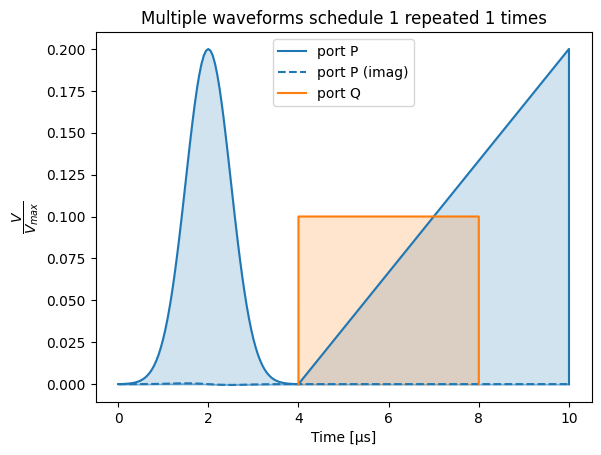
The backend can be changed to the plotly backend by specifying the
plot_backend=plotlyargument. With the plotly backend, pulse diagrams include a separate plot for each port/clock combination:_ = compiled_schedule.plot_pulse_diagram(sampling_rate=20e6, plot_backend='plotly')
The same can be achieved in the default
plot_backend(matplotlib) by passing the keyword argumentmultiple_subplots=True:_ = compiled_schedule.plot_pulse_diagram(sampling_rate=20e6, multiple_subplots=True)
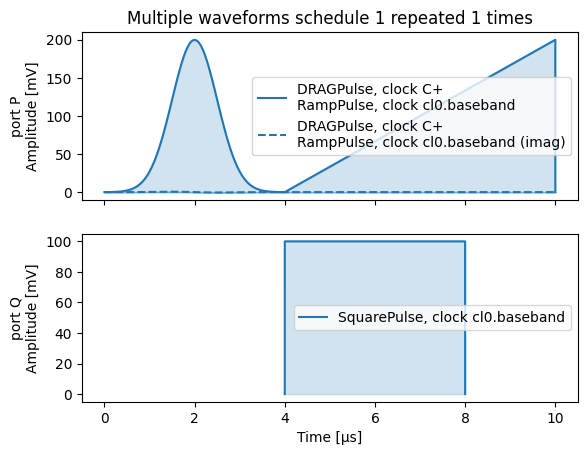
By default, waveforms overlapping in time on the same port are shown separately:
schedule = Schedule("Overlapping waveforms")
schedule.add(VoltageOffset(offset_path_I=0.25, offset_path_Q=0.0, port="Q"))
schedule.add(SquarePulse(amplitude=0.1, duration=4e-6, port="Q"), rel_time=2e-6)
schedule.add(VoltageOffset(offset_path_I=0.0, offset_path_Q=0.0, port="Q"), ref_pt="start", rel_time=2e-6)

compiled_schedule = device_compiler.compile(schedule)

_ = compiled_schedule.plot_pulse_diagram(sampling_rate=20e6)
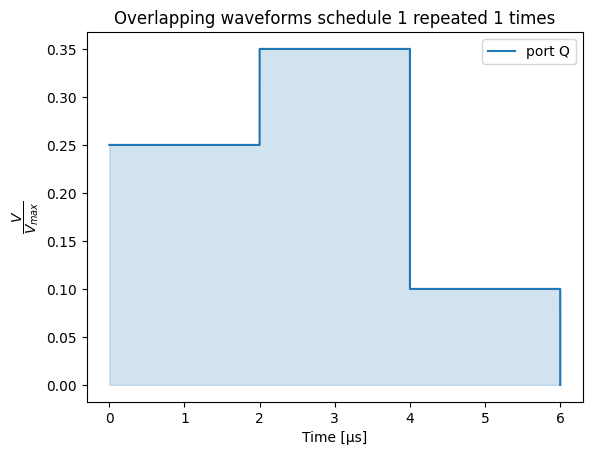
This behaviour can be changed with the parameter
combine_waveforms_on_same_port:_ = compiled_schedule.plot_pulse_diagram(sampling_rate=20e6, combine_waveforms_on_same_port=True)
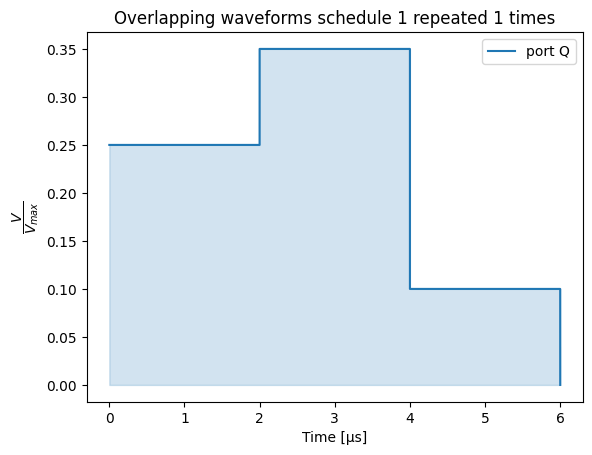
- property timing_table: pandas.io.formats.style.Styler#
A styled pandas dataframe containing the absolute timing of pulses and acquisitions in a schedule.
This table is constructed based on the
abs_timekey in theschedulables. This requires the timing to have been determined.The table consists of the following columns:
operation: a
reprofOperationcorresponding to the pulse/acquisition.waveform_op_id: an id corresponding to each pulse/acquisition inside an
Operation.port: the port the pulse/acquisition is to be played/acquired on.
clock: the clock used to (de)modulate the pulse/acquisition.
abs_time: the absolute time the pulse/acquisition is scheduled to start.
duration: the duration of the pulse/acquisition that is scheduled.
is_acquisition: whether the pulse/acquisition is an acquisition or not (type
numpy.bool_).wf_idx: the waveform index of the pulse/acquisition belonging to the Operation.
operation_hash: the unique hash corresponding to the
Schedulablethat the pulse/acquisition belongs to.
Example
schedule = Schedule("demo timing table")
schedule.add(Reset("q0", "q4"))
schedule.add(X("q0"))
schedule.add(Y("q4"))
schedule.add(Measure("q0", acq_channel=0))
schedule.add(Measure("q4", acq_channel=1))

compiled_schedule = compiler.compile(schedule)
compiled_schedule.timing_table
waveform_op_id port clock abs_time duration is_acquisition operation operation_hash 0 IdlePulse(duration=0.0002) None cl0.baseband 0.0 ns 200,000.0 ns False IdlePulse(duration=0.0002) 3700982587232654589 1 IdlePulse(duration=0.0002) None cl0.baseband 0.0 ns 200,000.0 ns False IdlePulse(duration=0.0002) 3700982587232654589 2 X(qubit='q0') q0:mw q0.01 200,000.0 ns 20.0 ns False X(qubit='q0') 1141152269086224015 3 Y(qubit='q4') q4:mw q4.01 200,020.0 ns 20.0 ns False Y(qubit='q4') 1294920500042414229 4 ResetClockPhase(clock='q0.ro',t0=0.0) None q0.ro 200,040.0 ns 0.0 ns False ResetClockPhase(clock='q0.ro',t0=0.0) 6924004210291330894 5 VoltageOffset(offset_path_I=0.25,offset_path_Q=0,port='q0:res',clock='q0.ro',t0=0.0,reference_magnitude=None) q0:res q0.ro 200,040.0 ns 0.0 ns False VoltageOffset(offset_path_I=0.25,offset_path_Q=0,port='q0:res',clock='q0.ro',t0=0.0,reference_magnitude=None) 352010417554625645 8 SSBIntegrationComplex(port='q0:res',clock='q0.ro',duration=1e-06,acq_channel=0,coords=None,acq_index=None,bin_mode='average_append',phase=0,t0=1e-07) q0:res q0.ro 200,140.0 ns 1,000.0 ns True SSBIntegrationComplex(port='q0:res',clock='q0.ro',duration=1e-06,acq_channel=0,coords=None,acq_index=None,bin_mode='average_append',phase=0,t0=1e-07) -1327038609839107474 6 VoltageOffset(offset_path_I=0.0,offset_path_Q=0.0,port='q0:res',clock='q0.ro',t0=0.0,reference_magnitude=None) q0:res q0.ro 200,336.0 ns 0.0 ns False VoltageOffset(offset_path_I=0.0,offset_path_Q=0.0,port='q0:res',clock='q0.ro',t0=0.0,reference_magnitude=None) 5496658706069485314 7 SquarePulse(amplitude=0.25,duration=4e-09,port='q0:res',clock='q0.ro',reference_magnitude=None,t0=0.0) q0:res q0.ro 200,336.0 ns 4.0 ns False SquarePulse(amplitude=0.25,duration=4e-09,port='q0:res',clock='q0.ro',reference_magnitude=None,t0=0.0) -2285595292019295378 9 ResetClockPhase(clock='q4.ro',t0=0.0) None q4.ro 201,140.0 ns 0.0 ns False ResetClockPhase(clock='q4.ro',t0=0.0) 5736049869791545321 10 VoltageOffset(offset_path_I=0.25,offset_path_Q=0,port='q4:res',clock='q4.ro',t0=0.0,reference_magnitude=None) q4:res q4.ro 201,140.0 ns 0.0 ns False VoltageOffset(offset_path_I=0.25,offset_path_Q=0,port='q4:res',clock='q4.ro',t0=0.0,reference_magnitude=None) 5310938415257972690 13 SSBIntegrationComplex(port='q4:res',clock='q4.ro',duration=1e-06,acq_channel=1,coords=None,acq_index=None,bin_mode='average_append',phase=0,t0=1e-07) q4:res q4.ro 201,240.0 ns 1,000.0 ns True SSBIntegrationComplex(port='q4:res',clock='q4.ro',duration=1e-06,acq_channel=1,coords=None,acq_index=None,bin_mode='average_append',phase=0,t0=1e-07) -6702671372222898089 11 VoltageOffset(offset_path_I=0.0,offset_path_Q=0.0,port='q4:res',clock='q4.ro',t0=0.0,reference_magnitude=None) q4:res q4.ro 201,436.0 ns 0.0 ns False VoltageOffset(offset_path_I=0.0,offset_path_Q=0.0,port='q4:res',clock='q4.ro',t0=0.0,reference_magnitude=None) -3343125603483953696 12 SquarePulse(amplitude=0.25,duration=4e-09,port='q4:res',clock='q4.ro',reference_magnitude=None,t0=0.0) q4:res q4.ro 201,436.0 ns 4.0 ns False SquarePulse(amplitude=0.25,duration=4e-09,port='q4:res',clock='q4.ro',reference_magnitude=None,t0=0.0) 3414447913866205185 - Returns:
: styled_timing_table, a pandas Styler containing a dataframe with an overview of the timing of the pulses and acquisitions present in the schedule. The dataframe can be accessed through the .data attribute of the Styler.
- Raises:
ValueError – When the absolute timing has not been determined during compilation.
- _add_timeable_schedule(timeable_schedule: qblox_scheduler.schedules.schedule.TimeableSchedule) None[source]#
- _get_current_timeable_schedule() qblox_scheduler.schedules.schedule.TimeableSchedule | None[source]#
- _get_timeable_schedule() qblox_scheduler.schedules.schedule.TimeableSchedule[source]#
- get_used_port_clocks() set[tuple[str, str]][source]#
Extracts which port-clock combinations are used in this schedule.
- Returns:
: All (port, clock) combinations that operations in this schedule uses
- add_resource(resource: qblox_scheduler.resources.Resource) None[source]#
Add a resource such as a channel or device element to the schedule.
- declare(dtype: qblox_scheduler.operations.expressions.DType) qblox_scheduler.operations.variables.Variable[source]#
Declare a new variable.
- Parameters:
dtype – The data type of the variable.
- add(operation: Schedule | qblox_scheduler.operations.operation.Operation | qblox_scheduler.schedules.schedule.TimeableSchedule | qblox_scheduler.experiments.experiment.Step, rel_time: float | qblox_scheduler.operations.expressions.Expression = 0, ref_op: qblox_scheduler.schedules.schedule.Schedulable | str | None = None, ref_pt: qblox_scheduler.schedules.schedule.OperationReferencePoint | None = None, ref_pt_new: qblox_scheduler.schedules.schedule.OperationReferencePoint | None = None, label: str | None = None) qblox_scheduler.schedules.schedule.Schedulable | None[source]#
Add step, operation or timeable schedule to this schedule.
- _add_schedule(schedule: Schedule, rel_time: float | qblox_scheduler.operations.expressions.Expression = 0, ref_op: qblox_scheduler.schedules.schedule.Schedulable | str | None = None, ref_pt: qblox_scheduler.schedules.schedule.OperationReferencePoint | None = None, ref_pt_new: qblox_scheduler.schedules.schedule.OperationReferencePoint | None = None, label: str | None = None) qblox_scheduler.schedules.schedule.Schedulable | None[source]#
- loop(domain: qblox_scheduler.operations.loop_domains.LinearDomain, *, rel_time: float = 0, ref_op: qblox_scheduler.schedules.schedule.Schedulable | str | None = None, ref_pt: qblox_scheduler.schedules.schedule.OperationReferencePoint | None = None, ref_pt_new: qblox_scheduler.schedules.schedule.OperationReferencePoint | None = None, strategy: qblox_scheduler.operations.control_flow_library.LoopStrategy | None = None) contextlib.AbstractContextManager[qblox_scheduler.operations.variables.Variable][source]#
- loop(domain: qblox_scheduler.operations.loop_domains.LinearDomain, domains: qblox_scheduler.operations.loop_domains.LinearDomain, /, *args: qblox_scheduler.operations.loop_domains.LinearDomain, rel_time: float = 0, ref_op: qblox_scheduler.schedules.schedule.Schedulable | str | None = None, ref_pt: qblox_scheduler.schedules.schedule.OperationReferencePoint | None = None, ref_pt_new: qblox_scheduler.schedules.schedule.OperationReferencePoint | None = None, strategy: qblox_scheduler.operations.control_flow_library.LoopStrategy | None = None) contextlib.AbstractContextManager[list[qblox_scheduler.operations.variables.Variable]]
Add a loop operation to the schedule, using a with-statement.
Every operation added while the context manager is active, will be added to the loop body.
Example:
sched = Schedule()
with sched.loop(linspace(start_amp, start_amp + 1.0, 11, dtype=DType.AMP)) as amp:
    sched.add(SquarePulse(amplitude=amp, duration=100e-9, port="q0:mw", clock="q0.01"))
- Parameters:
domain – The object that describes the domain to be looped over.
domains – Optional extra domains that will be looped over in parallel, in a zip-like fashion.
rel_time – relative time between the reference operation and the added operation. the time is the time between the “ref_pt” in the reference operation and “ref_pt_new” of the operation that is added.
ref_op – reference schedulable. If set to
None, will default to the last added operation.ref_pt – reference point in reference operation must be one of
"start","center","end", orNone; in case ofNone,_determine_absolute_timing()assumes"end".ref_pt_new – reference point in added operation must be one of
"start","center","end", orNone; in case ofNone,_determine_absolute_timing()assumes"start".strategy – Strategy to use for implementing this loop, will default to
Noneindicating no preference.
- Yields:
variables – The Variable objects that are created for each domain.
- repeat(n: int) collections.abc.Iterator[None][source]#
Add a loop operation to the schedule for a given amount of iterations, using a with-statement.
Example:
sched = Schedule()
with sched.repeat(5):
    sched.add(SquarePulse(amplitude=some_amp, duration=100e-9, port="q0:mw", clock="q0.01"))
- Parameters:
n – The amount of times to repeat the loop body.
- class CompiledSchedule(schedule: TimeableSchedule)[source]#
Bases:
TimeableScheduleBaseA schedule that contains compiled instructions ready for execution using the
InstrumentCoordinator.The
CompiledSchedulediffers from aTimeableSchedulein that it is considered immutable (no new operations or resources can be added), and that it containscompiled_instructions.Tip
A
TimeableSchedulecan be obtained by compiling aTimeableScheduleusingcompile().- schema_filename = 'schedule.json'#
- _hardware_timing_table: pandas.DataFrame#
- _hardware_waveform_dict: dict[str, numpy.ndarray]#
- property compiled_instructions: collections.abc.MutableMapping[str, qblox_scheduler.resources.Resource]#
A dictionary containing compiled instructions.
The contents of this dictionary depend on the backend it was compiled for. However, we assume that the general format consists of a dictionary in which the keys are instrument names corresponding to components added to a
InstrumentCoordinator, and the values are the instructions for that component.These values typically contain a combination of sequence files, waveform definitions, and parameters to configure on the instrument.
- classmethod is_valid(object_to_be_validated: Any) bool[source]#
Check if the contents of the object_to_be_validated are valid.
Additionally checks if the object_to_be_validated is an instance of
CompiledSchedule.
- property hardware_timing_table: pandas.io.formats.style.Styler#
Return a timing table representing all operations at the Control-hardware layer.
Note that this timing table is typically different from the .timing_table in that it contains more hardware specific information such as channels, clock cycles and samples and corrections for things such as gain.
This hardware timing table is intended to provide a more
This table is constructed based on the timing_table and modified during compilation in one of the hardware back ends and optionally added to the schedule. Not all back ends support this feature.
- property hardware_waveform_dict: dict[str, numpy.ndarray]#
Return a waveform dictionary representing all waveforms at the Control-hardware layer.
Where the waveforms are represented as abstract waveforms in the Operations, this dictionary contains the numerical arrays that are uploaded to the hardware.
- This dictionary is constructed during compilation in the hardware back ends and
optionally added to the schedule. Not all back ends support this feature.
- clone() CompiledSchedule[source]#
Clone this schedule into a separate independent schedule.
- substitute(substitutions: dict[qblox_scheduler.operations.expressions.Expression, qblox_scheduler.operations.expressions.Expression | int | float | complex]) CompiledSchedule[source]#
Substitute matching expressions of operations in this schedule.
- class Schedulable(name: str, operation_id: str)[source]#
Bases:
qblox_scheduler.json_utils.JSONSchemaValMixin,collections.UserDictA representation of an element on a schedule.
All elements on a schedule are schedulables. A schedulable contains all information regarding the timing of this element as well as the operation being executed by this element. This operation is currently represented by an operation ID.
Schedulables can contain an arbitrary number of timing constraints to determine the timing. Multiple different constraints are currently resolved by delaying the element until after all timing constraints have been met, to aid compatibility. To specify an exact timing between two schedulables, please ensure to only specify exactly one timing constraint.
- Parameters:
name – The name of this schedulable, by which it can be referenced by other schedulables. Separate schedulables cannot share the same name.
operation_id – Reference to the operation which is to be executed by this schedulable.
- schema_filename = 'schedulable.json'#
- clone() Schedulable[source]#
Clone this schedulable into a separate independent schedulable.
- substitute(substitutions: dict[qblox_scheduler.operations.expressions.Expression, qblox_scheduler.operations.expressions.Expression | int | float | complex]) Schedulable[source]#
Substitute matching expressions in this schedulable.
- add_timing_constraint(rel_time: float | qblox_scheduler.operations.expressions.Expression = 0, ref_schedulable: Schedulable | str | None = None, ref_pt: OperationReferencePoint | None = None, ref_pt_new: OperationReferencePoint | None = None) None[source]#
Add timing constraint.
A timing constraint constrains the operation in time by specifying the time (
"rel_time") between a reference schedulable and the added schedulable. The time can be specified with respect to the “start”, “center”, or “end” of the operations. The reference schedulable ("ref_schedulable") is specified using its name property. See alsoschedulables.- Parameters:
rel_time – relative time between the reference schedulable and the added schedulable. the time is the time between the “ref_pt” in the reference operation and “ref_pt_new” of the operation that is added.
ref_schedulable – name of the reference schedulable. If set to
None, will default to the last added operation.ref_pt – reference point in reference operation must be one of
"start","center","end", orNone; in case ofNone,_determine_absolute_timing()assumes"end".ref_pt_new – reference point in added operation must be one of
"start","center","end", orNone; in case ofNone,_determine_absolute_timing()assumes"start".
- heterodyne_spec_sched(pulse_amp: float, pulse_duration: float, frequency: float, acquisition_delay: float, integration_time: float, port: str, clock: str, init_duration: float = 1e-05, repetitions: int = 1, port_out: str | None = None) qblox_scheduler.schedules.schedule.TimeableSchedule[source]#
Generate a schedule for performing heterodyne spectroscopy.
- Parameters:
pulse_amp – Amplitude of the spectroscopy pulse in Volt.
pulse_duration – Duration of the spectroscopy pulse in seconds.
frequency – Frequency of the spectroscopy pulse in Hertz.
acquisition_delay – Start of the data acquisition with respect to the start of the spectroscopy pulse in seconds.
integration_time – Integration time of the data acquisition in seconds.
port – Location on the device where the acquisition is performed.
clock – Reference clock used to track the spectroscopy frequency.
init_duration – The relaxation time or dead time.
repetitions – The amount of times the TimeableSchedule will be repeated.
port_out – Output port on the device where the pulse should be applied. If None, then use the same as port.
- heterodyne_spec_sched_nco(pulse_amp: float, pulse_duration: float, frequencies: numpy.ndarray, acquisition_delay: float, integration_time: float, port: str, clock: str, init_duration: float = 1e-05, repetitions: int = 1, port_out: str | None = None) qblox_scheduler.schedules.schedule.TimeableSchedule[source]#
Generate a batched schedule for performing fast heterodyne spectroscopy using the
SetClockFrequencyoperation for doing an NCO sweep.Example use of the
heterodyne_spec_sched_ncoscheduleimport numpy as np from qcodes.parameters.parameter import ManualParameter from qblox_scheduler.gettables import ScheduleGettable from qblox_scheduler.device_under_test.quantum_device import QuantumDevice from qblox_scheduler.device_under_test.transmon_element import BasicTransmonElement from qblox_scheduler.schedules.spectroscopy_schedules import heterodyne_spec_sched_nco quantum_device = QuantumDevice(name="quantum_device") q0 = BasicTransmonElement("q0") quantum_device.add_element(q0) ... # Manual parameter for batched schedule ro_freq = ManualParameter("ro_freq", unit="Hz") ro_freq.batched = True ro_freqs = np.linspace(start=4.5e9, stop=5.5e9, num=11) quantum_device.cfg_sched_repetitions = 5 # Configure the gettable device_element = quantum_device.get_element("q0") schedule_kwargs = { "pulse_amp": device_element.measure.pulse_amp, "pulse_duration": device_element.measure.pulse_duration, "frequencies": ro_freqs, "acquisition_delay": device_element.measure.acq_delay, "integration_time": device_element.measure.integration_time, "port": device_element.ports.readout, "clock": device_element.name + ".ro", "init_duration": device_element.reset.duration, } spec_gettable = ScheduleGettable( quantum_device=quantum_device, schedule_function=heterodyne_spec_sched_nco, schedule_kwargs=schedule_kwargs, real_imag=False, batched=True, )
- Parameters:
pulse_amp – Amplitude of the spectroscopy pulse in Volt.
pulse_duration – Duration of the spectroscopy pulse in seconds.
frequencies – Sample frequencies for the spectroscopy pulse in Hertz.
acquisition_delay – Start of the data acquisition with respect to the start of the spectroscopy pulse in seconds.
integration_time – Integration time of the data acquisition in seconds.
port – Location on the device where the acquisition is performed.
clock – Reference clock used to track the spectroscopy frequency.
init_duration – The relaxation time or dead time.
repetitions – The amount of times the TimeableSchedule will be repeated.
port_out – Output port on the device where the pulse should be applied. If None, then use the same as port.
- nv_dark_esr_sched(qubit: str, repetitions: int = 1) qblox_scheduler.schedules.schedule.TimeableSchedule[source]#
Generates a schedule for a dark ESR experiment on an NV-center.
The spectroscopy frequency is taken from the device element. Please use the clock specified in the spectroscopy_operation entry of the device config.
- Parameters:
qubit – Name of the DeviceElement representing the NV-center.
repetitions – Number of schedule repetitions.
- Returns:
: TimeableSchedule with a single frequency
- two_tone_spec_sched(spec_pulse_amp: float, spec_pulse_duration: float, spec_pulse_port: str, spec_pulse_clock: str, spec_pulse_frequency: float, ro_pulse_amp: float, ro_pulse_duration: float, ro_pulse_delay: float, ro_pulse_port: str, ro_pulse_clock: str, ro_pulse_frequency: float, ro_acquisition_delay: float, ro_integration_time: float, init_duration: float = 1e-05, repetitions: int = 1) qblox_scheduler.schedules.schedule.TimeableSchedule[source]#
Generate a schedule for performing two-tone spectroscopy.
- Parameters:
spec_pulse_amp – Amplitude of the spectroscopy pulse in Volt.
spec_pulse_duration – Duration of the spectroscopy pulse in seconds.
spec_pulse_port – Location on the device where the spectroscopy pulse should be applied.
spec_pulse_clock – Reference clock used to track the spectroscopy frequency.
spec_pulse_frequency – Frequency of the spectroscopy pulse in Hertz.
ro_pulse_amp – Amplitude of the readout (spectroscopy) pulse in Volt.
ro_pulse_duration – Duration of the readout (spectroscopy) pulse in seconds.
ro_pulse_delay – Time between the end of the spectroscopy pulse and the start of the readout (spectroscopy) pulse.
ro_pulse_port – Location on the device where the readout (spectroscopy) pulse should be applied.
ro_pulse_clock – Reference clock used to track the readout (spectroscopy) frequency.
ro_pulse_frequency – Frequency of the readout (spectroscopy) pulse in Hertz.
ro_acquisition_delay – Start of the data acquisition with respect to the start of the readout pulse in seconds.
ro_integration_time – Integration time of the data acquisition in seconds.
init_duration – The relaxation time or dead time.
repetitions – The amount of times the TimeableSchedule will be repeated.
- two_tone_spec_sched_nco(spec_pulse_amp: float, spec_pulse_duration: float, spec_pulse_port: str, spec_pulse_clock: str, spec_pulse_frequencies: numpy.ndarray, ro_pulse_amp: float, ro_pulse_duration: float, ro_pulse_delay: float, ro_pulse_port: str, ro_pulse_clock: str, ro_pulse_frequency: float, ro_acquisition_delay: float, ro_integration_time: float, init_duration: float, repetitions: int = 1) qblox_scheduler.schedules.schedule.TimeableSchedule[source]#
Generate a batched schedule for performing fast two-tone spectroscopy using the
SetClockFrequencyoperation for doing an NCO sweep.For long-lived qubits, it is advisable to use a small number of repetitions and compensate by doing continuous spectroscopy (low amplitude, long duration pulse with simultaneous long readout).
The “dead-time” between two data points needs to be sufficient to properly reset the qubit. That means that init_duration should be >> T1 (so typically >200us).
Example use of the
two_tone_spec_sched_ncoscheduleimport numpy as np from qcodes.parameters.parameter import ManualParameter from qblox_scheduler.gettables import ScheduleGettable from qblox_scheduler.device_under_test.quantum_device import QuantumDevice from qblox_scheduler.device_under_test.transmon_element import BasicTransmonElement from qblox_scheduler.schedules.spectroscopy_schedules import two_tone_spec_sched_nco quantum_device = QuantumDevice(name="quantum_device") q0 = BasicTransmonElement("q0") quantum_device.add_element(q0) ... # Manual parameter for batched schedule spec_freq = ManualParameter("spec_freq", unit="Hz") spec_freq.batched = True spec_freqs = np.linspace(start=4.5e9, stop=5.5e9, num=11) quantum_device.cfg_sched_repetitions = 5 # Configure the gettable device_element = quantum_device.get_element("q0") schedule_kwargs = { "spec_pulse_amp": 0.5, "spec_pulse_duration": 8e-6, "spec_pulse_port": device_element.ports.microwave, "spec_pulse_clock": device_element.name + ".01", "spec_pulse_frequencies": spec_freqs, "ro_pulse_amp": device_element.measure.pulse_amp, "ro_pulse_duration": device_element.measure.pulse_duration, "ro_pulse_delay": 300e-9, "ro_pulse_port": device_element.ports.readout, "ro_pulse_clock": device_element.name + ".ro", "ro_pulse_frequency": 7.04e9, "ro_acquisition_delay": device_element.measure.acq_delay, "ro_integration_time": device_element.measure.integration_time, "init_duration": 300e-6, } spec_gettable = ScheduleGettable( quantum_device=quantum_device, schedule_function=two_tone_spec_sched_nco, schedule_kwargs=schedule_kwargs, real_imag=False, batched=True, )
- Parameters:
spec_pulse_amp – Amplitude of the spectroscopy pulse in Volt.
spec_pulse_duration – Duration of the spectroscopy pulse in seconds.
spec_pulse_port – Location on the device where the spectroscopy pulse should be applied.
spec_pulse_clock – Reference clock used to track the spectroscopy frequency.
spec_pulse_frequencies – Sample frequencies for the spectroscopy pulse in Hertz.
ro_pulse_amp – Amplitude of the readout (spectroscopy) pulse in Volt.
ro_pulse_duration – Duration of the readout (spectroscopy) pulse in seconds.
ro_pulse_delay – Time between the end of the spectroscopy pulse and the start of the readout (spectroscopy) pulse.
ro_pulse_port – Location on the device where the readout (spectroscopy) pulse should be applied.
ro_pulse_clock – Reference clock used to track the readout (spectroscopy) frequency.
ro_pulse_frequency – Frequency of the readout (spectroscopy) pulse in Hertz.
ro_acquisition_delay – Start of the data acquisition with respect to the start of the readout pulse in seconds.
ro_integration_time – Integration time of the data acquisition in seconds.
init_duration – The relaxation time or dead time.
repetitions – The amount of times the TimeableSchedule will be repeated.
- allxy_sched(qubit: str, element_select_idx: collections.abc.Iterable[int] | int = np.arange(21), repetitions: int = 1) qblox_scheduler.schedules.schedule.TimeableSchedule[source]#
Generate a schedule for performing an AllXY experiment.
- TimeableSchedule sequence
Reset – Rxy[0] – Rxy[1] – Measure
for a specific set of combinations of x90, x180, y90, y180 and idle rotations.
See section 5.2.3 of :cite:t:`reed_entanglement_2013` for an explanation of the AllXY experiment and it’s applications in diagnosing errors in single-qubit control pulses.
- Parameters:
qubit – the name of the device element e.g.,
"q0"to perform the experiment on.element_select_idx – the index of the particular element of the AllXY experiment to execute.
repetitions – The amount of times the TimeableSchedule will be repeated.
- Returns:
: An experiment schedule.
- echo_sched(times: numpy.ndarray | float, qubit: str, repetitions: int = 1) qblox_scheduler.schedules.schedule.TimeableSchedule[source]#
Generate a schedule for performing an Echo experiment to measure the qubit echo-dephasing time \(T_2^{E}\).
- TimeableSchedule sequence
Reset – pi/2 – Idle(tau/2) – pi – Idle(tau/2) – pi/2 – Measure
See section III.B.2. of :cite:t:`krantz_quantum_2019` for an explanation of the Bloch-Redfield model of decoherence and the echo experiment.
- Parameters:
qubit – the name of the device element e.g., “q0” to perform the echo experiment on.
times – an array of wait times. Used as tau/2 wait time between the start of the first pi/2 pulse and pi pulse, tau/2 wait time between the start of the pi pulse and the final pi/2 pulse.
repetitions – The amount of times the TimeableSchedule will be repeated.
- Returns:
: An experiment schedule.
- rabi_pulse_sched(mw_amplitude: float, mw_beta: float, mw_frequency: float, mw_clock: str, mw_port: str, mw_pulse_duration: float, ro_pulse_amp: float, ro_pulse_duration: float, ro_pulse_delay: float, ro_pulse_port: str, ro_pulse_clock: str, ro_pulse_frequency: float, ro_acquisition_delay: float, ro_integration_time: float, init_duration: float, repetitions: int = 1) qblox_scheduler.schedules.schedule.TimeableSchedule[source]#
Generate a schedule for performing a Rabi experiment using a
qblox_scheduler.waveforms.drag()pulse.Note
This function allows specifying a Rabi experiment directly using the pulse-level abstraction. For most applications we recommend using
rabi_sched()instead.- Parameters:
mw_amplitude – amplitude of the gaussian component of a DRAG pulse.
mw_beta – amplitude of the derivative-of-gaussian component of a DRAG pulse.
mw_frequency – frequency of the DRAG pulse.
mw_clock – reference clock used to track the qubit 01 transition.
mw_port – location on the device where the pulse should be applied.
mw_pulse_duration – duration of the DRAG pulse. Corresponds to 4 sigma.
ro_pulse_amp – amplitude of the readout pulse in Volt.
ro_pulse_duration – duration of the readout pulse in seconds.
ro_pulse_delay – time between the end of the spectroscopy pulse and the start of the readout pulse.
ro_pulse_port – location on the device where the readout pulse should be applied.
ro_pulse_clock – reference clock used to track the readout frequency.
ro_pulse_frequency – frequency of the spectroscopy pulse and of the data acquisition in Hertz.
ro_acquisition_delay – start of the data acquisition with respect to the start of the readout pulse in seconds.
ro_integration_time – integration time of the data acquisition in seconds.
init_duration – The relaxation time or dead time.
repetitions – The amount of times the TimeableSchedule will be repeated.
- rabi_sched(pulse_amp: numpy.ndarray | float, pulse_duration: numpy.ndarray | float, frequency: float, qubit: str, port: str = None, clock: str = None, repetitions: int = 1) qblox_scheduler.schedules.schedule.TimeableSchedule[source]#
Generate a schedule for performing a Rabi using a Gaussian pulse.
- TimeableSchedule sequence
Reset – DRAG – Measure
- Parameters:
pulse_amp – amplitude of the Rabi pulse in V.
pulse_duration – duration of the Gaussian shaped Rabi pulse. Corresponds to 4 sigma.
frequency – frequency of the qubit 01 transition.
qubit – the device element name on which to perform a Rabi experiment.
port – location on the chip where the Rabi pulse should be applied. if set to
None, will use the naming convention"<device element name>:mw"to infer the port.clock – name of the location in frequency space where to apply the Rabi pulse. if set to
None, will use the naming convention"<device_element>.01"to infer the clock.repetitions – The amount of times the TimeableSchedule will be repeated.
- ramsey_sched(times: numpy.ndarray | float, qubit: str, artificial_detuning: float = 0, repetitions: int = 1) qblox_scheduler.schedules.schedule.TimeableSchedule[source]#
Generate a schedule for performing a Ramsey experiment to measure the dephasing time \(T_2^{\star}\).
- TimeableSchedule sequence
Reset – pi/2 – Idle(tau) – pi/2 – Measure
See section III.B.2. of :cite:t:`krantz_quantum_2019` for an explanation of the Bloch-Redfield model of decoherence and the Ramsey experiment.
- Parameters:
times – an array of wait times tau between the start of the first pi/2 pulse and the start of the second pi/2 pulse.
artificial_detuning – frequency in Hz of the software emulated, or
artificialqubit detuning, which is implemented by changing the phase of the second pi/2 (recovery) pulse. The artificial detuning changes the observed frequency of the Ramsey oscillation, which can be useful to distinguish a slow oscillation due to a small physical detuning from the decay of the dephasing noise.qubit – the name of the device element e.g.,
"q0"to perform the Ramsey experiment on.repetitions – The amount of times the TimeableSchedule will be repeated.
- Returns:
: An experiment schedule.
- readout_calibration_sched(qubit: str, prepared_states: list[int], repetitions: int = 1, acq_protocol: Literal['SSBIntegrationComplex', 'ThresholdedAcquisition'] = 'SSBIntegrationComplex') qblox_scheduler.schedules.schedule.TimeableSchedule[source]#
A schedule for readout calibration. Prepares a state and immediately performs a measurement.
- Parameters:
qubit – the name of the device element e.g.,
"q0"to perform the experiment on.prepared_states – the states to prepare the qubit in before measuring as in integer corresponding to the ground (0), first-excited (1) or second-excited (2) state.
repetitions – The number of shots to acquire, sets the number of times the schedule will be repeated.
acq_protocol – The acquisition protocol used for the readout calibration. By default “SSBIntegrationComplex”, but “ThresholdedAcquisition” can be used for verifying thresholded acquisition parameters with this function (see /tutorials/Conditional Reset).
- Returns:
: An experiment schedule.
- Raises:
ValueError – If the prepared state is not either 0, 1, or 2.
NotImplementedError – If the prepared state is 2.
- t1_sched(times: numpy.ndarray | float, qubit: str, repetitions: int = 1) qblox_scheduler.schedules.schedule.TimeableSchedule[source]#
Generate a schedule for performing a \(T_1\) experiment to measure the qubit relaxation time.
- TimeableSchedule sequence
Reset – pi – Idle(tau) – Measure
See section III.B.2. of :cite:t:`krantz_quantum_2019` for an explanation of the Bloch-Redfield model of decoherence and the \(T_1\) experiment.
- Parameters:
times – an array of wait times tau between the start of pi-pulse and the measurement.
qubit – the name of the device element e.g.,
"q0"to perform the T1 experiment on.repetitions – The amount of times the TimeableSchedule will be repeated.
- Returns:
: An experiment schedule.
- trace_schedule(pulse_amp: float, pulse_duration: float, pulse_delay: float, frequency: float, acquisition_delay: float, integration_time: float, port: str, clock: str, init_duration: float = 0.0002, repetitions: int = 1) qblox_scheduler.schedules.schedule.TimeableSchedule[source]#
Generate a schedule to perform raw trace acquisition.
- Parameters:
pulse_amp – The amplitude of the pulse in Volt.
pulse_duration – The duration of the pulse in seconds.
pulse_delay – The pulse delay in seconds.
frequency – The frequency of the pulse and of the data acquisition in Hertz.
acquisition_delay – The start of the data acquisition with respect to the start of the pulse in seconds.
integration_time – The time in seconds to integrate.
port – The location on the device where the pulse should be applied.
clock – The reference clock used to track the pulse frequency.
init_duration – The relaxation time or dead time.
repetitions – The amount of times the TimeableSchedule will be repeated.
- Returns:
: The Raw Trace acquisition TimeableSchedule.
- trace_schedule_circuit_layer(qubit_name: str, repetitions: int = 1) qblox_scheduler.schedules.schedule.TimeableSchedule[source]#
Generate a simple schedule at circuit layer to perform raw trace acquisition.
- Parameters:
qubit_name – Name of a device element.
repetitions – The amount of times the TimeableSchedule will be repeated.
- Returns:
: The Raw Trace acquisition TimeableSchedule.
- two_tone_trace_schedule(qubit_pulse_amp: float, qubit_pulse_duration: float, qubit_pulse_frequency: float, qubit_pulse_port: str, qubit_pulse_clock: str, ro_pulse_amp: float, ro_pulse_duration: float, ro_pulse_delay: float, ro_pulse_port: str, ro_pulse_clock: str, ro_pulse_frequency: float, ro_acquisition_delay: float, ro_integration_time: float, init_duration: float = 0.0002, repetitions: int = 1) qblox_scheduler.schedules.schedule.TimeableSchedule[source]#
Generate a schedule for performing a two-tone raw trace acquisition.
- Parameters:
qubit_pulse_amp – The amplitude of the pulse in Volt.
qubit_pulse_duration – The duration of the pulse in seconds.
qubit_pulse_frequency – The pulse frequency in Hertz.
qubit_pulse_port – The location on the device where the qubit pulse should be applied.
qubit_pulse_clock – The reference clock used to track the pulse frequency.
ro_pulse_amp – The amplitude of the readout pulse in Volt.
ro_pulse_duration – The duration of the readout pulse in seconds.
ro_pulse_delay – The time between the end of the pulse and the start of the readout pulse.
ro_pulse_port – The location on the device where the readout pulse should be applied.
ro_pulse_clock – The reference clock used to track the readout pulse frequency.
ro_pulse_frequency – The readout pulse frequency in Hertz.
ro_acquisition_delay – The start of the data acquisition with respect to the start of the pulse in seconds.
ro_integration_time – The integration time of the data acquisition in seconds.
init_duration – The relaxation time or dead time.
repetitions – The amount of times the TimeableSchedule will be repeated.
- Returns:
: The Two-tone Trace acquisition TimeableSchedule.