

qblox_scheduler#
Package Contents#
Classes#
Information required to compile a schedule to the quantum-device layer. |
|
Information required to compile an individual operation to the quantum-device layer. |
|
Settings related to distortion corrections. |
|
Connectivity between ports on the quantum device and control hardware inputs/outputs. |
|
Hardware distortion correction settings for a port-clock combination. |
|
Mixer corrections for a port-clock combination. |
|
Input gain settings for a complex input connected to a port-clock combination. |
|
The settings that determine when an analog voltage is counted as a pulse. |
|
The settings to control the net-zero compensation pulse. |
|
An individual real time filter on Qblox hardware. |
|
An individual real time filter on Qblox hardware. |
|
An individual real time filter on Qblox hardware. |
|
Manages output directory paths for Qblox Scheduler data storage. |
|
Class which represents all data related to an experiment. This allows the user to |
|
Create a device element for managing parameters. |
|
Create an Edge. |
|
The QuantumDevice directly represents the device under test (DUT). |
|
Comparison condition for the thresholded trigger count acquisition. |
|
A class representing a dummy Local Oscillator. |
|
An operation representing data acquisition at the quantum-device abstraction layer. |
|
Thresholded trigger count protocol that uses two thresholds. |
|
Weighted integration acquisition protocol returning integrated I and Q as one complex number. |
|
Subclass of |
|
Acquisition protocol allowing to control rotation and threshold. |
|
Subclass of |
|
Thresholded trigger counting acquisition protocol returning the comparison result with a |
|
Acquire a single timetag per acquisition index. |
|
The TimetagTrace acquisition protocol records timetags within an acquisition window. |
|
The Trace acquisition protocol measures a signal s(t). |
|
Trigger counting acquisition protocol returning an integer. |
|
Trigger counting distribution acquisition protocol returning an integer. |
|
Reset a qubit to the \(|0\rangle\) state. |
|
Conditional over another operation. |
|
Strategy to use for implementing loops. |
|
Data type of a variable or expression. |
|
Conditional-NOT gate, a common entangling gate. |
|
Conditional-phase gate, a common entangling gate. |
|
A single qubit rotation of 90 degrees around the X-axis. |
|
A single qubit rotation of 90 degrees around the Y-axis. |
|
A single qubit rotation of 90 degrees around the Z-axis. |
|
A single qubit Hadamard gate. |
|
A projective measurement in the Z-basis. |
|
Reset a qubit to the \(|0\rangle\) state. |
|
A single qubit rotation around an axis in the equator of the Bloch sphere. |
|
A single qubit rotation about the Z-axis of the Bloch sphere. |
|
A single qubit rotation of 90 degrees around the Z-axis. |
|
A single qubit rotation of -90 degrees around the Z-axis. |
|
A single qubit rotation of 45 degrees around the Z-axis. |
|
A single qubit rotation of -45 degrees around the Z-axis. |
|
A single qubit rotation of 180 degrees around the X-axis. |
|
A single qubit rotation of 180 degrees around the Y-axis. |
|
A single qubit rotation of 180 degrees around the Z-axis. |
|
Initialize an InlineQ1ASM operation. |
|
Operation that resets the feedback trigger addresses from the hardware. |
|
Wrapper on top of NumericalPulse to provide a simple interface for creating a pulse |
|
A representation of quantum circuit operations. |
|
Apply pulse compensation to an operation or schedule. |
|
A linear chirp signal. A sinusoidal signal that ramps up in frequency. |
|
A Gaussian pulse with a derivative component added to the out-of-phase channel. |
|
The GaussPulse Operation is a real-valued pulse with the specified |
|
The IdlePulse Operation is a placeholder for a specified duration of time. |
|
Digital pulse that is HIGH for the specified duration. |
|
A pulse where the shape is determined by specifying an array of (complex) points. |
|
RampPulse Operation is a pulse that ramps from zero to a set amplitude over its duration. |
|
An operation that resets the phase of the NCO clock. |
|
Operation that sets updates the frequency of a clock. |
|
Operation that shifts the phase of a clock by a specified amount. |
|
Hermite pulse intended for single qubit gates in diamond based systems. |
|
A real valued square pulse convolved with a Hann window for smoothing. |
|
A real-valued pulse with the specified amplitude during the pulse. |
|
A real valued staircase pulse, which reaches it's final amplitude in discrete steps. |
|
A pulse that can be used to implement a conditional phase gate in transmon device elements. |
|
Operation that marks a time reference for timetags. |
|
Operation that represents setting a constant offset to the output voltage. |
|
Hardware definition of qblox backend. |
|
Global identity for a virtual baseband clock. |
|
The ClockResource corresponds to a physical clock used to modulate pulses. |
|
Global identity for a virtual digital clock. |
|
High-level hybrid schedule. |
|
A schedule that contains compiled instructions ready for execution using the |
|
Experiment segment that loops other segments over some values. |
|
Experiment segment that calls a generic, user-defined callback. |
|
Experiment segment that sets a hardware description parameter for a given instrument. |
|
Experiment segment that sets a hardware option for a given port/clock. |
|
Experiment segment that sets a QCoDeS parameter, or device element parameter. |
|
Dict used to emulate the behaviour of the |
|
Compatibility class emulating the behaviour of |
Functions#
|
Linear range of values to loop over, specified with a start value, an exclusive stop value and a |
|
Linear range of values to loop over, specified with a start value, an inclusive stop value and |
|
Wrapper function around :func:~pydantic.Field that tries to emulate qcodes parameters |
Attributes#
|
|
Input attenuation setting for a port-clock combination. |
|
Output attenuation setting for a port-clock combination. |
|
Input gain settings for a real input connected to a port-clock combination. |
- class DeviceCompilationConfig(/, **data: Any)[source]#
Bases:
qblox_scheduler.structure.model.DataStructureInformation required to compile a schedule to the quantum-device layer.
During compilation this information is needed to convert a schedule defined on a quantum-circuit layer to a schedule defined on a quantum-device layer.
Examples
The DeviceCompilationConfig is structured such that it should allow the specification of the circuit-to-device compilation for many different qubit platforms. Here we show a basic configuration for a single-element device, specifying how the
resetandRxygates are compiled to device-level pulses. In this example, the DeviceCompilationConfig is created by parsing a dictionary containing the relevant information.Important
Although it is possible to manually create a configuration using dictionaries, this is not recommended. The
QuantumDeviceis responsible for managing and generating configuration files. Ready-made device elements for specific qubit platforms (e.g. transmons, spin qubits, or NV centers) are available inqblox-applications.import pprint from qblox_scheduler.backends.graph_compilation import ( DeviceCompilationConfig ) example_device_cfg = { "clocks": { "q0.01": 6020000000.0, }, "elements": { "q0": { "reset": { "factory_func": ( "qblox_scheduler.operations.pulse_library.IdlePulse" ), "factory_kwargs": {"duration": 0.0002}, }, "Rxy": { "factory_func": ( "qblox_scheduler.operations." "pulse_factories.rxy_drag_pulse" ), "gate_info_factory_kwargs": ["theta", "phi"], "factory_kwargs": { "amp180": 0.32, "beta": 1.125e-9, "port": "q0:mw", "clock": "q0.01", "duration": 2e-08, }, }, }, }, "edges": {}, } pprint.pprint(example_device_cfg)
{'clocks': {'q0.01': 6020000000.0},
 'edges': {},
 'elements': {'q0': {'Rxy': {'factory_func': 'qblox_scheduler.operations.pulse_factories.rxy_drag_pulse',
                             'factory_kwargs': {'amp180': 0.32,
                                                'beta': 1.125e-09,
                                                'clock': 'q0.01',
                                                'duration': 2e-08,
                                                'port': 'q0:mw'},
                             'gate_info_factory_kwargs': ['theta', 'phi']},
                     'reset': {'factory_func': 'qblox_scheduler.operations.pulse_library.IdlePulse',
                               'factory_kwargs': {'duration': 0.0002}}}}}
The dictionary can be parsed using the
model_validatemethod.device_cfg = DeviceCompilationConfig.model_validate(example_device_cfg) device_cfg
DeviceCompilationConfig(clocks={'q0.01': 6020000000.0}, elements={'q0': {'reset': OperationCompilationConfig(factory_func=<class 'qblox_scheduler.operations.pulse_library.IdlePulse'>, factory_kwargs={'duration': 0.0002}, gate_info_factory_kwargs=None), 'Rxy': OperationCompilationConfig(factory_func=<function rxy_drag_pulse at 0x7fe74be93530>, factory_kwargs={'amp180': 0.32, 'beta': 1.125e-09, 'port': 'q0:mw', 'clock': 'q0.01', 'duration': 2e-08}, gate_info_factory_kwargs=['theta', 'phi'])}}, edges={}, scheduling_strategy=<SchedulingStrategy.ASAP: 'asap'>, compilation_passes=[SimpleNodeConfig(name='unroll_loops', compilation_func=<function _unroll_loops at 0x7fe74b031fe0>), SimpleNodeConfig(name='circuit_to_device', compilation_func=<function compile_circuit_to_device_with_config_validation at 0x7fe74b352610>), SimpleNodeConfig(name='schedule_repetitions_to_loop', compilation_func=<function schedule_repetitions_to_loop at 0x7fe74b032400>), SimpleNodeConfig(name='set_pulse_and_acquisition_clock', compilation_func=<function set_pulse_and_acquisition_clock at 0x7fe74b352ae0>), SimpleNodeConfig(name='process_compensation_pulses', compilation_func=<function process_compensation_pulses at 0x7fe74af8afb0>), SimpleNodeConfig(name='determine_absolute_timing', compilation_func=<function _determine_absolute_timing at 0x7fe74b030ca0>), SimpleNodeConfig(name='normalize_absolute_timing', compilation_func=<function _normalize_absolute_timing at 0x7fe74b031bc0>), SimpleNodeConfig(name='scale_amplitude_variables', compilation_func=<function scale_amplitude_variables at 0x7fe74b032c40>), SimpleNodeConfig(name='scale_phase_domains', compilation_func=<function scale_phase_domains at 0x7fe74b032da0>)])- clocks: dict[str, float]#
A dictionary specifying the clock frequencies available on the device e.g.,
{"q0.01": 6.123e9}.
- elements: dict[str, dict[str, OperationCompilationConfig]]#
A dictionary specifying the elements on the device, what operations can be applied to them and how to compile these.
- edges: dict[str, dict[str, OperationCompilationConfig]]#
A dictionary specifying the edges, links between elements on the device to which operations can be applied, and the operations that can be applied to them and how to compile these.
- scheduling_strategy: qblox_scheduler.enums.SchedulingStrategy#
The scheduling strategy used when determining the absolute timing of each operation of the schedule.
- class OperationCompilationConfig(/, **data: Any)[source]#
Bases:
qblox_scheduler.structure.model.DataStructureInformation required to compile an individual operation to the quantum-device layer.
During compilation this information is needed to convert an operation defined on a quantum-circuit layer to an operation defined on a quantum-device layer.
- factory_func: collections.abc.Callable[..., qblox_scheduler.operations.operation.Operation | qblox_scheduler.schedules.schedule.TimeableSchedule] | None#
A callable designating a factory function used to create the representation of the operation at the quantum-device level.
- factory_kwargs: dict[str, Any]#
A dictionary containing the keyword arguments and corresponding values to use when creating the operation by evaluating the factory function.
- gate_info_factory_kwargs: list[str] | None = None#
A list of keyword arguments of the factory function for which the value must be retrieved from the
gate_infoof the operation.
- classmethod _import_factory_func_if_str(fun: str | collections.abc.Callable[..., qblox_scheduler.operations.operation.Operation]) collections.abc.Callable[..., qblox_scheduler.operations.operation.Operation][source]#
- class DistortionCorrectionLatencyEnum[source]#
-
Settings related to distortion corrections.
- NO_DELAY_COMP = 0#
Setting for no distortion correction delay compensation
- IHP = 1#
Setting for delay compensation equal to the IHP filter.
- EXP0 = 2#
Setting for delay compensation equal to exponential overshoot or undershoot correction
- EXP1 = 4#
Setting for delay compensation equal to exponential overshoot or undershoot correction
- EXP2 = 8#
Setting for delay compensation equal to exponential overshoot or undershoot correction
- EXP3 = 16#
Setting for delay compensation equal to exponential overshoot or undershoot correction
- FIR = 32#
Setting for delay compensation equal to FIR filter
- class Connectivity(/, **data: Any)[source]#
Bases:
qblox_scheduler.structure.model.DataStructureConnectivity between ports on the quantum device and control hardware inputs/outputs.
The connectivity graph can be parsed from a list of edges, which are given by a set of two strings that each correspond to an input/output on an instrument or a port on the quantum device.
Note
To specify connections between more than one pair of ports at once, one can also specify a list of ports within the edge input (see example below).
The connectivity graph can be drawn using
draw(), which groups the nodes according to the instrument name (specified by the string before the first"."in the node name; the name is omitted for the quantum device).Example
from qblox_scheduler import Connectivity

connectivity_dict = {
    "graph": [
        ("awg0.channel_0", "q0:mw"),
        ("awg0.channel_1", "q1:mw"),
        ("rom0.channel_0", ["q0:res", "q1:res"]),
    ]
}

connectivity = Connectivity.model_validate(connectivity_dict)
connectivity.draw()
<Axes: >
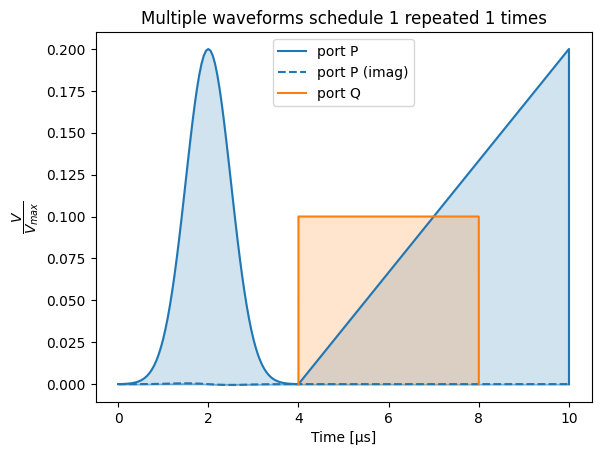
- graph: qblox_scheduler.structure.types.Graph#
The connectivity graph consisting of i/o ports (nodes) on the quantum device and on the control hardware, and their connections (edges).
- serialize_graph(graph: qblox_scheduler.structure.types.Graph) list[tuple[Any, Any]][source]#
Serialize the graph as a list of edges.
- draw(ax: matplotlib.axes.Axes | None = None, figsize: tuple[float, float] = (20, 10), **options) matplotlib.axes.Axes[source]#
Draw the connectivity graph using matplotlib.
The nodes are positioned using a multipartite layout, where the nodes are grouped by instrument (identified by the first part of the node name).
- Parameters:
ax – Matplotlib axis to plot the figure on.
figsize – Optional figure size, defaults to something slightly larger that fits the size of the nodes.
options – optional keyword arguments that are passed to
networkx.draw_networkx.
- Returns:
: Matplotlib axis on which the figure is plotted.
- class HardwareDistortionCorrection(/, **data: Any)[source]#
Bases:
qblox_scheduler.structure.model.DataStructureHardware distortion correction settings for a port-clock combination.
- exp0_coeffs: ExpCoeffs | None = None#
Coefficients of the exponential overshoot/undershoot correction 1.
- exp1_coeffs: ExpCoeffs | None = None#
Coefficients of the exponential overshoot/undershoot correction 2.
- exp2_coeffs: ExpCoeffs | None = None#
Coefficients of the exponential overshoot/undershoot correction 3.
- class MixerCorrections(/, **data: Any)[source]#
Bases:
qblox_scheduler.structure.model.DataStructureMixer corrections for a port-clock combination.
Example
from qblox_scheduler import MixerCorrections

mixer_corrections = {
    "q0:mw-q0.01": MixerCorrections(
        dc_offset_i = -0.0542,
        dc_offset_q = -0.0328,
        amp_ratio = 0.95,
        phase_error= 0.07,
    )
}
- dc_offset_i: float | None = None#
The DC offset on the I channel used for this port-clock combination.
- dc_offset_q: float | None = None#
The DC offset on the Q channel used for this port-clock combination.
- auto_lo_cal: qblox_scheduler.backends.qblox.enums.LoCalEnum#
Setting that controls whether the mixer is calibrated upon changing the LO and/or intermodulation frequency.
- auto_sideband_cal: qblox_scheduler.backends.qblox.enums.SidebandCalEnum#
Setting that controls whether the mixer is calibrated upon changing the intermodulation frequency.
- class ComplexInputGain(/, **data: Any)[source]#
Bases:
qblox_scheduler.structure.model.DataStructureInput gain settings for a complex input connected to a port-clock combination.
This gain value will be set on the QRM input ports that are connected to this port-clock combination.
Example
hardware_compilation_config.hardware_options.input_gain = {
    "q0:res-q0.ro": ComplexInputGain(
        gain_I=2,
        gain_Q=3
    ),
}
- class DigitizationThresholds(/, **data: Any)[source]#
Bases:
qblox_scheduler.structure.model.DataStructureThe settings that determine when an analog voltage is counted as a pulse.
- InputAttenuation#
Input attenuation setting for a port-clock combination.
This attenuation value will be set on each control-hardware output port that is connected to this port-clock combination.
Example
hardware_compilation_config.hardware_options.input_att = {
    "q0:res-q0.ro": InputAttenuation(10),
}
- class NetZeroPulseParameters(/, **data: Any)[source]#
Bases:
qblox_scheduler.structure.model.DataStructureThe settings to control the net-zero compensation pulse.
- OutputAttenuation#
Output attenuation setting for a port-clock combination.
This attenuation value will be set on each control-hardware output port that is connected to this port-clock combination.
Example
hardware_compilation_config.hardware_options.output_att = {
    "q0:res-q0.ro": OutputAttenuation(10),
}
- RealInputGain#
Input gain settings for a real input connected to a port-clock combination.
This gain value will be set on the QRM input ports that are connected to this port-clock combination.
Example
hardware_compilation_config.hardware_options.input_gain = {
    "q0:res-q0.ro": RealInputGain(2),
}
- class ExpOvershootFilter[source]#
Bases:
RealTimeFilterBaseAn individual real time filter on Qblox hardware.
- class FIRFilter[source]#
Bases:
RealTimeFilterBaseAn individual real time filter on Qblox hardware.
- class IHPFilter[source]#
Bases:
RealTimeFilterBaseAn individual real time filter on Qblox hardware.
- class OutputDirectoryManager[source]#
Manages output directory paths for Qblox Scheduler data storage.
The class maintains a single instance throughout the application lifecycle, ensuring consistent directory management.
- _datadir#
The current data directory path. Private attribute managed through setter and getter methods.
- Type:
str or Path
- DATADIR: ClassVar[pathlib.Path]#
- classmethod set_datadir(datadir: pathlib.Path | str | None = None) None[source]#
Sets the data directory.
- Parameters:
datadir (pathlib.Path or str or None) – Path of the data directory. If set to
None, resets the datadir to the default datadir (<top_level>/data).
- classmethod get_datadir() pathlib.Path[source]#
Returns the current data directory.
- Returns:
: The current data directory.
- class ExperimentDataContainer(tuid: str, name: str)[source]#
Class which represents all data related to an experiment. This allows the user to run experiments and store data. The class serves as an initial interface and uses the directory paths set by OutputDirectoryManager.
- tuid#
- day_folder#
- data_folder#
- classmethod load_dataset(tuid: qblox_scheduler.quantify_utils.TUID, name: str = DATASET_NAME) xarray.Dataset[source]#
Loads a dataset specified by a tuid.
- Parameters:
tuid – A
TUIDstring. It is also possible to specify only the first part of a tuid.name – Name of the dataset.
- Returns:
: The dataset.
- classmethod load_dataset_from_path(path: pathlib.Path | str) xarray.Dataset[source]#
Loads a
Datasetwith a specific engine preference.Before returning the dataset
AdapterH5NetCDF.recover()is applied.This function tries to load the dataset until success with the following engine preference:
"h5netcdf""netcdf4"No engine specified (
load_dataset()default)
- Parameters:
path – Path to the dataset.
- Returns:
: The loaded dataset.
- write_dataset(dataset: xarray.Dataset) None[source]#
Writes the quantify dataset to the directory specified by ~.data_folder.
- Parameters:
dataset – The dataset to be written to the directory
- save_snapshot(snapshot: dict[str, Any] | None = None, compression: Literal['bz2', 'gzip', 'lzma'] | None = None) None[source]#
Writes the snapshot to disk as specified by ~.data_folder.
- Parameters:
snapshot – The snapshot to be written to the directory
compression – The compression type to use. Can be one of ‘gzip’, ‘bz2’, ‘lzma’. Defaults to None, which means no compression.
- classmethod get_latest_tuid(contains: str = '') qblox_scheduler.quantify_utils.TUID[source]#
Returns the most recent tuid.
Tip
This function is similar to
get_tuids_containing()but is preferred if one is only interested in the most recentTUIDfor performance reasons.- Parameters:
contains – An optional string contained in the experiment name.
- Returns:
: The latest TUID.
- Raises:
FileNotFoundError – No data found.
- classmethod get_tuids_containing(contains: str = '', t_start: datetime.datetime | str | None = None, t_stop: datetime.datetime | str | None = None, max_results: int = sys.maxsize, reverse: bool = False) list[qblox_scheduler.quantify_utils.TUID][source]#
Returns a list of tuids containing a specific label.
Tip
If one is only interested in the most recent
TUID,get_latest_tuid()is preferred for performance reasons.- Parameters:
contains – A string contained in the experiment name.
t_start – datetime to search from, inclusive. If a string is specified, it will be converted to a datetime object using
parse. If no value is specified, will use the year 1 as a reference t_start.t_stop – datetime to search until, exclusive. If a string is specified, it will be converted to a datetime object using
parse. If no value is specified, will use the current time as a reference t_stop.max_results – Maximum number of results to return. Defaults to unlimited.
reverse – If False, sorts tuids chronologically, if True sorts by most recent.
- Returns:
list A list of
TUID: objects.- Raises:
FileNotFoundError – No data found.
- classmethod locate_experiment_container(tuid: str) pathlib.Path[source]#
Returns the experiment container for the given tuid.
- class DeviceElement(/, name, **data: Any)[source]#
Bases:
abc.ABC,qblox_scheduler.structure.model.SchedulerBaseModelCreate a device element for managing parameters.
The
DeviceElementis responsible for compiling operations applied to that specific device element from the composite to the quantum-device layer.- classmethod include_submodule_names(data: Any) Any[source]#
Fill in the
nameattribute ofDeviceElementsubmodules when missing (used for YAML deserialization, they are omitted at serialization).
- classmethod dispatch_concrete_model(data: Any, handler: pydantic.ModelWrapValidatorHandler[Self]) Self[source]#
When deserializing a dict representation of a concrete
DeviceElement, infer the matching class by looking its element_type into the model registry and return a validated instance of the concrete device element.
- abstractmethod generate_device_config() qblox_scheduler.backends.graph_compilation.DeviceCompilationConfig[source]#
Generate the device configuration.
- class Edge(parent_element: qblox_scheduler.device_under_test.device_element.DeviceElement | str | None = None, child_element: qblox_scheduler.device_under_test.device_element.DeviceElement | str | None = None, **data: Any)[source]#
Bases:
abc.ABC,qblox_scheduler.structure.model.SchedulerBaseModelCreate an Edge.
This class encapsulates the connection information between DeviceElements in the QuantumDevice. It provides an interface for the QuantumDevice to generate the edge information for use in the device compilation step. See
qblox_scheduler.device_under_test.composite_square_edgefor an example edge implementation.- _parent_device_element: qblox_scheduler.device_under_test.device_element.DeviceElement | None#
- _child_device_element: qblox_scheduler.device_under_test.device_element.DeviceElement | None#
- classmethod include_submodule_names(data: Any) Any[source]#
Fill in the
nameattribute ofEdgesubmodules when missing (used for YAML deserialization, they are omitted at serialization).
- classmethod dispatch_concrete_model(data: Any, handler: pydantic.ModelWrapValidatorHandler[Self]) Self[source]#
When deserializing a dict representation of a concrete
Edge, infer the matching class by looking its edge_type into the model registry and return a validated instance of the concrete edge.
- property parent_element: qblox_scheduler.device_under_test.device_element.DeviceElement | None#
Getter for the internal parent device element.
- property child_element: qblox_scheduler.device_under_test.device_element.DeviceElement | None#
Getter for the internal child device element.
- class QuantumDevice(/, name, **data: Any)[source]#
Bases:
qblox_scheduler.structure.model.SchedulerBaseModelThe QuantumDevice directly represents the device under test (DUT).
This contains a description of the connectivity to the control hardware as well as parameters specifying quantities like cross talk, attenuation and calibrated cable-delays. The QuantumDevice also contains references to individual DeviceElements, representations of elements on a device (e.g, a transmon qubit) containing the (calibrated) control-pulse parameters.
This object can be used to generate configuration files for the compilation step from the gate-level to the pulse level description. These configuration files should be compatible with the
compile()function.- model_config#
Configuration for the model, should be a dictionary conforming to [ConfigDict][pydantic.config.ConfigDict].
- cfg_sched_repetitions: pydantic.PositiveInt#
- hardware_config: qblox_scheduler.backends.types.common.HardwareCompilationConfig | dict | None = None#
- scheduling_strategy: qblox_scheduler.enums.SchedulingStrategy#
- classmethod validate_instrument_coordinator(value: str | qblox_scheduler.instrument_coordinator.InstrumentCoordinator | None) qcodes.instrument.Instrument | None[source]#
Load InstrumentCoordinator instance from its name.
Pydantic doesn’t know how to handle a QCoDeS instrument; thus, we have to allow arbitrary types and manually fetch them with find_or_create_instrument.
- classmethod validate_scheduling_strategy(value: str | qblox_scheduler.enums.SchedulingStrategy) qblox_scheduler.enums.SchedulingStrategy[source]#
Force scheduling_strategy into its proper enum value.
- classmethod validate_elements_and_edges(data: Any, handler: pydantic.ModelWrapValidatorHandler[Self]) Self[source]#
Add elements and edges to the model by calling add_element and add_edge respectively to force our consistency checks.
- generate_compilation_config() qblox_scheduler.backends.graph_compilation.SerialCompilationConfig[source]#
Generate a config for use with a
ScheduleCompiler.
- generate_hardware_config() dict[str, Any][source]#
Generate a valid hardware configuration describing the quantum device.
- Returns:
The hardware configuration file used for compiling from the quantum-device layer to a hardware backend.
- generate_device_config() qblox_scheduler.backends.graph_compilation.DeviceCompilationConfig[source]#
Generate a device config.
This config is used to compile from the composite to the quantum-device layer.
- generate_hardware_compilation_config() qblox_scheduler.backends.types.common.HardwareCompilationConfig | None[source]#
Generate a hardware compilation config.
The compilation config is used to compile from the quantum-device to the control-hardware layer.
- get_element(name: str) qblox_scheduler.device_under_test.device_element.DeviceElement[source]#
Return a
DeviceElementby name.- Parameters:
name – The element name.
- Returns:
: The element.
- Raises:
KeyError – If key
nameis not present in self.elements.
- add_element(element: qblox_scheduler.device_under_test.device_element.DeviceElement) None[source]#
Add an element to the elements collection.
- Parameters:
element – The element to add.
- Raises:
ValueError – If an element with a duplicated name is added to the collection.
TypeError – If
elementis not an instance of the base element.
- remove_element(name: str) None[source]#
Removes an element by name.
- Parameters:
name – The element name. Has to follow the convention
"{element_0}_{element_1}".
- get_edge(name: str) qblox_scheduler.device_under_test.edge.Edge[source]#
Returns an edge by name.
- Parameters:
name – The edge name. Has to follow the convention
"{element_0}_{element_1}".- Returns:
: The edge.
- Raises:
KeyError – If key
nameis not present inself.edges.
- add_edge(edge: qblox_scheduler.device_under_test.edge.Edge) None[source]#
Add the edges.
- Parameters:
edge – The edge to add.
- remove_edge(name: str) None[source]#
Remove an edge by name.
- Parameters:
name – The edge name connecting the elements. Has to follow the convention
"{element_0}_{element_1}".
- classmethod from_json_file(filename: str | pathlib.Path) Self[source]#
Read JSON data from a file and convert it to an instance of the attached class.
- class TriggerCondition[source]#
Bases:
StrEnumComparison condition for the thresholded trigger count acquisition.
- LESS_THAN = 'less_than'#
- GREATER_THAN_EQUAL_TO = 'greater_than_equal_to'#
- class MockLocalOscillator(name: str)[source]#
Bases:
qcodes.instrument.instrument.InstrumentA class representing a dummy Local Oscillator.
- Parameters:
name – QCoDeS name of the instrument.
- class Acquisition(name: str)[source]#
Bases:
qblox_scheduler.operations.operation.OperationAn operation representing data acquisition at the quantum-device abstraction layer.
An Acquisition must consist of (at least) an AcquisitionProtocol specifying how the acquired signal is to be processed, and an AcquisitionLabel and AcquisitionIndex specifying where the acquired data is to be stored in the RawDataset.
N.B. This class helps differentiate an acquisition operation from the regular operations. This enables us to use
plot_acquisition_operations()to highlight acquisition pulses in the pulse diagrams.
- class DualThresholdedTriggerCount(port: str, clock: str, duration: float, threshold_low: int, threshold_high: int, *, label_low: str | None = None, label_mid: str | None = None, label_high: str | None = None, label_invalid: str | None = None, acq_label: collections.abc.Hashable = 0, coords: dict | None = None, average_segment_repetitions: bool = True)[source]#
Bases:
AcquisitionThresholded trigger count protocol that uses two thresholds.
Four outcomes are possible for this measurement, and each of those four can be assigned a label to use in a
ConditionalOperation:“low” if
counts < threshold_low,“mid” if
threshold_low <= counts < threshold_high,“high” if
counts >= threshold_high,“invalid” if the counts are invalid (can occur in very rare cases, e.g. when the counter overflows).
The returned acquisition data is the raw number of counts.
Important
The exact duration of this operation, and the possible bin modes may depend on the control hardware. Please consult your hardware vendor’s Reference guide for more information.
- Parameters:
port – The acquisition port.
clock – The clock used to demodulate the acquisition.
duration – The duration of the operation in seconds.
threshold_low – The lower counts threshold of the ThresholdedTriggerCount acquisition.
threshold_high – The upper counts threshold of the ThresholdedTriggerCount acquisition.
label_low – The label that can be used to link a result of counts < threshold_low to a ConditionalOperation, by default None.
label_mid – The label that can be used to link a result of threshold_low <= counts < threshold_high to a ConditionalOperation, by default None.
label_high – The label that can be used to link a result of counts >= threshold_high to a ConditionalOperation, by default None.
label_invalid – The label that can be used to link an invalid counts result (e.g. a counter overflow) to a ConditionalOperation, by default None.
feedback_trigger_condition – The comparison condition (greater-equal, less-than) for the ThresholdedTriggerCount acquisition.
acq_label – The data channel in which the acquisition is stored, by default 0. Describes the “where” information of the measurement, which typically corresponds to a qubit idx.
coords – Coords for the acquisition. These coordinates for the measured value for this operation appear in the retrieved acquisition data. For example
coords={"amp": 0.1}has the effect, that the measured value for this acquisition will be associated withamp==0.1. By defaultNone, no coords are added.average_segment_repetitions – Specifies whether acquisitions in each segment are averaged or kept separately/appended.
- class IQIntegration(port: str, clock: str, duration: float | None = None, weights_a: list[complex] | list[float] | numpy.ndarray | None = None, weights_b: list[complex] | list[float] | numpy.ndarray | None = None, interpolation: str = 'linear', acq_label: collections.abc.Hashable = 0, coords: dict | None = None, average_segment_repetitions: bool = True)[source]#
Bases:
AcquisitionWeighted integration acquisition protocol returning integrated I and Q as one complex number.
If no weights (
weights_a/weights_b) are given, a square window is used as the integration weights (single sideband integration);durationthen defaults to 50 ms and may not exceed 50 ms. If weights are given, the specified weights are used for the integration (with interpolation where necessary), and the acquisition length is limited to the length of the weight memory of 16384 ns.Weights are applied as:
\[\widetilde{A} = \int \mathrm{Re}(S(t))\cdot W_A(t) \mathrm{d}t\]\[\widetilde{B} = \int \mathrm{Im}(S(t))\cdot W_B(t) \mathrm{d}t\]- Parameters:
port – The acquisition port.
clock – The clock used to demodulate the acquisition.
duration – The acquisition duration in seconds. When no weights are given, defaults to 50 ms and is capped at 50 ms. When weights are given,
durationis the time the weight arrays span (the weight sampling rate is derived aslen(weights_a) / duration); if omitted, the weights are assumed to be sampled at 1 GHz, soduration = len(weights_a) / 1e9(capped at 16384 ns).weights_a – The list of complex values used as weights \(W_A(t)\) on the incoming signal’s real part. By default
None, in which case a square window is used (single sideband integration).weights_b – The list of complex values used as weights \(W_B(t)\) on the incoming signal’s imaginary part. By default
None.interpolation – Specifies the kind of interpolation to use. The string has to be one of ‘linear’, ‘nearest’, ‘nearest-up’, ‘zero’, ‘slinear’, ‘quadratic’, ‘cubic’, ‘previous’, or ‘next’. ‘zero’, ‘slinear’, ‘quadratic’ and ‘cubic’ refer to a spline interpolation of zeroth, first, second or third order; ‘previous’ and ‘next’ simply return the previous or next value of the point; ‘nearest-up’ and ‘nearest’ differ when interpolating half-integers (e.g. 0.5, 1.5) in that ‘nearest-up’ rounds up and ‘nearest’ rounds down. Default is ‘linear’. Only used if weights are given.
acq_label – The data channel in which the acquisition is stored, by default 0. Describes the “where” information of the measurement, which typically corresponds to a device element idx.
coords – Coords for the acquisition. These coordinates for the measured value for this operation appear in the retrieved acquisition data. For example
coords={"amp": 0.1}has the effect, that the measured value for this acquisition will be associated withamp==0.1. By defaultNone, no coords are added.average_segment_repetitions – Specifies whether acquisitions in each segment are averaged or kept separately/appended.
- Raises:
ValueError – If exactly one of
weights_a/weights_bis given, or if the (derived) duration exceeds the allowed maximum.
- _DEFAULT_DURATION_NO_WEIGHTS = 0.05#
- _MAX_DURATION_NO_WEIGHTS = 0.05#
- _MAX_DURATION_WEIGHTED = 1.6384e-05#
- _DEFAULT_WEIGHTS_SAMPLING_RATE = 1000000000.0#
- class IQIntegrationMixed(port: str, clock: str, weights_a: list[complex] | numpy.ndarray, weights_b: list[complex] | numpy.ndarray, duration: float | None = None, interpolation: str = 'linear', acq_label: collections.abc.Hashable = 0, coords: dict | None = None, average_segment_repetitions: bool = True)[source]#
Bases:
IQIntegrationSubclass of
IQIntegrationreturning a real number, combining weighted I and Q.Returns the integrated (I*w_a + Q*w_b) based on the integration weights, rather than the separate I and Q components as one complex number.
- Parameters:
port – The acquisition port.
clock – The clock used to demodulate the acquisition.
weights_a – The list of complex values used as weights \(A(t)\) on the incoming complex signal.
weights_b – The list of complex values used as weights \(B(t)\) on the incoming complex signal.
duration – The time in seconds spanned by the weight arrays. If omitted, the weights are assumed to be sampled at 1 GHz. Capped at 16384 ns.
interpolation – Specifies the kind of interpolation to use. The string has to be one of ‘linear’, ‘nearest’, ‘nearest-up’, ‘zero’, ‘slinear’, ‘quadratic’, ‘cubic’, ‘previous’, or ‘next’. ‘zero’, ‘slinear’, ‘quadratic’ and ‘cubic’ refer to a spline interpolation of zeroth, first, second or third order; ‘previous’ and ‘next’ simply return the previous or next value of the point; ‘nearest-up’ and ‘nearest’ differ when interpolating half-integers (e.g. 0.5, 1.5) in that ‘nearest-up’ rounds up and ‘nearest’ rounds down. Default is ‘linear’. Only used if weights are given.
acq_label – The data channel in which the acquisition is stored, by default 0. Describes the “where” information of the measurement, which typically corresponds to a device element idx.
coords – Coords for the acquisition. These coordinates for the measured value for this operation appear in the retrieved acquisition data. For example
coords={"amp": 0.1}has the effect, that the measured value for this acquisition will be associated withamp==0.1. By defaultNone, no coords are added.average_segment_repetitions – Specifies whether acquisitions in each segment are averaged or kept separately/appended.
- class ThresholdedIQIntegration(port: str, clock: str, duration: float, acq_label: collections.abc.Hashable = 0, coords: dict | None = None, average_segment_repetitions: bool = True, feedback_trigger_label: str | None = None, acq_rotation: float = 0, acq_threshold: float = 0)[source]#
Bases:
AcquisitionAcquisition protocol allowing to control rotation and threshold.
This acquisition protocol is similar to the
IQIntegrationacquisition protocol, but the complex result is now rotated and thresholded to produce a “0” or a “1”, as controlled by the parameters for rotation angle <device_element>.measure.acq_rotation and threshold value <device_element>.measure.acq_threshold in the device configuration (see example below).The rotation angle and threshold value for each qubit can be set through the device configuration.
Note
Thresholded acquisition is currently only supported by the Qblox backend.
Examples
from qblox_scheduler.schedules.schedule import TimeableSchedule
from qblox_applications.qblox_scheduler.superconducting.transmon.device_element import (
    transmon_element,
)
from qblox_scheduler import ThresholdedIQIntegration

# set up qubit
device_element = transmon_element.BasicTransmonElement("q0")
device_element.clock_freqs.readout = 8.0e9

# set rotation and threshold value
rotation, threshold = 20, -0.1
device_element.measure.acq_rotation = rotation
device_element.measure.acq_threshold = threshold

# basic schedule
schedule = TimeableSchedule("thresholded acquisition")
schedule.add(ThresholdedIQIntegration(port="q0:res", clock="q0.ro", duration=1e-6))
{'name': '62a6e084-37a0-4a39-a8dc-ee4b9d608a2e', 'operation_id': '4346211738683366866', 'timing_constraints': [TimingConstraint(ref_schedulable=None, ref_pt=None, ref_pt_new=None, rel_time=0)], 'label': '62a6e084-37a0-4a39-a8dc-ee4b9d608a2e'}- Parameters:
port (str) – The acquisition port.
clock (str) – The clock used to demodulate the acquisition.
duration (float) – The acquisition duration in seconds.
acq_label – The data channel in which the acquisition is stored, by default 0. Describes the “where” information of the measurement, which typically corresponds to a device element idx.
coords – Coords for the acquisition. These coordinates for the measured value for this operation appear in the retrieved acquisition data. For example
coords={"amp": 0.1}has the effect, that the measured value for this acquisition will be associated withamp==0.1. By defaultNone, no coords are added.average_segment_repetitions – Specifies whether acquisitions in each segment are averaged or kept separately/appended.
feedback_trigger_label (str) – The label corresponding to the feedback trigger, which is mapped by the compiler to a feedback trigger address on hardware, by default None.
- class ThresholdedIQIntegrationMixed(port: str, clock: str, weights_a: list[complex] | numpy.ndarray, weights_b: list[complex] | numpy.ndarray, duration: float | None = None, interpolation: str = 'linear', acq_label: collections.abc.Hashable = 0, coords: dict | None = None, average_segment_repetitions: bool = True, feedback_trigger_label: str | None = None, acq_threshold: float = 0)[source]#
Bases:
IQIntegrationMixedSubclass of
IQIntegrationMixedbut Thresholded.Acquisition protocol allowing to control rotation and threshold.
This acquisition protocol is similar to the
IQIntegrationacquisition protocol, but the complex result is now rotated and thresholded to produce a “0” or a “1”, as controlled by the parameters for rotation angle <qubit>.measure.acq_rotation and threshold value <qubit>.measure.acq_threshold in the device configuration (see example below).The rotation angle and threshold value for each qubit can be set through the device configuration.
Note
Thresholded acquisition is currently only supported by the Qblox backend.
- Parameters:
port – The acquisition port.
clock – The clock used to demodulate the acquisition.
weights_a – The list of complex values used as weights \(A(t)\) on the incoming complex signal.
weights_b – The list of complex values used as weights \(B(t)\) on the incoming complex signal.
duration – The time in seconds spanned by the weight arrays. If omitted, the weights are assumed to be sampled at 1 GHz. Capped at 16384 ns.
interpolation – Specifies the kind of interpolation to use. The string has to be one of ‘linear’, ‘nearest’, ‘nearest-up’, ‘zero’, ‘slinear’, ‘quadratic’, ‘cubic’, ‘previous’, or ‘next’. ‘zero’, ‘slinear’, ‘quadratic’ and ‘cubic’ refer to a spline interpolation of zeroth, first, second or third order; ‘previous’ and ‘next’ simply return the previous or next value of the point; ‘nearest-up’ and ‘nearest’ differ when interpolating half-integers (e.g. 0.5, 1.5) in that ‘nearest-up’ rounds up and ‘nearest’ rounds down. Default is ‘linear’. Only used if weights are given.
acq_label – The data channel in which the acquisition is stored, by default 0. Describes the “where” information of the measurement, which typically corresponds to a device element idx.
coords – Coords for the acquisition. These coordinates for the measured value for this operation appear in the retrieved acquisition data. For example
coords={"amp": 0.1}has the effect, that the measured value for this acquisition will be associated withamp==0.1. By defaultNone, no coords are added.average_segment_repetitions – Specifies whether acquisitions in each segment are averaged or kept separately/appended.
feedback_trigger_label (str) – The label corresponding to the feedback trigger, which is mapped by the compiler to a feedback trigger address on hardware, by default None.
- class ThresholdedTriggerCount(port: str, clock: str, duration: float, threshold: int, *, feedback_trigger_label: str | None = None, feedback_trigger_condition: str | qblox_scheduler.enums.TriggerCondition = TriggerCondition.GREATER_THAN_EQUAL_TO, acq_label: collections.abc.Hashable = 0, coords: dict | None = None, average_segment_repetitions: bool = True)[source]#
Bases:
AcquisitionThresholded trigger counting acquisition protocol returning the comparison result with a threshold.
If the number of triggers counted is less than the threshold, a 0 is returned, otherwise a 1.
The analog threshold for registering a single count is set in the hardware configuration.
Important
The exact duration of this operation, and the possible bin modes may depend on the control hardware. Please consult your hardware vendor’s Reference guide for more information.
- Parameters:
port – The acquisition port.
clock – The clock used to demodulate the acquisition.
duration – The duration of the operation in seconds.
threshold – The threshold of the ThresholdedTriggerCount acquisition.
feedback_trigger_label – The label corresponding to the feedback trigger, which is mapped by the compiler to a feedback trigger address on hardware, by default None. Note: this label is merely used to link this acquisition together with a ConditionalOperation. It does not affect the acquisition result.
feedback_trigger_condition – The comparison condition (greater-equal, less-than) for the ThresholdedTriggerCount acquisition.
acq_label – The data channel in which the acquisition is stored, by default 0. Describes the “where” information of the measurement, which typically corresponds to a qubit idx.
coords – Coords for the acquisition. These coordinates for the measured value for this operation appear in the retrieved acquisition data. For example
coords={"amp": 0.1}has the effect, that the measured value for this acquisition will be associated withamp==0.1. By defaultNone, no coords are added.average_segment_repetitions – Specifies whether acquisitions in each segment are averaged or kept separately/appended.
- class Timetag(duration: float, port: str, clock: str = DigitalClockResource.IDENTITY, acq_label: collections.abc.Hashable = 0, coords: dict | None = None, average_segment_repetitions: bool = True, time_source: qblox_scheduler.enums.TimeSource | str = TimeSource.FIRST, time_ref: qblox_scheduler.enums.TimeRef | str = TimeRef.START, time_ref_port: str | None = None, fine_start_delay: float = 0, fine_end_delay: float = 0)[source]#
Bases:
AcquisitionAcquire a single timetag per acquisition index.
Important
The exact duration of this operation, and the possible bin modes may depend on the control hardware. Please consult your hardware vendor’s Reference guide for more information.
- Parameters:
port – The acquisition port.
clock – The clock used to demodulate the acquisition.
duration – The acquisition duration in seconds.
acq_label – The data channel in which the acquisition is stored, by default 0. Describes the “where” information of the measurement, which typically corresponds to a device element idx.
coords – Coords for the acquisition. These coordinates for the measured value for this operation appear in the retrieved acquisition data. For example
coords={"amp": 0.1}has the effect, that the measured value for this acquisition will be associated withamp==0.1. By defaultNone, no coords are added.average_segment_repetitions – Specifies whether acquisitions in each segment are averaged or kept separately/appended.
time_source –
Selects the timetag data source for this acquisition type. String enumeration, one of:
first(default): record the first timetag in the window.second: record the second timetag in the window. Can be used to measure pulse distance when combined with first as reference.last: record the last timetag in the window.
time_ref –
Selects the time reference that the timetag is recorded in relation to. String enumeration, one of:
start(default): record relative to the start of the window.end: record relative to the end of the window. Note that this always yields a negative timetag.first: record relative to the first timetag in the window.timestamp: record relative to the timestamp marked using theTimestampoperation.port: record relative to the timetag measured on another port. If this option is used, thetime_ref_portargument must be specified as well. The acquisition operation that is measuring the timetag on the other port must end before or at the same time as this acquisition operation.
time_ref_port – If the
porttime reference is used,time_ref_portspecifies the port on which the other acquisition is executed.fine_start_delay – Delays the start of the acquisition by the given amount in seconds. Does not delay the start time of the operation in the schedule. If the hardware supports it, this parameter can be used to shift the acquisition window by a small amount of time, independent of the hardware instruction timing grid. Currently only implemented for Qblox QTM modules, which allow only positive values for this parameter. By default 0.
fine_end_delay – Delays the end of the pulse by the given amount. Does not delay the end time of the operation in the schedule. If the hardware supports it, this parameter can be used to shift the acquisition window by a small amount of time, independent of the hardware instruction timing grid. Currently only implemented for Qblox QTM modules, which allow only positive values for this parameter. By default 0.
- class TimetagTrace(duration: float, port: str, clock: str = DigitalClockResource.IDENTITY, acq_label: collections.abc.Hashable = 0, coords: dict | None = None, time_ref: qblox_scheduler.enums.TimeRef | str = TimeRef.START, time_ref_port: str | None = None, fine_start_delay: float = 0, fine_end_delay: float = 0)[source]#
Bases:
AcquisitionThe TimetagTrace acquisition protocol records timetags within an acquisition window.
Important
The exact duration of this operation, and the possible bin modes may depend on the control hardware. Please consult your hardware vendor’s Reference guide for more information.
- Parameters:
port – The acquisition port.
clock – The clock used to demodulate the acquisition.
duration – The acquisition duration in seconds.
acq_label – The data channel in which the acquisition is stored, is by default 0. Describes the “where” information of the measurement, which typically corresponds to a device element idx.
coords – Coords for the acquisition. These coordinates for the measured value for this operation appear in the retrieved acquisition data. For example
coords={"amp": 0.1}has the effect, that the measured value for this acquisition will be associated withamp==0.1. By defaultNone, no coords are added.time_ref –
Selects the time reference that the timetag is recorded in relation to. String enumeration, one of:
start (default): record relative to the start of the window.
end: record relative to the end of the window. Note that this always yields a negative timetag.
first: syntactic sugar for first#, where # is the current channel.
timestamp: record relative to the timestamp marked using the
Timestampoperation.port: record relative to the timetag measured on another port. If this option is used, thetime_ref_portargument must be specified as well. The acquisition operation that is measuring the timetag on the other port must end before or at the same time as this acquisition operation.
time_ref_port – If the
porttime reference is used,time_ref_portspecifies the port on which the other acquisition is executed.fine_start_delay – Delays the start of the acquisition by the given amount in seconds. Does not delay the start time of the operation in the schedule. If the hardware supports it, this parameter can be used to shift the acquisition window by a small amount of time, independent of the hardware instruction timing grid. Currently only implemented for Qblox QTM modules, which allow only positive values for this parameter. By default 0.
fine_end_delay – Delays the end of the pulse by the given amount in seconds. Does not delay the end time of the operation in the schedule. If the hardware supports it, this parameter can be used to shift the acquisition window by a small amount of time, independent of the hardware instruction timing grid. Currently only implemented for Qblox QTM modules, which allow only positive values for this parameter. By default 0.
- class Trace(duration: float, port: str, clock: str, acq_label: collections.abc.Hashable = 0, coords: dict | None = None)[source]#
Bases:
AcquisitionThe Trace acquisition protocol measures a signal s(t).
Only processing performed is rescaling and adding units based on a calibrated scale. Values are returned as a raw trace (numpy array of float datatype). Length of this array depends on the sampling rate of the acquisition device.
Important
The exact duration of this operation, and the possible bin modes may depend on the control hardware. Please consult your hardware vendor’s Reference guide for more information.
- Parameters:
port – The acquisition port.
clock – The clock used to demodulate the acquisition.
duration – The acquisition duration in seconds.
acq_label – The data channel in which the acquisition is stored, is by default 0. Describes the “where” information of the measurement, which typically corresponds to a device element idx.
coords – Coords for the acquisition. These coordinates for the measured value for this operation appear in the retrieved acquisition data. For example
coords={"amp": 0.1}has the effect, that the measured value for this acquisition will be associated withamp==0.1. By defaultNone, no coords are added.
- class TriggerCount(port: str, clock: str, duration: float, acq_label: collections.abc.Hashable = 0, coords: dict | None = None, average_segment_repetitions: bool = True, fine_start_delay: float = 0, fine_end_delay: float = 0)[source]#
Bases:
AcquisitionTrigger counting acquisition protocol returning an integer.
The trigger acquisition mode is used to measure how many times the trigger level is surpassed. The level is set in the hardware configuration.
Important
The exact duration of this operation, and the possible bin modes may depend on the control hardware. Please consult your hardware vendor’s Reference guide for more information.
- Parameters:
port – The acquisition port.
clock – The clock used to demodulate the acquisition.
duration – The duration of the operation in seconds.
acq_label – The data channel in which the acquisition is stored, by default 0. Describes the “where” information of the measurement, which typically corresponds to a device element idx.
coords – Coords for the acquisition. These coordinates for the measured value for this operation appear in the retrieved acquisition data. For example
coords={"amp": 0.1}has the effect, that the measured value for this acquisition will be associated withamp==0.1. By defaultNone, no coords are added.average_segment_repetitions – Specifies whether acquisitions in each segment are averaged or kept separately/appended.
fine_start_delay – Delays the start of the acquisition by the given amount in seconds. Does not delay the start time of the operation in the schedule. If the hardware supports it, this parameter can be used to shift the acquisition window by a small amount of time, independent of the hardware instruction timing grid. Currently only implemented for Qblox QTM modules, which allow only positive values for this parameter. By default 0.
fine_end_delay – Delays the end of the pulse by the given amount in seconds. Does not delay the end time of the operation in the schedule. If the hardware supports it, this parameter can be used to shift the acquisition window by a small amount of time, independent of the hardware instruction timing grid. Currently only implemented for Qblox QTM modules, which allow only positive values for this parameter. By default 0.
- class TriggerCountDistribution(port: str, clock: str, duration: float, acq_label: collections.abc.Hashable = 0, coords: dict | None = None, fine_start_delay: float = 0, fine_end_delay: float = 0)[source]#
Bases:
AcquisitionTrigger counting distribution acquisition protocol returning an integer.
The trigger acquisition mode is used to measure how many times the trigger level is surpassed. The level is set in the hardware configuration.
- Parameters:
port – The acquisition port.
clock – The clock used to demodulate the acquisition.
duration – The duration of the operation in seconds.
acq_label – The data channel in which the acquisition is stored, by default 0. Describes the “where” information of the measurement, which typically corresponds to a device element idx.
coords – Coords for the acquisition. These coordinates for the measured value for this operation appear in the retrieved acquisition data. For example
coords={"amp": 0.1}has the effect, that the measured value for this acquisition will be associated withamp==0.1. By defaultNone, no coords are added.fine_start_delay – Delays the start of the acquisition by the given amount in seconds. Does not delay the start time of the operation in the schedule. If the hardware supports it, this parameter can be used to shift the acquisition window by a small amount of time, independent of the hardware instruction timing grid. Currently only implemented for Qblox QTM modules, which allow only positive values for this parameter. By default 0.
fine_end_delay – Delays the end of the pulse by the given amount in seconds. Does not delay the end time of the operation in the schedule. If the hardware supports it, this parameter can be used to shift the acquisition window by a small amount of time, independent of the hardware instruction timing grid. Currently only implemented for Qblox QTM modules, which allow only positive values for this parameter. By default 0.
- class ConditionalReset(qubit_name: str, name: str = 'conditional_reset', **kwargs)[source]#
Bases:
qblox_scheduler.schedules.schedule.TimeableScheduleReset a qubit to the \(|0\rangle\) state.
The
ConditionalResetgate is a conditional gate that first measures the state of the device element using anThresholdedIQIntegrationoperation and then performs a \(\pi\) rotation on the condition that the measured state is \(|1\rangle\). If the measured state is in \(|0\rangle\), the hardware will wait the same amount of time the \(\pi\) rotation would’ve taken to ensure that total execution time ofConditionalResetis the same regardless of the measured state.Note
The total time of the ConditionalReset is the sum of
integration time (<device_element>.measure.integration_time)
acquisition delay (<device_element>.measure.acq_delay)
trigger delay (364ns)
pi-pulse duration (<device_element>.rxy.duration)
idle time (4ns)
Note
Due to current hardware limitations, overlapping conditional resets might not work correctly if multiple triggers are sent within a 364ns window. See sec-qblox-conditional-playback for more information.
Note
ConditionalResetis currently implemented as a subschedule, but can be added to an existing schedule as if it were a gate. See examples below.- Parameters:
Examples
from qblox_scheduler import Schedule
from qblox_scheduler import ConditionalReset

schedule = Schedule("example schedule")
schedule.add(ConditionalReset("q0"))
- clone() ConditionalReset[source]#
Clone this schedule into a separate independent schedule.
- class ConditionalOperation(body: qblox_scheduler.operations.operation.Operation | qblox_scheduler.schedules.schedule.TimeableSchedule | qblox_scheduler.schedule.Schedule, feedback_trigger_label: str | None = None, hardware_buffer_time: float = constants.MIN_TIME_BETWEEN_OPERATIONS * 1e-09)[source]#
Bases:
ControlFlowOperationConditional over another operation.
If a preceding thresholded acquisition on
feedback_trigger_labelresults in a “1”, the body will be executed, otherwise it will generate a wait time that is equal to the time of the subschedule, to ensure the absolute timing of later operations remains consistent.- Parameters:
body – Operation to be conditionally played
feedback_trigger_label – Name of the device element on which the body will be conditioned
hardware_buffer_time – Time buffer, by default the minimum time between operations on the hardware
Example
A conditional reset can be implemented as follows:
# relevant imports
from qblox_scheduler import Schedule
from qblox_scheduler import ConditionalOperation, Measure, X

# define conditional reset as a Schedule
conditional_reset = Schedule("conditional reset")
conditional_reset.add(Measure("q0", feedback_trigger_label="q0"))
conditional_reset.add(
    ConditionalOperation(body=X("q0"), feedback_trigger_label="q0"),
    rel_time=364e-9,
)
{'name': '4f9643b6-7faf-4e96-b3ba-d09a5ebb911e', 'operation_id': '-4783262883086729782', 'timing_constraints': [TimingConstraint(ref_schedulable=None, ref_pt=None, ref_pt_new=None, rel_time=3.64e-07)], 'label': '4f9643b6-7faf-4e96-b3ba-d09a5ebb911e'}Added in version 0.22.0: For some hardware specific implementations, a
hardware_buffer_timemight be required to ensure the correct timing of the operations. This will be added to the duration of thebodyto prevent overlap with other operations.- property body: qblox_scheduler.operations.operation.Operation | qblox_scheduler.schedules.schedule.TimeableSchedule#
Body of a control flow.
- class LoopStrategy[source]#
Bases:
qblox_scheduler.enums.StrEnumStrategy to use for implementing loops.
REALTIME: Use native loops. UNROLLED: Unroll loop at compilation time into separate instructions.
- REALTIME = 'realtime'#
- UNROLLED = 'unrolled'#
- class DType[source]#
Bases:
qblox_scheduler.enums.StrEnumData type of a variable or expression.
- NUMBER = 'number'#
A number, corresponding to 1, 2, 3, etc.
- AMPLITUDE = 'amplitude'#
An amplitude, corresponding to 0.1, 0.2, 0.3, etc. in dimensionless units ranging from -1 to 1.
- DRAG_BETA = 'drag_beta'#
Beta parameter of the drag pulse. Units of seconds.
- TIME = 'time'#
A time, corresponding to 20e-9, 40e-9, 60e-9, etc. in seconds.
- FREQUENCY = 'frequency'#
A frequency, corresponding to 1e9, 2e9, 3e9, etc. in Hz.
- PHASE = 'phase'#
A phase, corresponding to e.g. 0, 30, 60, 90, etc. in degrees ranging from 0 to 360.
- COMPLEX = 'complex'#
A complex amplitude, corresponding to e.g., 0.1 + 0.2j, 0.3 + 0.4j, etc, in dimensionless units ranging from -1 to 1.
- class CNOT(qC: str, qT: str, **device_overrides)[source]#
Bases:
qblox_scheduler.operations.operation.OperationConditional-NOT gate, a common entangling gate.
Performs an X gate on the target qubit qT conditional on the state of the control qubit qC.
This operation can be represented by the following unitary:
\[\begin{split}\mathrm{CNOT} = \begin{bmatrix} 1 & 0 & 0 & 0 \\ 0 & 1 & 0 & 0 \\ 0 & 0 & 0 & 1 \\ 0 & 0 & 1 & 0 \\ \end{bmatrix}\end{split}\]- Parameters:
qC – The control device element.
qT – The target device element
device_overrides – Device level parameters that override device configuration values when compiling from composite to device level.
- class CZ(qC: str, qT: str, **device_overrides)[source]#
Bases:
qblox_scheduler.operations.operation.OperationConditional-phase gate, a common entangling gate.
Performs a Z gate on the target device element qT conditional on the state of the control device element qC.
This operation can be represented by the following unitary:
\[\begin{split}\mathrm{CZ} = \begin{bmatrix} 1 & 0 & 0 & 0 \\ 0 & 1 & 0 & 0 \\ 0 & 0 & 1 & 0 \\ 0 & 0 & 0 & -1 \\ \end{bmatrix}\end{split}\]- Parameters:
qC – The control device element.
qT – The target device element
device_overrides – Device level parameters that override device configuration values when compiling from composite to device level.
- class X90(qubit: str, **device_overrides)[source]#
Bases:
qblox_scheduler.operations.operation.OperationA single qubit rotation of 90 degrees around the X-axis.
It can be described as Rxy gate with theta=90 and phi=0
Defined by the unitary:
\[\begin{split}X90 = R_{X90} = \frac{1}{\sqrt{2}}\begin{bmatrix} 1 & -i \\ -i & 1 \\ \end{bmatrix}\end{split}\]- Parameters:
qubit – The target device element.
device_overrides – Device level parameters that override device configuration values when compiling from composite to device level.
- class Y90(qubit: str, **device_overrides)[source]#
Bases:
qblox_scheduler.operations.operation.OperationA single qubit rotation of 90 degrees around the Y-axis.
It can be described as Rxy gate with theta=90 and phi=90
Defined by the unitary:
\[\begin{split}Y90 = R_{Y90} = \frac{1}{\sqrt{2}}\begin{bmatrix} 1 & -1 \\ 1 & 1 \\ \end{bmatrix}\end{split}\]- Parameters:
qubit – The target device element.
device_overrides – Device level parameters that override device configuration values when compiling from composite to device level.
- class Z90(qubit: str, **device_overrides)[source]#
Bases:
qblox_scheduler.operations.operation.OperationA single qubit rotation of 90 degrees around the Z-axis.
This operation can be represented by the following unitary:
\[\begin{split}Z90 = R_{Z90} = e^{-\frac{\pi/2}{2}}S = e^{-\frac{\pi/2}{2}}\sqrt{Z} = \frac{1}{\sqrt{2}}\begin{bmatrix} 1-i & 0 \\ 0 & 1+i \\ \end{bmatrix}\end{split}\]- Parameters:
qubit – The target device element.
device_overrides – Device level parameters that override device configuration values when compiling from composite to device level.
- class H(*qubits: str, **device_overrides)[source]#
Bases:
qblox_scheduler.operations.operation.OperationA single qubit Hadamard gate.
Note that the gate uses \(R_z(\pi) = -iZ\), adding a global phase of \(-\pi/2\). This operation can be represented by the following unitary:
\[\begin{split}H = Y90 \cdot Z = \frac{-i}{\sqrt{2}}\begin{bmatrix} 1 & 1 \\ 1 & -1 \\ \end{bmatrix}\end{split}\]- Parameters:
qubit – The target device element.
device_overrides – Device level parameters that override device configuration values when compiling from composite to device level.
- class Measure(*qubits: str, acq_label: collections.abc.Hashable | None = None, coords: dict | None = None, acq_protocol: Literal['IQIntegration', 'IQIntegrationMixed', 'ThresholdedIQIntegration', 'ThresholdedIQIntegrationMixed', 'Timetag', 'TimetagTrace', 'Trace', 'TriggerCount', 'ThresholdedTriggerCount', 'SSBIntegrationComplex', 'NumericalSeparatedWeightedIntegration'] | None = None, average_segment_repetitions: bool = True, feedback_trigger_label: str | None = None, **device_overrides)[source]#
Bases:
qblox_scheduler.operations.operation.OperationA projective measurement in the Z-basis.
The measurement is compiled according to the type of acquisition specified in the device configuration.
Note
Strictly speaking this is not a gate as it can not be described by a unitary.
- Parameters:
qubits – The device elements you want to measure.
acq_label – Only for special use cases. By default (if None): the acquisition label specified in the device element is used. If set, this acquisition label is used for this measurement.
coords – Coords for the acquisition. These coordinates for the measured value for this operation appear in the retrieved acquisition data. For example
coords={"amp": 0.1}has the effect, that the measured value for this acquisition will be associated withamp==0.1. By defaultNone, no coords are added.acq_protocol ("IQIntegration" | "IQIntegrationMixed" | "Trace" | "TriggerCount" | "ThresholdedIQIntegration" | "ThresholdedIQIntegrationMixed" | None, Optional) – Acquisition protocols that are supported. If
Noneis specified, the default protocol is chosen based on the device and backend configuration. By default None.average_segment_repetitions – Specifies whether acquisitions in each segment are averaged or kept separately/appended.
feedback_trigger_label (str) – The label corresponding to the feedback trigger, which is mapped by the compiler to a feedback trigger address on hardware, by default None.
device_overrides – Device level parameters that override device configuration values when compiling from composite to device level.
- class Reset(*qubits: str, **device_overrides)[source]#
Bases:
qblox_scheduler.operations.operation.OperationReset a qubit to the \(|0\rangle\) state.
The Reset gate is an idle operation that is used to initialize one or more qubits.
Note
Strictly speaking this is not a gate as it can not be described by a unitary.
Examples
The operation can be used in several ways:
from qblox_scheduler import Reset

reset_1 = Reset("q0")
reset_2 = Reset("q1", "q2")
reset_3 = Reset(*[f"q{i}" for i in range(3, 6)])
- Parameters:
qubits – The device element(s) to reset. NB one or more device element can be specified, e.g.,
Reset("q0"),Reset("q0", "q1", "q2"), etc..device_overrides – Device level parameters that override device configuration values when compiling from composite to device level.
- class Rxy(theta: float | qblox_scheduler.operations.expressions.Expression, phi: float | qblox_scheduler.operations.expressions.Expression, qubit: str, **device_overrides)[source]#
Bases:
qblox_scheduler.operations.operation.OperationA single qubit rotation around an axis in the equator of the Bloch sphere.
This operation can be represented by the following unitary as defined in https://doi.org/10.1109/TQE.2020.2965810:
\[\begin{split}\mathsf {R}_{xy} \left(\theta, \varphi\right) = \begin{bmatrix} \textrm {cos}(\theta /2) & -ie^{-i\varphi }\textrm {sin}(\theta /2) \\ -ie^{i\varphi }\textrm {sin}(\theta /2) & \textrm {cos}(\theta /2) \end{bmatrix}\end{split}\]- Parameters:
theta – Rotation angle in degrees, will be casted to the [-180, 180) domain.
phi – Phase of the rotation axis, will be casted to the [0, 360) domain.
qubit – The target device element.
device_overrides – Device level parameters that override device configuration values when compiling from composite to device level.
- class Rz(theta: float, qubit: str, **device_overrides)[source]#
Bases:
qblox_scheduler.operations.operation.OperationA single qubit rotation about the Z-axis of the Bloch sphere.
This operation can be represented by the following unitary as defined in https://www.quantum-inspire.com/kbase/rz-gate/:
\[\begin{split}\mathsf {R}_{z} \left(\theta\right) = \begin{bmatrix} e^{-i\theta/2} & 0 \\ 0 & e^{i\theta/2} \end{bmatrix}\end{split}\]- Parameters:
theta – Rotation angle in degrees, will be cast to the [-180, 180) domain.
qubit – The target device element.
device_overrides – Device level parameters that override device configuration values when compiling from composite to device level.
- class S(qubit: str, **device_overrides)[source]#
Bases:
qblox_scheduler.operations.operation.OperationA single qubit rotation of 90 degrees around the Z-axis.
This implements an \(S\) gate up to a global phase. While this operation is identical to the Z90 operation, it is kept as an independent class to allow explicit definition in device configurations.
This operation can be represented by the following unitary:
\[\begin{split}R_{Z90} = e^{-i\frac{\pi}{4}}S = e^{-i\frac{\pi}{4}}\sqrt{Z} = \frac{1}{\sqrt{2}}\begin{bmatrix} 1-i & 0 \\ 0 & 1+i \\ \end{bmatrix}\end{split}\]- Parameters:
qubit – The target device element.
device_overrides – Device level parameters that override device configuration values when compiling from composite to device level.
- class SDagger(qubit: str, **device_overrides)[source]#
Bases:
qblox_scheduler.operations.operation.OperationA single qubit rotation of -90 degrees around the Z-axis.
Implements \(S^\dagger\) up to a global phase.
This operation can be represented by the following unitary:
\[\begin{split}R_{Z270} = e^{\frac{\pi}{4}}S^\dagger = e^{\frac{\pi}{4}}\sqrt{Z}^\dagger = \frac{1}{\sqrt{2}}\begin{bmatrix} 1+i & 0 \\ 0 & 1-i \\ \end{bmatrix}\end{split}\]- Parameters:
qubit – The target device element.
device_overrides – Device level parameters that override device configuration values when compiling from composite to device level.
- class T(qubit: str, **device_overrides)[source]#
Bases:
qblox_scheduler.operations.operation.OperationA single qubit rotation of 45 degrees around the Z-axis.
Implements \(T\) up to a global phase.
This operation can be represented by the following unitary:
\[\begin{split}R_{Z45} = e^{-\frac{\pi}{8}}T = e^{-\frac{\pi}{8}}\begin{bmatrix} 1 & 0 \\ 0 & \frac{1+i}{\sqrt{2}} \\ \end{bmatrix}\end{split}\]- Parameters:
qubit – The target device element.
device_overrides – Device level parameters that override device configuration values when compiling from composite to device level.
- class TDagger(qubit: str, **device_overrides)[source]#
Bases:
qblox_scheduler.operations.operation.OperationA single qubit rotation of -45 degrees around the Z-axis.
Implements \(T^\dagger\) up to a global phase.
This operation can be represented by the following unitary:
\[\begin{split}R_{Z315} = e^{\frac{\pi}{8}}T^\dagger = e^{\frac{\pi}{8}}\begin{bmatrix} 1 & 0 \\ 0 & \frac{1-i}{\sqrt{2}} \\ \end{bmatrix}\end{split}\]- Parameters:
qubit – The target device element.
device_overrides – Device level parameters that override device configuration values when compiling from composite to device level.
- class X(qubit: str, **device_overrides)[source]#
Bases:
qblox_scheduler.operations.operation.OperationA single qubit rotation of 180 degrees around the X-axis.
This operation can be represented by the following unitary:
\[\begin{split}X180 = R_{X180} = \begin{bmatrix} 0 & -i \\ -i & 0 \\ \end{bmatrix}\end{split}\]- Parameters:
qubit – The target device element.
device_overrides – Device level parameters that override device configuration values when compiling from composite to device level.
- class Y(qubit: str, **device_overrides)[source]#
Bases:
qblox_scheduler.operations.operation.OperationA single qubit rotation of 180 degrees around the Y-axis.
It can be described as Rxy gate with theta=180 and phi=90
Defined by the unitary:
\[\begin{split}Y180 = R_{Y180} = \begin{bmatrix} 0 & -1 \\ 1 & 0 \\ \end{bmatrix}\end{split}\]- Parameters:
qubit – The target device element.
device_overrides – Device level parameters that override device configuration values when compiling from composite to device level.
- class Z(qubit: str, **device_overrides)[source]#
Bases:
qblox_scheduler.operations.operation.OperationA single qubit rotation of 180 degrees around the Z-axis.
Note that the gate implements \(R_z(\pi) = -iZ\), adding a global phase of \(-\pi/2\). This operation can be represented by the following unitary:
\[\begin{split}Z180 = R_{Z180} = -iZ = e^{-\frac{\pi}{2}}Z = \begin{bmatrix} -i & 0 \\ 0 & i \\ \end{bmatrix}\end{split}\]- Parameters:
qubit – The target device element.
device_overrides – Device level parameters that override device configuration values when compiling from composite to device level.
- class InlineQ1ASM(program: str, duration: float, port: str, clock: str, *, waveforms: dict | None = None, safe_labels: bool = True)[source]#
Bases:
qblox_scheduler.operations.operation.OperationInitialize an InlineQ1ASM operation.
- This method sets up an operation that contains inline Q1ASM code
to be injected directly into a Schedule.
All comments in the program will be prefixed with an ‘[inline]’ prefix to help identify the inline assembly within the sequencer program.
When using safe labels, then all labels included in the input program will get a prefix of ‘inj<digits>_’. By default, safe labels are always used. Labels in comments will not be modified.
- Parameters:
program – The Q1ASM program to be injected.
duration – The duration of the operation in seconds.
port – The port on which the operation is to be executed.
clock – The clock associated with the operation.
waveforms – Dictionary containing waveform information, by default None.
safe_labels – Flag to indicate if safe labels should be used, by default True.
- Returns:
None
Notes
Warning
When using safe_labels=False then all labels in the sequencer program are accessible from inside the inline Q1ASM injection, and so can be jumped to or overwritten. Disabling this feature is available for debugging and advanced compilation strategies only.
- _name = 'InlineQ1ASM'#
- program#
- _duration#
- port#
- clock#
- waveforms#
- safe_labels = True#
- class LatchReset(portclock: tuple[str, str], duration: float = 4e-09)[source]#
Bases:
qblox_scheduler.operations.pulse_library._PulseOperationBaseOperation that resets the feedback trigger addresses from the hardware.
Currently only implemented for Qblox backend, refer to
ResetFeedbackTriggersStrategyfor more details.- Parameters:
portclock – Tuple containing the port that the pulse should be played on, and the clock used to (de)modulate the pulse (by default the baseband clock).
duration – The pulse duration in seconds.
- class SimpleNumericalPulse(samples: numpy.ndarray | list, port: str, clock: str = BasebandClockResource.IDENTITY, amplitude: complex | float | qblox_scheduler.operations.expressions.Expression | collections.abc.Sequence[complex | float | qblox_scheduler.operations.expressions.Expression] = 1.0, **signal_args: Unpack[qblox_scheduler.operations.pulse_library.PulseSignalArgs])[source]#
Bases:
qblox_scheduler.operations.pulse_library.NumericalPulseWrapper on top of NumericalPulse to provide a simple interface for creating a pulse where the samples correspond 1:1 to the produced waveform, without needing to specify the time samples.
- Parameters:
samples – An array of (possibly complex) values specifying the shape of the pulse.
port – The port that the pulse should be played on.
clock – Clock used to (de)modulate the pulse. By default the baseband clock.
gain – Gain factor between -1 and 1 that multiplies with the samples, by default 1.
**signal_args – Additional signal parameters defined in
PulseSignalArgs.
Example
from qblox_scheduler import (
    SimpleNumericalPulse
)
from qblox_scheduler.schedules.schedule import TimeableSchedule

waveform = [0.1,0.2,0.2,0.3,0.5,0.4]

schedule = TimeableSchedule("")
schedule.add(SimpleNumericalPulse(waveform, port="q0:out"))
{'name': '8129f80f-bc55-49d3-a502-75f4e66b3d2d', 'operation_id': '773978503107648205', 'timing_constraints': [TimingConstraint(ref_schedulable=None, ref_pt=None, ref_pt_new=None, rel_time=0)], 'label': '8129f80f-bc55-49d3-a502-75f4e66b3d2d'}
- arange(stop: float | int, dtype: qblox_scheduler.operations.expressions.DType) LinearDomain[source]#
- arange(start: float | int, stop: float, dtype: qblox_scheduler.operations.expressions.DType) LinearDomain
- arange(start: float | int, stop: float | int, step: float | int, dtype: qblox_scheduler.operations.expressions.DType) LinearDomain
Linear range of values to loop over, specified with a start value, an exclusive stop value and a step size.
- Parameters:
start – Start of interval. The interval includes this value.
stop – End of interval. The interval does not include this value, except in some cases where step is not an integer and floating point round-off affects the length of out.
step – Spacing between values. For any output out, this is the distance between two adjacent values, out[i+1] - out[i].
dtype – Data type of the linear domain.
- linspace(start: complex | float | int, stop: complex | float | int, num: int, dtype: qblox_scheduler.operations.expressions.DType) LinearDomain[source]#
Linear range of values to loop over, specified with a start value, an inclusive stop value and the number of linearly spaced points to generate.
- Parameters:
start – The starting value of the sequence.
stop – The end value of the sequence.
num – Number of samples to generate. Must be non-negative.
dtype – Data type of the linear domain.
- class Operation(name: str)[source]#
Bases:
qblox_scheduler.json_utils.JSONSchemaValMixin,collections.UserDictA representation of quantum circuit operations.
The
Operationclass is a JSON-compatible data structure that contains information on how to represent the operation on the composite and/or the quantum-device layer. It also contains information on where the operation should be applied: theResources used.An operation always has the following attributes:
duration (float): duration of the operation in seconds (can be 0).
hash (str): an auto generated unique identifier.
name (str): a readable identifier, does not have to be unique.
An Operation can contain information on several levels of abstraction. This information is used when different representations are required. Note that when initializing an operation not all of this information needs to be available as operations are typically modified during the compilation steps.
Tip
qblox_schedulercomes with agate_libraryand apulse_library, both containing common operations.JSON schema of a valid Operation
qblox://operation
JSON schema for a qblox sequencer operation.
type
object
properties
name
type
string
gate_info
type
object
properties
unitary
A unitary matrix describing the operation.
operation_type
Defines what class of operations this gate refers to (e.g. Rxy, CZ etc.).
type
string
qubits
Deprecated. A list of strings indicating the qubits the gate acts on. Valid qubits are strings that appear in the device_config.json file.
type
array
device_elements
A list of strings indicating the device_elements the gate acts on. Valid device_elements are strings that appear in the device_config.json file.
type
array
symmetric
A boolean to indicate whether a two device elements is symmetric. This is used in the device config compilation stage. By default, it is set as False
type
boolean
tex
latex snippet for plotting
type
string
plot_func
reference to a function for plotting this operation. If not specified, defaults to using
gate_box().type
string / null
additionalProperties
True
pulse_info
Info to generate an individual pulse.
type
object
properties
port
A string specifying the port used by the pulse.
type
string / null
clock
A string specifying the clock used to modulate the pulse.
type
string
wf_func
reference to a function to generate the pulse of this operation.
type
string / null
duration
The duration of the pulse in seconds.
type
number
acquisition_info
Info to generate an individual acquisition.
type
object
properties
port
A string specifying the port used by the acquisition.
type
string
clock
A string specifying the clock used to demodulate the acquisition.
type
string
duration
The duration of the acquisition in seconds.
type
number
acq_label
The acquisition label to use.
type
number
acq_return_type
Describes the return type of an acquisition performed using this protocol.
additionalProperties
True
logic_info
Not Implemented.
statement_info
type
object
properties
variable
type
object
value
type
object / number
used_port_clocks
type
array
used_clocks
type
array
additionalProperties
True
additionalProperties
False
Note
Two different Operations containing the same information generate the same hash and are considered identical.
- schema_filename = 'operation.json'#
- _class_signature = None#
- substitute(substitutions: dict[qblox_scheduler.operations.expressions.Expression, qblox_scheduler.operations.expressions.Expression | int | float | complex]) Operation[source]#
Substitute matching expressions in operand, possibly evaluating a result.
- property duration: float#
Determine operation duration from pulse_info.
If the operation contains no pulse info, it is assumed to be ideal and have zero duration.
- property hash: str#
A hash based on the contents of the Operation.
Needs to be a str for easy compatibility with json.
- classmethod _get_signature(parameters: dict) str[source]#
Returns the constructor call signature of this instance for serialization.
The string constructor representation can be used to recreate the object using eval(signature).
- Parameters:
parameters (dict) – The current data dictionary.
- Returns:
:
- add_gate_info(gate_operation: Operation) None[source]#
Updates self.data[‘gate_info’] with contents of gate_operation.
- Parameters:
gate_operation – an operation containing gate_info.
- add_device_representation(device_operation: Operation) None[source]#
Adds device-level representation details to the current operation.
- Parameters:
device_operation – an operation containing the pulse_info and/or acquisition info describing how to represent the current operation at the quantum-device layer.
- get_used_port_clocks() set[tuple[str, str]][source]#
Extracts which port-clock combinations are used in this operation.
- Returns:
: All (port, clock) combinations this operation uses.
- classmethod is_valid(object_to_be_validated: Operation) bool[source]#
Validates the object’s contents against the schema.
Additionally, checks if the hash property of the object evaluates correctly.
- property valid_gate: bool#
An operation is a valid gate if it has gate-level representation details.
- property valid_pulse: bool#
An operation is a valid pulse if it has pulse-level representation details.
- property valid_acquisition: bool#
An operation is a valid acquisition if it has pulse-level acquisition representation details.
- property valid_statement: bool#
An operation is a valid statement if it has statement-level representation details.
- property is_conditional_acquisition: bool#
An operation is conditional if one of the following holds,
selfis an an acquisition with afeedback_trigger_labelassigned to it.
- class PulseCompensation(body: qblox_scheduler.operations.operation.Operation | qblox_scheduler.schedules.schedule.TimeableSchedule | qblox_scheduler.schedule.Schedule, qubits: str | collections.abc.Iterable[str] | None = None, max_compensation_amp: dict[Port, float] | None = None, time_grid: float | None = None, sampling_rate: float | None = None, min_duration: float | None = None)[source]#
Bases:
qblox_scheduler.operations.operation.OperationApply pulse compensation to an operation or schedule.
Inserts a pulse at the end of the operation or schedule set in
bodyfor each port. The compensation pulses are calculated so that the integral of all pulses (including the compensation pulses) are zero for each port. Moreover, the compensating pulses are square pulses, and start just after the last pulse on each port individually, and their maximum amplitude is the one specified in themax_compensation_amp. Their duration is divisible byduration_grid. The clock is assumed to be the baseband clock; any other clock is not allowed.- Parameters:
body – Operation to be pulse-compensated
qubits – For composite operations, this is a list of device element names.
max_compensation_amp – Dictionary for each port the maximum allowed amplitude for the compensation pulse.
time_grid – Grid time of the duration of the compensation pulse.
sampling_rate – Sampling rate for pulse integration calculation.
min_duration – The minimum duration of the compensation pulse.
- property body: qblox_scheduler.operations.operation.Operation | qblox_scheduler.schedules.schedule.TimeableSchedule#
Body of a pulse compensation.
- class ChirpPulse(amplitude: float | qblox_scheduler.operations.expressions.Expression | collections.abc.Sequence[float | qblox_scheduler.operations.expressions.Expression], duration: float | qblox_scheduler.operations.expressions.Expression, port: str, clock: str, start_freq: float | qblox_scheduler.operations.expressions.Expression, end_freq: float | qblox_scheduler.operations.expressions.Expression, **signal_args: Unpack[PulseSignalArgs])[source]#
Bases:
_PulseOperationBaseA linear chirp signal. A sinusoidal signal that ramps up in frequency.
- Parameters:
amplitude – Unitless amplitude of the envelope.
duration – Duration of the pulse.
port – The port of the pulse.
clock – Clock used to modulate the pulse.
start_freq – Start frequency of the Chirp. Note that this is the frequency at which the waveform is calculated, this may differ from the clock frequency.
end_freq – End frequency of the Chirp.
**signal_args – Additional signal parameters defined in
PulseSignalArgs.
- wf_func = 'qblox_scheduler.waveforms.chirp'#
- class DRAGPulse(amplitude: float | qblox_scheduler.operations.expressions.Expression, beta: float | qblox_scheduler.operations.expressions.Expression, duration: float | qblox_scheduler.operations.expressions.Expression, port: str, clock: str, sigma: float | qblox_scheduler.operations.expressions.Expression | None = None, **signal_args: Unpack[PulseSignalArgs])[source]#
Bases:
_PulseOperationBaseA Gaussian pulse with a derivative component added to the out-of-phase channel. It uses the specified amplitude and sigma. If sigma is not specified it is set to 1/4 of the duration.
The DRAG pulse is intended for single qubit gates in transmon based systems. It can be calibrated to reduce unwanted excitations of the \(|1\rangle - |2\rangle\) transition ( Motzoi et al., 2009 and Gambetta et al., 2011).
The waveform is generated using
waveforms.drag().- Parameters:
amplitude – Unitless amplitude of the Gaussian envelope.
beta – Amplitude of the derivative component, the DRAG-pulse parameter in seconds.
duration – The pulse duration in seconds.
phase – Phase of the pulse in degrees.
clock – Clock used to modulate the pulse.
port – Port of the pulse, must be capable of carrying a complex waveform.
sigma – Width of the Gaussian envelope in seconds. If not provided, the sigma is set to 1/4 of the duration.
**signal_args – Additional signal parameters defined in
PulseSignalArgs.
- wf_func = 'qblox_scheduler.waveforms.drag'#
- class GaussPulse(amplitude: float | qblox_scheduler.operations.expressions.Expression, duration: float | qblox_scheduler.operations.expressions.Expression, port: str, clock: str = BasebandClockResource.IDENTITY, sigma: float | qblox_scheduler.operations.expressions.Expression | None = None, **signal_args: Unpack[PulseSignalArgs])[source]#
Bases:
_PulseOperationBaseThe GaussPulse Operation is a real-valued pulse with the specified amplitude and sigma. If sigma is not specified it is set to 1/4 of the duration.
The waveform is generated using
waveforms.drag()with a beta set to zero, corresponding to a Gaussian pulse.- Parameters:
amplitude – Unitless amplitude of the Gaussian envelope.
duration – The pulse duration in seconds.
phase – Phase of the pulse in degrees.
clock – Clock used to modulate the pulse. By default the baseband clock.
port – Port of the pulse, must be capable of carrying a complex waveform.
sigma – Width of the Gaussian envelope in seconds. If not provided, the sigma is set to 1/4 of the duration.
**signal_args – Additional signal parameters defined in
PulseSignalArgs.
- wf_func = 'qblox_scheduler.waveforms.drag'#
- class IdlePulse(duration: float | qblox_scheduler.operations.expressions.Expression)[source]#
Bases:
_PulseOperationBaseThe IdlePulse Operation is a placeholder for a specified duration of time.
- Parameters:
duration – The duration of idle time in seconds.
- class MarkerPulse(duration: float | qblox_scheduler.operations.expressions.Expression, port: str, clock: str = DigitalClockResource.IDENTITY, fine_start_delay: float | qblox_scheduler.operations.expressions.Expression = 0.0, fine_end_delay: float | qblox_scheduler.operations.expressions.Expression = 0.0)[source]#
Bases:
_PulseOperationBaseDigital pulse that is HIGH for the specified duration.
Marker pulse is played on marker output. Currently only implemented for Qblox backend.
- Parameters:
duration – Duration of the HIGH signal.
port – Name of the associated port.
clock – Name of the associated clock. By default
DigitalClockResource. This only needs to be specified if a custom clock name is used for a digital channel (for example, when a port-clock combination of a device element is used with a digital channel).fine_start_delay – Delays the start of the pulse by the given amount in seconds. Does not delay the start time of the operation in the schedule. If the hardware supports it, this parameter can be used to shift the pulse by a small amount of time, independent of the hardware instruction timing grid. Currently only implemented for Qblox QTM modules, which allow only positive values for this parameter. By default 0.
fine_end_delay – Delays the end of the pulse by the given amount in seconds. Does not delay the end time of the operation in the schedule. If the hardware supports it, this parameter can be used to shift the pulse by a small amount of time, independent of the hardware instruction timing grid. Currently only implemented for Qblox QTM modules, which allow only positive values for this parameter. By default 0.
- class NumericalPulse(samples: numpy.ndarray | list, t_samples: numpy.ndarray | list, port: str, clock: str = BasebandClockResource.IDENTITY, amplitude: complex | float | qblox_scheduler.operations.expressions.Expression | collections.abc.Sequence[complex | float | qblox_scheduler.operations.expressions.Expression] = 1.0, interpolation: str = 'linear', **signal_args: Unpack[PulseSignalArgs])[source]#
Bases:
_PulseOperationBaseA pulse where the shape is determined by specifying an array of (complex) points.
If points are required between the specified samples (such as could be required by the sampling rate of the hardware), meaning \(t[n] < t' < t[n+1]\), scipy.interpolate.interp1d will be used to interpolate between the two points and determine the value.
- Parameters:
samples – An array of (possibly complex) values specifying the shape of the pulse.
t_samples – An array of values specifying the corresponding times at which the
samplesare evaluated.port – The port that the pulse should be played on.
clock – Clock used to (de)modulate the pulse. By default the baseband clock.
amplitude – Gain factor between -1 and 1 that multiplies with the samples, by default 1.
interpolation – Specifies the type of interpolation used. This is passed as the “kind” argument to scipy.interpolate.interp1d.
**signal_args – Additional signal parameters defined in
PulseSignalArgs.
- wf_func = 'qblox_scheduler.waveforms.interpolated_complex_waveform'#
- class RampPulse(amplitude: float | qblox_scheduler.operations.expressions.Expression, duration: float | qblox_scheduler.operations.expressions.Expression, port: str, clock: str = BasebandClockResource.IDENTITY, **signal_args: Unpack[PulseSignalArgs])[source]#
Bases:
_PulseOperationBaseRampPulse Operation is a pulse that ramps from zero to a set amplitude over its duration.
The pulse is given as a function of time \(t\) and the parameters offset and amplitude by
\[P(t) = \mathrm{voltage_offset} + t \times \frac{\mathrm{amplitude}}{\mathrm{duration}}\]- Parameters:
amplitude – Unitless amplitude of the ramp envelope function.
duration – The pulse duration in seconds.
port – Port of the pulse.
clock – Clock used to modulate the pulse. By default the baseband clock.
**signal_args – Additional signal parameters defined in
PulseSignalArgs. The only relevant argument for the ramppulse isvoltage_offset.
- wf_func = 'qblox_scheduler.waveforms.ramp'#
- class ResetClockPhase(clock: str)[source]#
Bases:
_PulseOperationBaseAn operation that resets the phase of the NCO clock. Bear in mind, that this might not reset the full phase, but only just the phase of one component of the frequency.
- Parameters:
clock – The clock of which to reset the phase.
- class SetClockFrequency(clock: str, frequency: float | qblox_scheduler.operations.expressions.Expression | None)[source]#
Bases:
_PulseOperationBaseOperation that sets updates the frequency of a clock.
This is a low-level operation and therefore depends on the backend.
Currently only implemented for Qblox backend, refer to
NcoSetClockFrequencyStrategyfor more details.- Parameters:
clock – The clock for which a new frequency is to be set.
frequency – The new frequency in Hz. If None, it will reset to the clock frequency set by the configuration or resource.
- class ShiftClockPhase(phase_shift: float | qblox_scheduler.operations.expressions.Expression, clock: str)[source]#
Bases:
_PulseOperationBaseOperation that shifts the phase of a clock by a specified amount.
This is a low-level operation and therefore depends on the backend.
Currently only implemented for Qblox backend, refer to
NcoPhaseShiftStrategyfor more details.- Parameters:
phase_shift – The phase shift in degrees.
clock – The clock of which to shift the phase.
- class SkewedHermitePulse(duration: float | qblox_scheduler.operations.expressions.Expression, amplitude: float | qblox_scheduler.operations.expressions.Expression, skewness: float | qblox_scheduler.operations.expressions.Expression, port: str, clock: str, **signal_args: Unpack[PulseSignalArgs])[source]#
Bases:
_PulseOperationBaseHermite pulse intended for single qubit gates in diamond based systems.
The waveform is generated using
skewed_hermite().- Parameters:
duration – The pulse duration in seconds.
amplitude – Unitless amplitude of the hermite pulse.
skewness – Skewness in the frequency space.
phase – Phase of the pulse in degrees.
clock – Clock used to modulate the pulse.
port – Port of the pulse, must be capable of carrying a complex waveform.
**signal_args – Additional signal parameters defined in
PulseSignalArgs.
- wf_func = 'qblox_scheduler.waveforms.skewed_hermite'#
- class SoftSquarePulse(amplitude: float | qblox_scheduler.operations.expressions.Expression | collections.abc.Sequence[float | qblox_scheduler.operations.expressions.Expression], duration: float | qblox_scheduler.operations.expressions.Expression, port: str, clock: str = BasebandClockResource.IDENTITY, **signal_args: Unpack[PulseSignalArgs])[source]#
Bases:
_PulseOperationBaseA real valued square pulse convolved with a Hann window for smoothing.
- Parameters:
amplitude – Unitless amplitude of the envelope.
duration – The pulse duration in seconds.
port – Port of the pulse, must be capable of playing a complex waveform.
clock – Clock used to modulate the pulse. By default the baseband clock.
**signal_args – Additional signal parameters defined in
PulseSignalArgs.
- wf_func = 'qblox_scheduler.waveforms.soft_square'#
- class SquarePulse(amplitude: complex | float | qblox_scheduler.operations.expressions.Expression | collections.abc.Sequence[complex | float | qblox_scheduler.operations.expressions.Expression], duration: complex | float | qblox_scheduler.operations.expressions.Expression, port: str, clock: str = BasebandClockResource.IDENTITY, **signal_args: Unpack[PulseSignalArgs])[source]#
Bases:
_PulseOperationBaseA real-valued pulse with the specified amplitude during the pulse.
- Parameters:
amplitude – Unitless complex valued amplitude of the envelope.
duration – The pulse duration in seconds.
port – Port of the pulse, must be capable of playing a complex waveform.
clock – Clock used to modulate the pulse. By default the baseband clock.
**signal_args – Additional signal parameters defined in
PulseSignalArgs.
- wf_func = 'qblox_scheduler.waveforms.square'#
- class StaircasePulse(start_amp: float | qblox_scheduler.operations.expressions.Expression, final_amp: float | qblox_scheduler.operations.expressions.Expression, num_steps: int, duration: float | qblox_scheduler.operations.expressions.Expression, port: str, clock: str = BasebandClockResource.IDENTITY)[source]#
Bases:
_PulseOperationBaseA real valued staircase pulse, which reaches it’s final amplitude in discrete steps.
In between it will maintain a plateau.
- Parameters:
start_amp – Starting unitless amplitude of the staircase envelope function.
final_amp – Final unitless amplitude of the staircase envelope function.
num_steps – The number of plateaus.
duration – Duration of the pulse in seconds.
port – Port of the pulse.
clock – Clock used to modulate the pulse. By default the baseband clock.
- wf_func = 'qblox_scheduler.waveforms.staircase'#
- class SuddenNetZeroPulse(amp_A: float | qblox_scheduler.operations.expressions.Expression, amp_B: float | qblox_scheduler.operations.expressions.Expression, net_zero_A_scale: float | qblox_scheduler.operations.expressions.Expression, t_pulse: float | qblox_scheduler.operations.expressions.Expression, t_phi: float | qblox_scheduler.operations.expressions.Expression, t_integral_correction: float | qblox_scheduler.operations.expressions.Expression, port: str, clock: str = BasebandClockResource.IDENTITY, **signal_args: Unpack[PulseSignalArgs])[source]#
Bases:
_PulseOperationBaseA pulse that can be used to implement a conditional phase gate in transmon device elements.
The sudden net-zero (SNZ) pulse is defined in Negirneac et al., 2021.
- Parameters:
amp_A – Unitless amplitude of the main square pulse.
amp_B – Unitless scaling correction for the final sample of the first square and first sample of the second square pulse.
net_zero_A_scale – Amplitude scaling correction factor of the negative arm of the net-zero pulse.
t_pulse – The total duration of the two half square pulses
t_phi – The idling duration between the two half pulses
t_integral_correction – The duration in which any non-zero pulse amplitude needs to be corrected.
port – Port of the pulse, must be capable of playing a complex waveform.
clock – Clock used to modulate the pulse. By default the baseband clock.
**signal_args – Additional signal parameters defined in
PulseSignalArgs.
- wf_func = 'qblox_scheduler.waveforms.sudden_net_zero'#
- class Timestamp(port: str, clock: str = DigitalClockResource.IDENTITY)[source]#
Bases:
_PulseOperationBaseOperation that marks a time reference for timetags.
Specifically, all timetags in
TimetagandTimetagTraceare measured relative to the timing of this operation, if they have a matching port and clock, and iftime_ref=TimeRef.TIMESTAMPis given as an argument.- Parameters:
port – The same port that the timetag acquisition is defined on.
clock – The same clock that the timetag acquisition is defined on.
- class VoltageOffset(offset_path_I: float | qblox_scheduler.operations.expressions.Expression, offset_path_Q: float | qblox_scheduler.operations.expressions.Expression, port: str, clock: str = BasebandClockResource.IDENTITY)[source]#
Bases:
_PulseOperationBaseOperation that represents setting a constant offset to the output voltage.
Please refer to sec-qblox-offsets-long-voltage-offsets in the reference guide for more details.
- class HardwareAgent(hardware_configuration: qblox_scheduler.backends.qblox_backend.QbloxHardwareCompilationConfig | dict | str | pathlib.Path, quantum_device_configuration: dict | str | pathlib.Path | qblox_scheduler.device_under_test.quantum_device.QuantumDevice | None = None, *, debug: qblox_instruments.types.DebugLevel = DebugLevel.MINIMAL_CHECK, output_dir: pathlib.Path | str | None = None, recreate_instruments: bool = True, create_dummy_connections: bool = False)[source]#
Hardware definition of qblox backend. Contains definitions for the cluster, the hardware configuration, and related classes to manage the instruments.
- Parameters:
hardware_configuration –
The hardware configuration. Either - a QbloxHardwareCompilationConfig instance - a dictionary as pydantic model of the QbloxHardwareCompilationConfig - a json file that stores the above dictionary
The cluster fields in “hardware_description” will have its modules field autogenerated, based on its ip field when they are not defined. This ip field is mandatory.
quantum_device_configuration – The quantum device configuration. Either - a json dictionary of the QuantumDevice - a path to the file that stores the json dictionary
debug – Debug level of the cluster. By default, it is set to DebugLevel.MINIMAL_CHECK. Available debug levels are: - DebugLevel.MINIMAL_CHECK: Check compatibility between the hardware firmware version and qblox-instruments version, and check for errors when starting and stopping sequencers. - DebugLevel.ERROR_CHECK: Check for errors after every low-level cluster command. - DebugLevel.NO_CHECK: Do not check for errors. - DebugLevel.VERSION_AND_ERROR_CHECK: Combination of DebugLEVEL.MINIMAL_CHECK and DebugLevel.ERROR_CHECK.
output_dir – Output directory where the data will be stored.
recreate_instruments – Whether to recreate the existing instruments when the cluster is reinstantiated. By default, it is set to True.
create_dummy_connections – Create clusters with dummy configurations, mocking the connection to a physical instrument.
- _ElementType#
- _num_instances_initiated = 0#
- _hardware_configuration#
- _noncluster_instruments: dict[str, qcodes.instrument.instrument.Instrument]#
- _instrument_coordinator#
- _debug#
- _recreate_instruments = True#
- _create_dummy_connections = False#
- _latest_dataset: xarray.Dataset | None = None#
- _latest_schedule: qblox_scheduler.schedule.Schedule | qblox_scheduler.schedules.schedule.TimeableSchedule | None = None#
- _latest_compiled_schedule: qblox_scheduler.schedules.schedule.CompiledSchedule | None = None#
- property hardware_configuration: qblox_scheduler.backends.qblox_backend.QbloxHardwareCompilationConfig#
The (validated) hardware configuration of this hardware. Only available after the connections with the clusters have been established using connect_clusters if initially given as a file/dictionary. Note that this is not in json/dictionary format.
- add_device_elements(device_elements: collections.abc.Sequence[qblox_scheduler.device_under_test.device_element.DeviceElement]) None[source]#
Add multiple device elements to the quantum device.
- Parameters:
device_elements – list of device elements to be added
- add_edges(edges: list[qblox_scheduler.device_under_test.edge.Edge]) None[source]#
Add multiple edges to the quantum device.
- Parameters:
edges – list of edges to be added
- static _record_module_isa_version(module: dict | object, module_instrument: object) None[source]#
Fill in the module description’s sequencer ISA version from the instrument.
- connect_clusters() None[source]#
Connect the defined clusters to the hardware given their identifiers.
Will also supplement the modules to the given hardware description and/or verify them.
- property quantum_device: qblox_scheduler.device_under_test.quantum_device.QuantumDevice#
The quantum device active in this hardware.
The quantum device contains the device elements and how the connectivity between them is defined.
- property instrument_coordinator: qblox_scheduler.instrument_coordinator.instrument_coordinator.InstrumentCoordinator#
The instrument coordinator active in this hardware.
The instrument coordinator is responsible for executing the (compiled) schedule on the instruments in this backend.
- get_clusters() dict[str, qblox_instruments.Cluster][source]#
Get all the instantiated clusters.
- Returns:
A dictionary mapping cluster names to Cluster objects.
- property latest_compiled_schedule: qblox_scheduler.schedules.schedule.CompiledSchedule | None#
Get the latest compiled schedule, if one exists.
- run(schedule: qblox_scheduler.schedule.Schedule | qblox_scheduler.schedules.schedule.TimeableSchedule | qblox_scheduler.schedules.schedule.CompiledSchedule, *, segment_repetitions: int | None = None, timeout: int = 10, save_to_experiment: bool = True, save_snapshot: bool = True) xarray.Dataset[source]#
Run a schedule on the hardware.
- Parameters:
schedule – The schedule to run.
segment_repetitions – Repeat the execution of each segment this many times.
timeout – The timeout for retrieving the results, in seconds
save_to_experiment – Whether to save the dataset to an experiment directory. The dataset and (optionally) snapshot will be saved in <datadir>/<tuid>/dataset.hdf5 and <datadir>/<tuid>/snapshot.json, where datadir is specified by
set_datadir()andget_datadir()save_snapshot – Whether to save a snapshot of the experiment
- Returns:
Acquisition result dataset if any acquisitions are used in the schedule. Empty dataset otherwise.
- Raises:
TimeoutError – When hardware doesn’t return results in the given timeout.
- static _change_acq_protocol_attribute(dataset: xarray.Dataset) None[source]#
Changing the acquisition protocol in the returned dataset’s attributes.
The attributes are used currently by the analysis classes (see quantify_utils._process_acquired_data and reshape_for_analysis), so we cannot yet remove it. We cannot change the deprecated protocol names to IQIntegration, because we distinguish the SSBIntegrationComplex and NumericalSeparatedWeightedIntegration in the compiler. So we simply rename these deprecated protocols to IQIntegration.
Todo: this needs to be modified so that internally we use the IQIntegration too.
- compile(schedule: qblox_scheduler.schedule.Schedule | qblox_scheduler.schedules.schedule.TimeableSchedule) qblox_scheduler.schedules.schedule.CompiledSchedule | list[qblox_scheduler.segments.segment.Segment | qblox_scheduler.schedules.schedule.CompiledSchedule][source]#
Compile the schedule to the hardware. Compilation is already done in the run method, so run this method only if the compiled schedule requires to be investigated.
- Parameters:
schedule – The TimeableSchedule to compile for this hardware
- Returns:
The compiled schedule
- static set_output_data_dir(datadir: pathlib.Path | str | None = None) None[source]#
Sets the output data directory.
- Parameters:
datadir – Path of the data directory. If set to
None, resets the datadir to the default datadir (<top_level>/data).
- create_debug_log(output_directory: pathlib.Path | str | None = '') pathlib.Path[source]#
Create a zip file with debug information.
The zip file includes: - device configuration - hardware configuration - compiled schedule - instrument snapshot - hardware logs
- Parameters:
output_directory – Directory where the log file will be saved. By default the directory set with HardwareAgent.set_output_data_dir.
- Returns:
Absolute path to the created log file.
- _verify_hardware_configuration() None[source]#
Verifies if the given hardware configuration can be run on the cluster.
- Raises:
TypeError – When the hardware_configuration has not been correctly initialized yet.
ValueError – When the hardware configuration does not match the modules installed on the cluster.
- _create_cluster(cluster_name: str, cluster_description: dict | qblox_scheduler.backends.types.qblox.ClusterDescription) qblox_instruments.Cluster[source]#
- _create_dummy_cluster(cluster_name: str, cluster_description: dict | qblox_scheduler.backends.types.qblox.ClusterDescription) qblox_instruments.Cluster[source]#
- class BasebandClockResource(name: str)[source]#
Bases:
ResourceGlobal identity for a virtual baseband clock.
Baseband signals are assumed to be real-valued and will not be modulated.
- Parameters:
name – the name of this clock
- IDENTITY = 'cl0.baseband'#
- data#
- class ClockResource(name: str, freq: float, phase: float = 0)[source]#
Bases:
ResourceThe ClockResource corresponds to a physical clock used to modulate pulses.
- Parameters:
name – the name of this clock
freq – the frequency of the clock in Hz
phase – the starting phase of the clock in deg
- data#
- class DigitalClockResource(name: str)[source]#
Bases:
ResourceGlobal identity for a virtual digital clock.
Digital clocks can only be associated with digital channels.
- Parameters:
name – the name of this clock
- IDENTITY = 'digital'#
- data#
- class Schedule(name: str = 'schedule', repetitions: int = 1)[source]#
High-level hybrid schedule.
- _experiments#
- _resources = []#
- _schedule_count = None#
- _repetitions = 1#
- _uses_timeable_repetitions = False#
- _duration = None#
- substitute(substitutions: dict[qblox_scheduler.operations.expressions.Expression, qblox_scheduler.operations.expressions.Expression | int | float | complex]) Schedule[source]#
Substitute matching expressions of operations in this schedule.
- property _experiment: qblox_scheduler.segments.segment.Experiment#
Returns the current experiment.
- property _timeable_schedules: list[qblox_scheduler.schedules.schedule.TimeableScheduleBase]#
Returns a list of timeable schedules in this schedule.
- property _last_timeable_schedule: qblox_scheduler.schedules.schedule.TimeableSchedule | None#
Returns the last timeable schedule in this schedule.
- property _last_compiled_timeable_schedule: qblox_scheduler.schedules.schedule.CompiledSchedule | None#
Returns the last compiled timeable schedule in this schedule.
- property _timeable_schedule: qblox_scheduler.schedules.schedule.TimeableScheduleBase | None#
Returns the single timeable schedule in this schedule, or None.
- get_schedule_duration() float[source]#
Return total duration of all timeable schedules.
- Returns:
schedule_duration : float Duration of current schedule
- property duration: float | None#
Determine the cached duration of the schedule.
Will return None if get_schedule_duration() has not been called before.
- property operations: dict[str, qblox_scheduler.operations.operation.Operation | qblox_scheduler.schedules.schedule.TimeableSchedule]#
A dictionary of all unique operations used in the schedule.
This specifies information on what operation to apply where.
The keys correspond to the
hashand values are instances ofqblox_scheduler.operations.operation.Operation.
- property schedulables: dict[str, qblox_scheduler.schedules.schedule.Schedulable]#
Ordered dictionary of schedulables describing timing and order of operations.
A schedulable uses timing constraints to constrain the operation in time by specifying the time (
"rel_time") between a reference operation and the added operation. The time can be specified with respect to a reference point ("ref_pt"') on the reference operation (:code:”ref_op”) and a reference point on the next added operation (:code:”ref_pt_new”’). A reference point can be either the “start”, “center”, or “end” of an operation. The reference operation ("ref_op") is specified using its label property.Each item in the list represents a timing constraint and is a dictionary with the following keys:
['label', 'rel_time', 'ref_op', 'ref_pt_new', 'ref_pt', 'operation_id']
The label is used as a unique identifier that can be used as a reference for other operations, the operation_id refers to the hash of an operation in
operations.Note
timing constraints are not intended to be modified directly. Instead use the
add()
- plot_composite_diagram(figsize: tuple[int, int] | None = None, ax: matplotlib.axes.Axes | None = None, plot_backend: Literal['mpl'] = 'mpl', timeable_schedule_index: int | None = None) tuple[matplotlib.figure.Figure | None, matplotlib.axes.Axes | list[matplotlib.axes.Axes]][source]#
Create a circuit diagram visualization of the schedule using the specified plotting backend.
The circuit diagram visualization depicts the schedule at the quantum circuit layer. Because qblox-scheduler uses a hybrid gate-pulse paradigm, operations for which no information is specified at the gate level are visualized using an icon (e.g., a stylized wavy pulse) depending on the information specified at the quantum device layer.
Alias of
qblox_scheduler.schedules._visualization.circuit_diagram.circuit_diagram_matplotlib().- Parameters:
figsize – matplotlib figsize.
ax – Axis handle to use for plotting.
plot_backend – Plotting backend to use, currently only ‘mpl’ is supported
timeable_schedule_index – Index of timeable schedule in schedule to plot. If None (the default), will only plot if the schedule contains a single timeable schedule.
- Returns:
- fig
matplotlib figure object.
- ax
matplotlib axis object.
Each gate, pulse, measurement, and any other operation are plotted in the order of execution, but no timing information is provided.
Example
from qblox_scheduler import Schedule
from qblox_scheduler import Reset, X90, CZ, Rxy, Measure

sched = Schedule(f"Bell experiment on q0-q1")

sched.add(Reset("q0", "q1"))
sched.add(X90("q0"))
sched.add(X90("q1"), ref_pt="start", rel_time=0)
sched.add(CZ(qC="q0", qT="q1"))
sched.add(Rxy(theta=45, phi=0, qubit="q0") )
sched.add(Measure("q0", acq_index=0))
sched.add(Measure("q1", acq_index=0), ref_pt="start")

sched.plot_composite_diagram()
(<Figure size 1000x200 with 1 Axes>,
 <Axes: title={'center': 'Bell experiment on q0-q1 schedule 1'}>)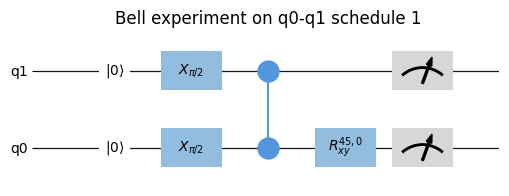
Note
Gates that are started simultaneously on the same qubit will overlap.
from qblox_scheduler import Schedule
from qblox_scheduler import X90, Measure

sched = Schedule(f"overlapping gates")

sched.add(X90("q0"))
sched.add(Measure("q0"), ref_pt="start", rel_time=0)
sched.plot_composite_diagram();
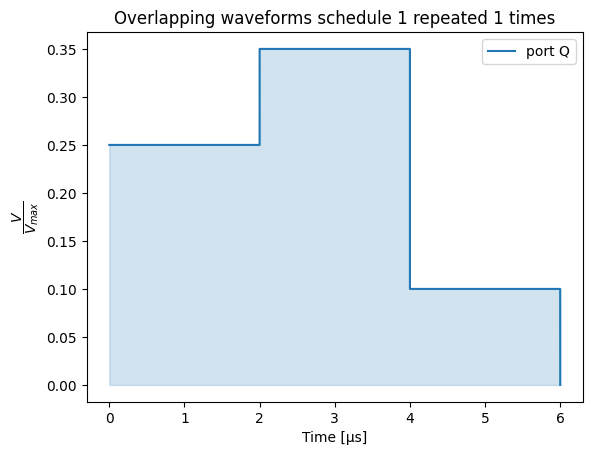
Note
If the pulse’s port address was not found then the pulse will be plotted on the ‘other’ timeline.
- plot_circuit_diagram(*args, **kwargs) tuple[matplotlib.figure.Figure | None, matplotlib.axes.Axes | list[matplotlib.axes.Axes]][source]#
- plot_pulse_diagram(port_list: list[str] | None = None, sampling_rate: float = 1000000000.0, modulation: Literal['off', 'if', 'clock'] = 'off', modulation_if: float = 0.0, plot_backend: Literal['mpl', 'plotly'] = 'mpl', x_range: tuple[float, float] = (-np.inf, np.inf), combine_waveforms_on_same_port: bool = True, timeable_schedule_index: int | None = None, num_repetitions: int | None = 1, **backend_kwargs) tuple[matplotlib.figure.Figure, matplotlib.axes.Axes] | plotly.graph_objects.Figure[source]#
Create a visualization of all the pulses in a schedule using the specified plotting backend.
The pulse diagram visualizes the schedule at the quantum device layer. For this visualization to work, all operations need to have the information present (e.g., pulse info) to represent these on the quantum-circuit level and requires the absolute timing to have been determined. This information is typically added when the quantum-device level compilation is performed.
Alias of
qblox_scheduler.schedules._visualization.pulse_diagram.pulse_diagram_matplotlib()andqblox_scheduler.schedules._visualization.pulse_diagram.pulse_diagram_plotly().- Parameters:
port_list – A list of ports to show. If
None(default) the first 8 ports encountered in the sequence are used.modulation – Determines if modulation is included in the visualization.
modulation_if – Modulation frequency used when modulation is set to “if”.
sampling_rate – The time resolution used to sample the schedule in Hz.
plot_backend – Plotting library to use, can either be ‘mpl’ or ‘plotly’.
x_range – The range of the x-axis that is plotted, given as a tuple (left limit, right limit). This can be used to reduce memory usage when plotting a small section of a long pulse sequence. By default (-np.inf, np.inf).
combine_waveforms_on_same_port – By default True. If True, combines all waveforms on the same port into one single waveform. The resulting waveform is the sum of all waveforms on that port (small inaccuracies may occur due to floating point approximation). If False, the waveforms are shown individually.
timeable_schedule_index – Index of timeable schedule in schedule to plot. If None (the default), will only plot if the schedule contains a single timeable schedule.
num_repetitions – The number of times the schedule’s top-level
repetitionsare expanded in the plot. By default 1, i.e. only the first repetition is shown. Set toNoneto expand all repetitions. Note this only affects the loop synthesized from the schedule’s top-levelrepetitions; any other loop/sweep in the schedule is always fully expanded.backend_kwargs – Keyword arguments to be passed on to the plotting backend. The arguments that can be used for either backend can be found in the documentation of
qblox_scheduler.schedules._visualization.pulse_diagram.pulse_diagram_matplotlib()andqblox_scheduler.schedules._visualization.pulse_diagram.pulse_diagram_plotly().
- Returns:
Union[tuple[Figure, Axes],
plotly.graph_objects.Figure] the plot
Example
A simple plot with matplotlib can be created as follows:
from qblox_scheduler.backends.graph_compilation import SerialCompiler
from qblox_scheduler import QuantumDevice
from qblox_scheduler import (
    DRAGPulse, SquarePulse, RampPulse, VoltageOffset,
)
from qblox_scheduler import ClockResource

schedule = Schedule("Multiple waveforms")
schedule.add(DRAGPulse(amplitude=0.2, beta=2e-9, phase=0, duration=4e-6, port="P", clock="C"))
schedule.add(RampPulse(amplitude=0.2, voltage_offset=0.0, duration=6e-6, port="P"))
schedule.add(SquarePulse(amplitude=0.1, duration=4e-6, port="Q"), ref_pt='start')
schedule.add_resource(ClockResource(name="C", freq=4e9))

quantum_device = QuantumDevice("quantum_device")
device_compiler = SerialCompiler("Device compiler", quantum_device)
compiled_schedule = device_compiler.compile(schedule)

_ = compiled_schedule.plot_pulse_diagram(sampling_rate=20e6)
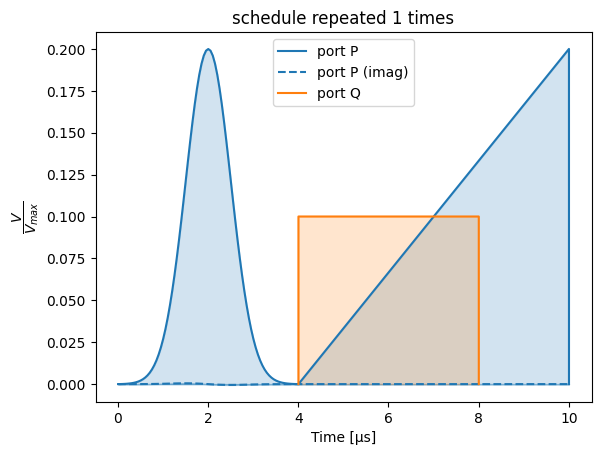
The backend can be changed to the plotly backend by specifying the
plot_backend=plotlyargument. With the plotly backend, pulse diagrams include a separate plot for each port/clock combination:_ = compiled_schedule.plot_pulse_diagram(sampling_rate=20e6, plot_backend='plotly')
The same can be achieved in the default
plot_backend(matplotlib) by passing the keyword argumentmultiple_subplots=True:_ = compiled_schedule.plot_pulse_diagram(sampling_rate=20e6, multiple_subplots=True)
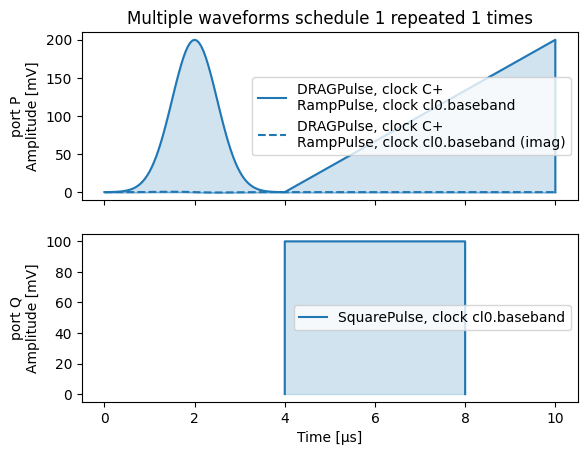
By default, waveforms overlapping in time on the same port are shown separately:
schedule = Schedule("Overlapping waveforms")
schedule.add(VoltageOffset(offset_path_I=0.25, offset_path_Q=0.0, port="Q"))
schedule.add(SquarePulse(amplitude=0.1, duration=4e-6, port="Q"), rel_time=2e-6)
schedule.add(VoltageOffset(offset_path_I=0.0, offset_path_Q=0.0, port="Q"), ref_pt="start", rel_time=2e-6)

compiled_schedule = device_compiler.compile(schedule)

_ = compiled_schedule.plot_pulse_diagram(sampling_rate=20e6)
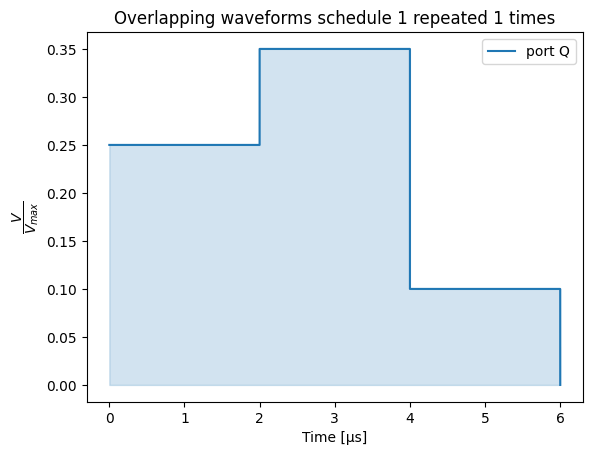
This behaviour can be changed with the parameter
combine_waveforms_on_same_port:_ = compiled_schedule.plot_pulse_diagram(sampling_rate=20e6, combine_waveforms_on_same_port=True)
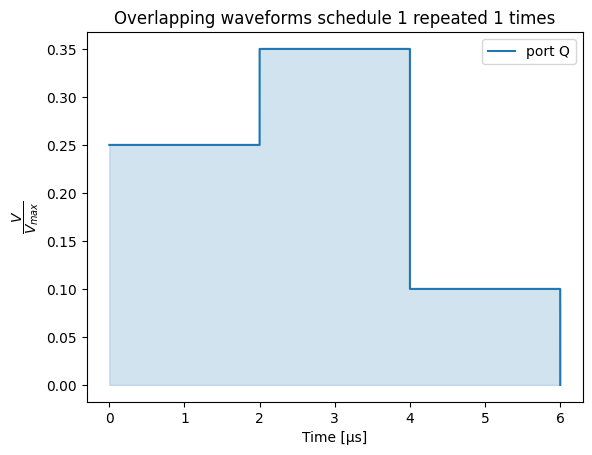
- property timing_table: pandas.io.formats.style.Styler#
A styled pandas dataframe containing the absolute timing of pulses and acquisitions in a schedule.
This table is constructed based on the
abs_timekey in theschedulables. This requires the timing to have been determined.The table consists of the following columns:
operation: a
reprofOperationcorresponding to the pulse/acquisition.waveform_op_id: an id corresponding to each pulse/acquisition inside an
Operation.port: the port the pulse/acquisition is to be played/acquired on.
clock: the clock used to (de)modulate the pulse/acquisition.
abs_time: the absolute time the pulse/acquisition is scheduled to start.
duration: the duration of the pulse/acquisition that is scheduled.
is_acquisition: whether the pulse/acquisition is an acquisition or not (type
numpy.bool_).wf_idx: the waveform index of the pulse/acquisition belonging to the Operation.
operation_hash: the unique hash corresponding to the
Schedulablethat the pulse/acquisition belongs to.
Example
schedule = Schedule("demo timing table")
schedule.add(Reset("q0", "q4"))
schedule.add(X("q0"))
schedule.add(Y("q4"))
schedule.add(Measure("q0", acq_label=0))

compiled_schedule = compiler.compile(schedule)
compiled_schedule.timing_table
waveform_op_id port clock abs_time duration is_acquisition operation operation_hash 0 ResetClockPhase(clock='q0.ro') None q0.ro 0.0 ns 0.0 ns False ResetClockPhase(clock='q0.ro') 4409040959015671762 1 ResetClockPhase(clock='q4.01') None q4.01 0.0 ns 0.0 ns False ResetClockPhase(clock='q4.01') 4879054775067014605 2 ResetClockPhase(clock='q0.01') None q0.01 0.0 ns 0.0 ns False ResetClockPhase(clock='q0.01') 5556117654481544042 3 IdlePulse(duration=4e-09) None cl0.baseband 0.0 ns 4.0 ns False IdlePulse(duration=4e-09) 2467483450922559885 4 IdlePulse(duration=0.0002) None cl0.baseband 4.0 ns 200,000.0 ns False IdlePulse(duration=0.0002) 9062590787514744152 5 IdlePulse(duration=0.0002) None cl0.baseband 4.0 ns 200,000.0 ns False IdlePulse(duration=0.0002) 9062590787514744152 6 X(qubit='q0') q0:mw q0.01 200,004.0 ns 20.0 ns False X(qubit='q0') 6164511457188911909 7 Y(qubit='q4') q4:mw q4.01 200,024.0 ns 20.0 ns False Y(qubit='q4') 7202329202446696529 8 ResetClockPhase(clock='q0.ro') None q0.ro 200,044.0 ns 0.0 ns False ResetClockPhase(clock='q0.ro') 4409040959015671762 9 VoltageOffset(offset_path_I=0.25,offset_path_Q=0,port='q0:res',clock='q0.ro') q0:res q0.ro 200,044.0 ns 0.0 ns False VoltageOffset(offset_path_I=0.25,offset_path_Q=0,port='q0:res',clock='q0.ro') -7134753899540842834 12 IQIntegration(port='q0:res', clock='q0.ro', duration=1e-06, acq_label=0, coords=None, average_segment_repetitions=True) q0:res q0.ro 200,144.0 ns 1,000.0 ns True IQIntegration(port='q0:res', clock='q0.ro', duration=1e-06, acq_label=0, coords=None, average_segment_repetitions=True) -1702236331988111396 10 VoltageOffset(offset_path_I=0.0,offset_path_Q=0.0,port='q0:res',clock='q0.ro') q0:res q0.ro 200,340.0 ns 0.0 ns False VoltageOffset(offset_path_I=0.0,offset_path_Q=0.0,port='q0:res',clock='q0.ro') 5047209966467110297 11 SquarePulse(amplitude=0.25,duration=4e-09,port='q0:res',clock='q0.ro') q0:res q0.ro 200,340.0 ns 4.0 ns False SquarePulse(amplitude=0.25,duration=4e-09,port='q0:res',clock='q0.ro') 5320609911628649773 Note that only the first repetition of the schedule’s top-level
repetitionsis shown; any other loop/sweep in the schedule is fully expanded.- Returns:
: styled_timing_table, a pandas Styler containing a dataframe with an overview of the timing of the pulses and acquisitions present in the schedule. The dataframe can be accessed through the .data attribute of the Styler.
- Raises:
ValueError – When the absolute timing has not been determined during compilation.
- _add_timeable_schedule(timeable_schedule: qblox_scheduler.schedules.schedule.TimeableSchedule) None[source]#
- _get_current_timeable_schedule() qblox_scheduler.schedules.schedule.TimeableSchedule | None[source]#
- get_used_port_clocks() set[tuple[str, str]][source]#
Extracts which port-clock combinations are used in this schedule.
- Returns:
: All (port, clock) combinations that operations in this schedule uses
- add_resource(resource: qblox_scheduler.resources.Resource) None[source]#
Add a resource such as a label or device element to the schedule.
- declare(dtype: qblox_scheduler.operations.expressions.DType) qblox_scheduler.operations.variables.Variable[source]#
Declare a new variable.
- Parameters:
dtype – The data type of the variable.
- static _merge_previous_schedules(experiment: qblox_scheduler.segments.segment.Experiment) None[source]#
- add(operation: Schedule | qblox_scheduler.operations.operation.Operation | qblox_scheduler.schedules.schedule.TimeableSchedule | qblox_scheduler.segments.segment.Segment, rel_time: float | qblox_scheduler.operations.expressions.Expression | None = 0, ref_op: qblox_scheduler.schedules.schedule.Schedulable | str | None = None, ref_pt: qblox_scheduler.schedules.schedule.OperationReferencePoint | None = None, ref_pt_new: qblox_scheduler.schedules.schedule.OperationReferencePoint | None = None, label: str | None = None) qblox_scheduler.schedules.schedule.Schedulable | None[source]#
Add segment, operation or timeable schedule to this schedule.
- _add_schedule(schedule: Schedule, rel_time: float | qblox_scheduler.operations.expressions.Expression | None = 0, ref_op: qblox_scheduler.schedules.schedule.Schedulable | str | None = None, ref_pt: qblox_scheduler.schedules.schedule.OperationReferencePoint | None = None, ref_pt_new: qblox_scheduler.schedules.schedule.OperationReferencePoint | None = None, label: str | None = None) qblox_scheduler.schedules.schedule.Schedulable | None[source]#
- loop(domain: qblox_scheduler.operations.loop_domains.LinearDomain, *, rel_time: float | None = 0, ref_op: qblox_scheduler.schedules.schedule.Schedulable | str | None = None, ref_pt: qblox_scheduler.schedules.schedule.OperationReferencePoint | None = None, ref_pt_new: qblox_scheduler.schedules.schedule.OperationReferencePoint | None = None, strategy: qblox_scheduler.operations.control_flow_library.LoopStrategy | None = None) contextlib.AbstractContextManager[qblox_scheduler.operations.variables.Variable][source]#
- loop(domain: qblox_scheduler.operations.loop_domains.LinearDomain, domains: qblox_scheduler.operations.loop_domains.LinearDomain, /, *args: qblox_scheduler.operations.loop_domains.LinearDomain, rel_time: float | None = 0, ref_op: qblox_scheduler.schedules.schedule.Schedulable | str | None = None, ref_pt: qblox_scheduler.schedules.schedule.OperationReferencePoint | None = None, ref_pt_new: qblox_scheduler.schedules.schedule.OperationReferencePoint | None = None, strategy: qblox_scheduler.operations.control_flow_library.LoopStrategy | None = None) contextlib.AbstractContextManager[list[qblox_scheduler.operations.variables.Variable]]
Add a loop operation to the schedule, using a with-statement.
Every operation added while the context manager is active, will be added to the loop body.
Example:
sched = Schedule()
with sched.loop(linspace(start_amp, start_amp + 1.0, 11, dtype=DType.AMP)) as amp:
    sched.add(SquarePulse(amplitude=amp, duration=100e-9, port="q0:mw", clock="q0.01"))
- Parameters:
domain – The object that describes the domain to be looped over.
domains – Optional extra domains that will be looped over in parallel, in a zip-like fashion.
rel_time – relative time between the reference operation and the added operation. the time is the time between the “ref_pt” in the reference operation and “ref_pt_new” of the operation that is added. If
None, the schedule can be broken up into multiple segments.ref_op – reference schedulable. If set to
None, will default to the last added operation.ref_pt – reference point in reference operation must be one of
"start","center","end", orNone; in case ofNone,_determine_absolute_timing()assumes"end".ref_pt_new – reference point in added operation must be one of
"start","center","end", orNone; in case ofNone,_determine_absolute_timing()assumes"start".strategy – Strategy to use for implementing this loop, will default to
Noneindicating no preference.
- Yields:
variables – The Variable objects that are created for each domain.
- repeat(n: int) collections.abc.Iterator[None][source]#
Add a loop operation to the schedule for a given amount of iterations, using a with-statement.
Example:
sched = Schedule()
with sched.repeat(5):
    sched.add(SquarePulse(amplitude=some_amp, duration=100e-9, port="q0:mw", clock="q0.01"))
- Parameters:
n – The amount of times to repeat the loop body.
- class CompiledSchedule(schedule: TimeableSchedule)[source]#
Bases:
TimeableScheduleBaseA schedule that contains compiled instructions ready for execution using the
InstrumentCoordinator.The
CompiledSchedulediffers from aTimeableSchedulein that it is considered immutable (no new operations or resources can be added), and that it containscompiled_instructions.Tip
A
TimeableSchedulecan be obtained by compiling aTimeableScheduleusingcompile().- schema_filename = 'schedule.json'#
- _hardware_timing_table: pandas.DataFrame#
- _hardware_waveform_dict: dict[str, numpy.ndarray]#
- property compiled_instructions: collections.abc.MutableMapping[str, qblox_scheduler.resources.Resource]#
A dictionary containing compiled instructions.
The contents of this dictionary depend on the backend it was compiled for. However, we assume that the general format consists of a dictionary in which the keys are instrument names corresponding to components added to a
InstrumentCoordinator, and the values are the instructions for that component.These values typically contain a combination of sequence files, waveform definitions, and parameters to configure on the instrument.
- classmethod is_valid(object_to_be_validated: Any) bool[source]#
Check if the contents of the object_to_be_validated are valid.
Additionally checks if the object_to_be_validated is an instance of
CompiledSchedule.
- property hardware_timing_table: pandas.io.formats.style.Styler#
Return a timing table representing all operations at the Control-hardware layer.
Note that this timing table is typically different from the .timing_table in that it contains more hardware specific information such as channels, clock cycles and samples and corrections for things such as gain.
This hardware timing table is intended to provide a more
This table is constructed based on the timing_table and modified during compilation in one of the hardware back ends and optionally added to the schedule. Not all back ends support this feature.
- property hardware_waveform_dict: dict[str, numpy.ndarray]#
Return a waveform dictionary representing all waveforms at the Control-hardware layer.
Where the waveforms are represented as abstract waveforms in the Operations, this dictionary contains the numerical arrays that are uploaded to the hardware.
- This dictionary is constructed during compilation in the hardware back ends and
optionally added to the schedule. Not all back ends support this feature.
- clone() CompiledSchedule[source]#
Clone this schedule into a separate independent schedule.
- class Loop(domains: dict[qblox_scheduler.operations.variables.Variable, qblox_scheduler.operations.loop_domains.LinearDomain], segments: list[qblox_scheduler.segments.segment.Segment])[source]#
Bases:
qblox_scheduler.segments.segment.SegmentExperiment segment that loops other segments over some values.
- property domains: dict[qblox_scheduler.operations.variables.Variable, qblox_scheduler.operations.loop_domains.LinearDomain]#
Domains to loop over.
- run(device: qblox_scheduler.device_under_test.QuantumDevice, timeout: int = 10) xarray.Dataset | None[source]#
Execute segment on quantum device.
- class Callback(callback: collections.abc.Callable[..., None], *args, **kwargs)[source]#
Bases:
qblox_scheduler.segments.segment.SegmentExperiment segment that calls a generic, user-defined callback.
Example
def foo(bar, baz, qux):
    print(bar, baz, qux)

schedule = Schedule("test")
schedule.add(
    Callback(foo, 1, "a", qux=True)
)
schedule.add(Measure("q0"))
- Parameters:
callback – The callback function to be called in the run method.
args – The arguments for the callback function.
kwargs – The keyword arguments for the callback function.
- property callback: collections.abc.Callable[..., None]#
The callback function to be called in the run method.
- run(device: qblox_scheduler.device_under_test.QuantumDevice, timeout: int) None[source]#
Execute segment on quantum device.
- class SetHardwareDescriptionField(name: str | int | tuple[str | int, ...], value: Any, instrument: str, create_new: bool = False)[source]#
Bases:
qblox_scheduler.segments.segment.SegmentExperiment segment that sets a hardware description parameter for a given instrument.
Example
schedule = Schedule("test")
# corresponds to:
#   hardware_config = device.generate_hardware_compilation_config()
#   cluster0_description = hardware_config.hardware_description["cluster0"]
#   cluster0_description.modules[2].rf_output_on = False
schedule.add(
    SetHardwareDescriptionField(("modules", 2, "rf_output_on"), False, instrument="cluster0")
)
schedule.add(Measure("q0"))
- Parameters:
name –
one of:
a str, corresponding to a hardware option on the port/clock.
a tuple of str, corresponding to a nested hardware option on the port/clock
value – Value to set the parameter to.
instrument – Instrument to set the parameter for.
create_new – If True, create a new entry in the hardware configuration if no entry exists for this port-clock and hardware option. Otherwise, raise an error if the entry does not exist. Optional, by default False.
- property value: Any#
Field value to set.
- property create_new: bool#
Whether to create a new configuration field if it did not previously exist.
- run(device: qblox_scheduler.device_under_test.QuantumDevice, timeout: int = 10) None[source]#
Execute segment on quantum device.
- class SetHardwareOption(name: str | int | tuple[str | int, ...], value: Any, port: str, create_new: bool = False)[source]#
Bases:
qblox_scheduler.segments.segment.SegmentExperiment segment that sets a hardware option for a given port/clock.
Example
schedule = Schedule("resonator flux spectroscopy")
with schedule.loop(linspace(36e6, 38e6, 300, DType.FREQUENCY)) as lo_freq:
    # corresponds to:
    #   hardware_config = device.generate_hardware_compilation_config()
    #   hardware_options = hardware_config.hardware_options
    #   hardware_options.modulation_frequencies["q0:mw-q0.f_larmor"].lo_freq = lo_freq
    schedule.add(
        SetHardwareOption(("modulation_frequencies", "lo_freq"), lo_freq, port="q0:mw-q0.f_larmor")
    )
    schedule.add(Measure("q0"))
- Parameters:
name –
One of:
a str, corresponding to a hardware option on the port/clock.
a tuple of str, corresponding to a nested hardware option on the port/clock
value – Value to set the option to.
port – Port/clock combination to set the option for.
create_new – If True, create a new entry in the hardware configuration if no entry exists for this port-clock and hardware option. Otherwise, raise an error if the entry does not exist. Optional, by default False.
- property value: Any#
Option value to set.
- property create_new: bool#
Whether to create a new configuration field if it did not previously exist.
- run(device: qblox_scheduler.device_under_test.QuantumDevice, timeout: int = 10) None[source]#
Execute segment on quantum device.
- class SetParameter(name: qcodes.parameters.Parameter | str | int | tuple[str | int, ...], value: Any, element: str | None = None, create_new: bool = False)[source]#
Bases:
qblox_scheduler.segments.segment.SegmentExperiment segment that sets a QCoDeS parameter, or device element parameter.
Examples
Set a QCoDeS parameter:
dc_offset = agent.get_clusters()["cluster0"].module4.out0_offset

schedule = Schedule("resonator flux spectroscopy")
with schedule.loop(linspace(0, 0.5, 30, DType.NUMBER)) as offset:
    schedule.add(SetParameter(dc_offset, offset))
    with schedule.loop(linspace(360e6, 380e6, 300, DType.FREQUENCY)) as freq:
        schedule.add(Reset("q0"))
        schedule.add(
            Measure("q0", freq=freq, coords={"frequency": freq, "dc_offset": offset})
        )
        schedule.add(IdlePulse(4e-9))
Set a device element parameter:
schedule = Schedule("hello")
with schedule.loop(linspace(0, 0.5, 3, DType.AMPLITUDE)) as amp:
    # corresponds to q0.measure.pulse_amp = amp
    schedule.add(SetParameter(("measure", "pulse_amp"), amp, element="q0"))
    schedule.add(Reset("q0"))
    schedule.add(
        Measure("q0", coords={"frequency": freq, "pulse_amp": amp})
    )
- Parameters:
name –
One of:
QCoDeS parameter
a str, corresponding to a parameter on the quantum device.
a tuple of str, corresponding to a nested parameter on the quantum device or device element or edge.
value – Value to set the parameter to.
element – Optional. If provided, the parameter is set on the device element with the given name.
create_new – If True, create a new entry in the device configuration if no entry exists for this port-clock and hardware option. Otherwise, raise an error if the entry does not exist. Optional, by default False.
- property parameter: list[str | int] | qcodes.parameters.Parameter#
QCoDeS parameter name to set.
- property value: Any#
QCoDeS parameter value to set.
- run(device: qblox_scheduler.device_under_test.QuantumDevice, timeout: int = 10) None[source]#
Execute segment on quantum device.
- class Numbers[source]#
Bases:
TypedDictDict used to emulate the behaviour of the
Numbersqcodes validator.
- Parameter(*, initial_value: Any = _Unset, label: str | None = _Unset, docstring: str | None = _Unset, unit: str | None = _Unset, vals: Numbers | None = _Unset, **kwargs: Any) Any[source]#
Wrapper function around :func:~pydantic.Field that tries to emulate qcodes parameters as closely as possible, to facilitate migration and reduce diff lines.
- Parameters:
initial_value – Maps to
defaultordefault_factory(if callable).label – Maps to
title, displayed on the JSON schema.docstring – Maps to
description, displayed on the JSON schema.unit – Stored internally, retrievable using
get_unit().vals – Maps to
allow_inf_nan,geandle.kwargs – Other arguments passed on to the original
Fieldfunction.
- Returns:
Any: To appease the linters; actually a :class:~pydantic.fields.FieldInfo instance.